
Baseus W06
Baseus Encok True Wireless Earbuds W06 User Manual
Model: W06 | Brand: Baseus
ভূমিকা
Thank you for choosing the Baseus Encok True Wireless Earbuds W06. This manual provides detailed instructions on how to set up, operate, and maintain your earbuds to ensure optimal performance and longevity. Please read this manual thoroughly before using the product.
প্যাকেজ বিষয়বস্তু
প্যাকেজ খোলার সময় অনুগ্রহ করে প্যাকেজের বিষয়বস্তু পরীক্ষা করুন। যদি কোনও জিনিস অনুপস্থিত বা ক্ষতিগ্রস্ত থাকে, তাহলে আপনার খুচরা বিক্রেতার সাথে যোগাযোগ করুন।
- Baseus Encok True Wireless Earbuds (L/R)
- চার্জিং কেস
- USB-C চার্জিং তার
- সিলিকন ইয়ারটিপস (বিভিন্ন আকারের)
- ব্যবহারকারীর ম্যানুয়াল
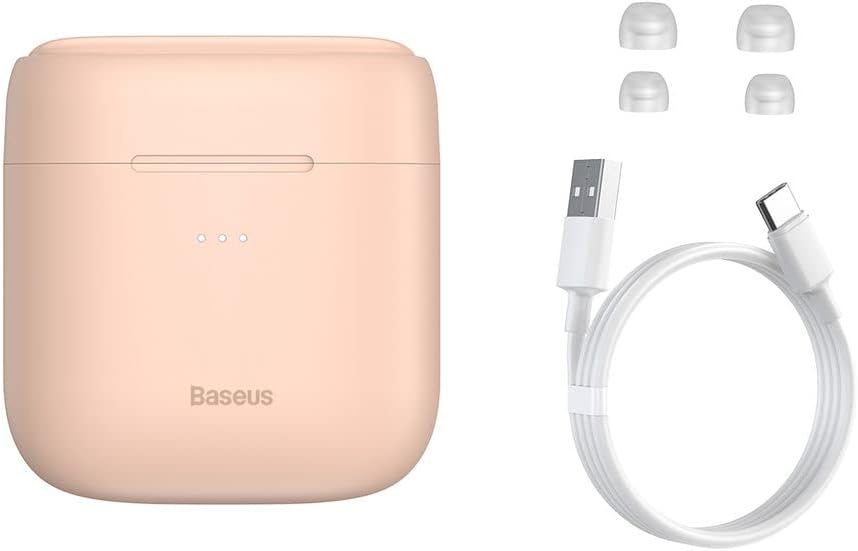
Image: The package contents, showing the charging case, two earbuds, a USB-C charging cable, and several pairs of silicone eartips.
সেটআপ
৪.১. ইয়ারবাড এবং কেস চার্জ করা
Before first use, fully charge the earbuds and the charging case. Place the earbuds into the charging case. Connect the USB-C cable to the charging case and a power source, or place the charging case on a compatible wireless charging pad.
- কেসের উপর থাকা ইন্ডিকেটর লাইটগুলি চার্জিং অবস্থা দেখাবে।
- সম্পূর্ণ চার্জ হতে সাধারণত প্রায় ২ ঘন্টা সময় লাগে।
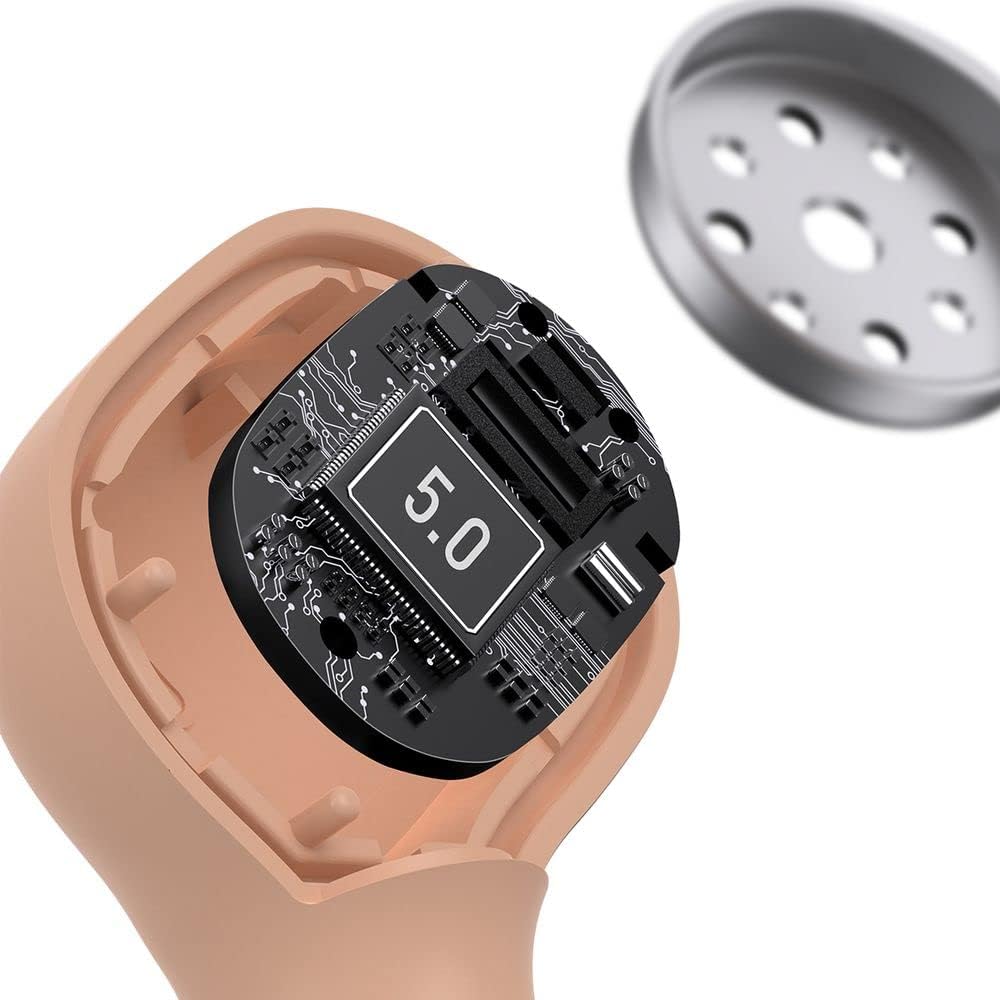
Image: The Baseus Encok W06 earbuds resting inside their open charging case, indicating they are ready for charging or use.

Image: Two Baseus Encok W06 charging cases, one connected via a USB-C cable and another placed on a wireless charging pad, demonstrating charging methods.
2. ব্লুটুথ পেয়ারিং
- ইয়ারবাডগুলি চার্জ করা আছে তা নিশ্চিত করুন।
- চার্জিং কেসটি খুলুন। ইয়ারবাডগুলি স্বয়ংক্রিয়ভাবে পেয়ারিং মোডে প্রবেশ করবে, যা ইয়ারবাডগুলিতে একটি ঝলকানি আলো দ্বারা নির্দেশিত হবে।
- আপনার ডিভাইসে (স্মার্টফোন, ট্যাবলেট, ইত্যাদি), ব্লুটুথ সক্ষম করুন।
- জন্য অনুসন্ধান করুন "Baseus Encok W06" in the list of available Bluetooth devices.
- Select it to connect. Once connected, the indicator light on the earbuds will stop flashing.
যদি ডিভাইসে ব্লুটুথ চালু থাকে, তাহলে কেস থেকে বের করার পর ইয়ারবাডগুলি স্বয়ংক্রিয়ভাবে শেষ জোড়া ডিভাইসের সাথে পুনরায় সংযোগ স্থাপন করবে।
১. ইয়ারবাড পরা
Choose the silicone eartips that provide the best fit and seal for your ears. Insert the earbuds gently into your ear canal and rotate them slightly until they feel secure and comfortable.

Image: A person wearing a Baseus Encok W06 earbud, illustrating how the earbud sits comfortably and securely in the ear.
অপারেটিং নির্দেশাবলী
The Baseus Encok W06 earbuds feature touch controls for various functions.
- পাওয়ার চালু: Open the charging case, or press and hold the touch panel for 3 seconds if earbuds are out of case.
- যন্ত্র বন্ধ: Place earbuds back into the charging case and close the lid, or press and hold the touch panel for 5 seconds.
- প্লে/পজ: Double-tap the touch panel on either earbud.
- পরবর্তী ট্র্যাক: ডান ইয়ারবাডে তিনবার ট্যাপ করুন।
- পূর্ববর্তী ট্র্যাক: বাম ইয়ারবাডে তিনবার ট্যাপ করুন।
- উত্তর / কল শেষ করুন: Double-tap the touch panel on either earbud during an incoming call.
- কল প্রত্যাখ্যান করুন: Press and hold the touch panel on either earbud for 2 seconds during an incoming call.
- ভয়েস সহকারী সক্রিয় করুন: Press and hold the touch panel on either earbud for 3 seconds.
মূল বৈশিষ্ট্য
- Double-sided Wireless Charging: The charging case supports wireless charging from both sides, allowing flexible placement on a wireless charging pad.
- APT-X Audio Decoding: Provides high-quality audio transmission for a superior listening experience.
- CVC Noise Canceling: Clear Voice Capture technology reduces background noise during calls for clearer communication.
- বর্ধিত ব্যাটারি জীবন: Offers up to 300 hours of standby time.
- ব্লুটুথ এক্সএনএমএক্স: স্থিতিশীল এবং দক্ষ ওয়্যারলেস সংযোগ নিশ্চিত করে।

Image: A visual representation of the Baseus Encok W06 earbuds and charging case, accompanied by text detailing key features such as two-sided wireless charging, APT-X audio decoding, CVC noise canceling, and 300 hours of battery life.

ছবি: বিস্তারিত view of the internal circuitry of a Baseus Encok W06 earbud, prominently displaying '5.0', signifying its Bluetooth 5.0 connectivity.
রক্ষণাবেক্ষণ
ক্লিনিং
- নিয়মিতভাবে ইয়ারবাড এবং চার্জিং কেস নরম, শুকনো, লিন্ট-মুক্ত কাপড় দিয়ে পরিষ্কার করুন।
- কানের ডগা খুলে হালকা সাবান ও জল দিয়ে পরিষ্কার করুন, তারপর পুনরায় লাগানোর আগে ভালো করে শুকিয়ে নিন।
- ঘষিয়া তুলিয়া ফেলিতে সক্ষম ক্লিনার, অ্যালকোহল, বা রাসায়নিক দ্রাবক ব্যবহার করবেন না।
- নিশ্চিত করুন যে ইয়ারবাড এবং কেস উভয়ের চার্জিং কন্টাক্ট পরিষ্কার এবং ময়লামুক্ত।
স্টোরেজ
- ইয়ারবাডগুলিকে তাদের চার্জিং কেসে সংরক্ষণ করুন যখন সেগুলিকে সুরক্ষিত রাখতে এবং চার্জ রাখতে ব্যবহার করা হয় না৷
- চরম তাপমাত্রা (গরম বা ঠান্ডা) বা উচ্চ আর্দ্রতায় সংরক্ষণ করা এড়িয়ে চলুন।
ব্যাটারি যত্ন
- ব্যাটারির আয়ু বাঁচাতে, ইয়ারবাড এবং কেস নিয়মিত চার্জ করুন, এমনকি ঘন ঘন ব্যবহার না করলেও।
- দীর্ঘ সময় ধরে ব্যাটারি সম্পূর্ণরূপে খালি করা এড়িয়ে চলুন।
সমস্যা সমাধান
| সমস্যা | সমাধান |
|---|---|
| ইয়ারবাড ডিভাইসের সাথে জোড়া লাগছে না। |
|
| একটি বা উভয় ইয়ারবাড থেকে কোনও শব্দ নেই। |
|
| চার্জিং কেস চার্জ হচ্ছে না। |
|
স্পেসিফিকেশন
| বৈশিষ্ট্য | বিস্তারিত |
|---|---|
| ব্র্যান্ড | বেসিউস |
| মডেলের নাম | NGJW06-04 (W06) |
| আইটেম মডেল নম্বর | B00F2ZIDTS |
| সংযোগ প্রযুক্তি | ওয়্যারলেস (ব্লুটুথ ৫.৩) |
| হেডফোন ফর্ম ফ্যাক্টর | ইন-ইয়ার |
| তারের বৈশিষ্ট্য | বেতার |
| আইটেম ওজন | 50 গ্রাম |
| পণ্যের মাত্রা | 10 x 3 x 2 সেমি |
| প্রস্তুতকারক | বেসিউস |
| ওয়্যারলেস চার্জিং | Supported (Double-sided) |
| অডিও ডিকোডিং | APT-X |
| নয়েজ ক্যানসেলিং | CVC (for calls) |
| ব্যাটারি লাইফ (স্ট্যান্ডবাই) | 300 ঘন্টা পর্যন্ত |
নিরাপত্তা তথ্য
- পণ্যটি বিচ্ছিন্ন, মেরামত বা পরিবর্তন করবেন না।
- পণ্যটিকে জল, আর্দ্রতা এবং চরম তাপমাত্রা থেকে দূরে রাখুন।
- শ্রবণশক্তির ক্ষতি রোধ করতে উচ্চ আয়তনের মাত্রায় দীর্ঘায়িত এক্সপোজার এড়িয়ে চলুন।
- স্থানীয় নিয়ম অনুসারে পণ্য এবং এর ব্যাটারি দায়িত্বের সাথে নিষ্পত্তি করুন।
- শিশু এবং পোষা প্রাণীদের নাগালের বাইরে রাখুন।
ওয়্যারেন্টি এবং সমর্থন
Baseus products typically come with a limited warranty. For specific warranty terms and conditions, please refer to the warranty card included in your package or visit the official Baseus website. For technical support, product inquiries, or warranty claims, please contact Baseus customer service or your local retailer.
আরও তথ্যের জন্য আপনি অফিসিয়াল Baseus স্টোরটি দেখতে পারেন: বেসাস স্টোর
Ask a question about this manual
Ask about setup, troubleshooting, compatibility, parts, safety, or missing instructions. Manuals+ will review the question and use this page’s manual context to help answer it.