
1. ভূমিকা
This manual provides detailed instructions for the setup, operation, and maintenance of your One For All URC4811 Universal Replacement Learning Remote Control. This remote is designed to be compatible with all LG Televisions, including LCD, LED, OLED, and Plasma models, offering a seamless replacement for your original LG remote.
2. পণ্য শেষview
The One For All URC4811 remote control is engineered for ease of use and broad compatibility with LG televisions. Key features include:
- সরাসরি সামঞ্জস্য: Functions like your original LG television remote. For most LG TVs, no setup is required; simply insert batteries and it is ready to use.
- Learning Feature: Allows customization of the remote to your specific needs by copying functions from your original remote.
- অ্যাপ শর্টকাট কী: Provides direct access to your favorite streaming services.
- কী সংখ্যা: 50.
- রিমোট কন্ট্রোল প্রযুক্তি: Infrared (IR).
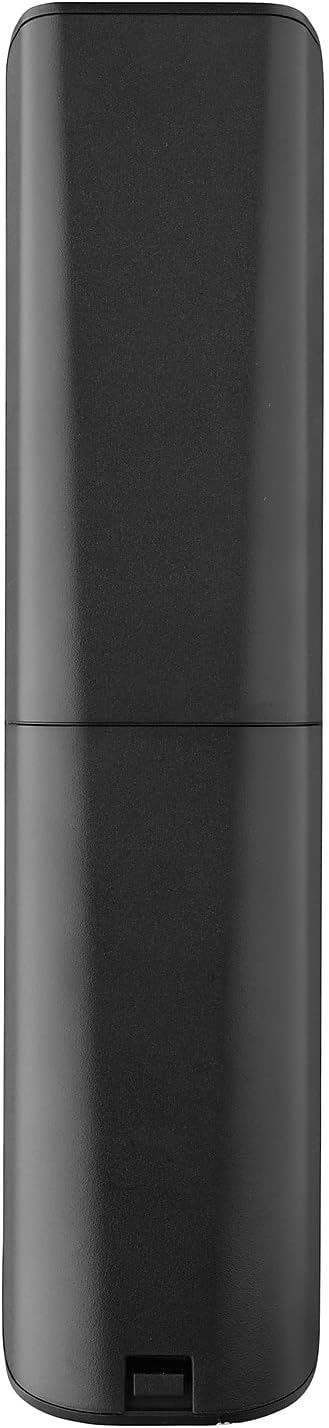
পণ্য ইমেজ




3. সেটআপ
3.1. ব্যাটারি ইনস্টলেশন
The remote requires 2 AAA batteries (not included). To install the batteries:
- Remove the battery compartment cover located on the back of the remote.
- Insert 2 AAA batteries, ensuring correct polarity (+ and - terminals).
- ব্যাটারি কম্পার্টমেন্টের কভারটি প্রতিস্থাপন করুন যতক্ষণ না এটি নিরাপদে জায়গায় ক্লিক করে।
3.2. Initial Pairing / Codeless Setup
For most LG Televisions, the One For All URC4811 remote control is ready to use immediately after battery installation, requiring no additional setup. Simply point the remote at your LG TV and begin using it. If your TV does not respond, refer to the 'Learning Feature' section for advanced setup options.
4. অপারেটিং নির্দেশাবলী
4.1. মৌলিক ফাংশন
The remote provides all standard functions of an LG TV remote, including:
- পাওয়ার চালু/বন্ধ: Use the dedicated power button to turn your TV on or off.
- ভলিউম কন্ট্রোল: Adjust volume up or down using the +/- buttons.
- চ্যানেল নেভিগেশন: Change channels using the CH +/- buttons or direct number input.
- অ্যাপ শর্টকাট: ডেডিকেটেড বোতামগুলি জনপ্রিয় স্ট্রিমিং পরিষেবাগুলিতে দ্রুত অ্যাক্সেস প্রদান করে।
4.2. Learning Feature
The learning feature allows you to copy specific functions from your original LG remote control to your One For All URC4811 remote. This is useful if a particular function is not pre-programmed or if you prefer a custom button layout. Refer to the Quick Setup Guide included with your remote for detailed steps on using the learning feature.
৯. অফিসিয়াল প্রোডাক্ট ভিডিও
5. রক্ষণাবেক্ষণ
আপনার রিমোট কন্ট্রোলের দীর্ঘায়ু এবং সর্বোত্তম কর্মক্ষমতা নিশ্চিত করতে:
- পরিষ্কার করা: নরম, শুকনো কাপড় দিয়ে রিমোটটি মুছুন। তরল ক্লিনার বা ঘষিয়া তুলিয়া ফেলিতে সক্ষম পদার্থ ব্যবহার করা এড়িয়ে চলুন।
- ব্যাটারি যত্ন: রিমোটের কর্মক্ষমতা কমে গেলে ব্যাটারিগুলি প্রতিস্থাপন করুন। যদি রিমোটটি দীর্ঘ সময়ের জন্য ব্যবহার না করা হয় তবে লিকেজ প্রতিরোধ করার জন্য ব্যাটারিগুলি সরিয়ে ফেলুন।
- সঞ্চয়স্থান: রিমোটটি সরাসরি সূর্যালোক এবং চরম তাপমাত্রা থেকে দূরে একটি শীতল, শুষ্ক জায়গায় সংরক্ষণ করুন।
6. সমস্যা সমাধান
আপনার রিমোট কন্ট্রোলে যদি কোনও সমস্যা হয়, তাহলে নিম্নলিখিত ধাপগুলি অনুসরণ করে দেখুন:
- রিমোট সাড়া দিচ্ছে না: ব্যাটারিগুলো সঠিকভাবে ঢোকানো আছে কিনা এবং পর্যাপ্ত চার্জ আছে কিনা তা পরীক্ষা করুন। প্রয়োজনে সেগুলো প্রতিস্থাপন করুন।
- দৃষ্টির রেখা: রিমোট এবং টিভির আইআর রিসিভারের মধ্যে কোনও বাধা নেই তা নিশ্চিত করুন।
- নির্দিষ্ট ফাংশনগুলি কাজ করছে না: Use the learning feature to re-program the affected buttons from your original LG remote.
- TV Not Responding After Battery Change: For some LG models, the remote may require re-pairing or a quick setup process after battery replacement. Refer to the Quick Setup Guide.
7. স্পেসিফিকেশন
| বৈশিষ্ট্য | স্পেসিফিকেশন |
|---|---|
| পণ্যের মাত্রা | 8.03 x 2.01 x 0.94 ইঞ্চি |
| আইটেম ওজন | 2.72 আউন্স |
| আইটেম মডেল নম্বর | ইউআরসি 4811 |
| ব্যাটারি প্রয়োজন | 2 AAA ব্যাটারি (অন্তর্ভুক্ত নয়) |
| ব্র্যান্ড | সবার জন্য এক |
| বিশেষ বৈশিষ্ট্য | সার্বজনীন, শেখার ফাংশন |
| রঙ | কালো |
| সমর্থিত ডিভাইসের সর্বাধিক সংখ্যা | 1 (specifically for LG TVs) |
| সামঞ্জস্যপূর্ণ ডিভাইস | LG Televisions (LCD, LED, OLED, Plasma) |
8. ওয়্যারেন্টি এবং সমর্থন
For warranty information and technical support, please refer to the documentation included with your product or visit the official One For All webসাইট। যেকোনো ওয়ারেন্টি দাবির জন্য ক্রয়ের প্রমাণ হিসেবে আপনার ক্রয়ের রসিদটি রাখুন।