
Cecotec GrandHeat 2300 Flatbed Touch
Cecotec GrandHeat 2300 Flatbed Touch Microwave Oven User Manual
Model: GrandHeat 2300 Flatbed Touch
ব্র্যান্ড: Cecotec
1. গুরুত্বপূর্ণ নিরাপত্তা নির্দেশাবলী
আপনার মাইক্রোওয়েভ ওভেন ইনস্টল এবং পরিচালনা করার আগে দয়া করে এই নির্দেশাবলী সাবধানে পড়ুন। ভবিষ্যতের রেফারেন্সের জন্য এই নির্দেশিকাটি সংরক্ষণ করুন।
- দরজা খোলা রেখে এই ওভেন চালানোর চেষ্টা করবেন না কারণ এর ফলে মাইক্রোওয়েভ শক্তির ক্ষতিকারক প্রভাব পড়তে পারে।
- ওভেনের সামনের মুখ এবং দরজার মধ্যে কোনো বস্তু রাখবেন না বা সিলিং পৃষ্ঠে মাটি বা পরিষ্কারের অবশিষ্টাংশ জমা হতে দেবেন না।
- ওভেন ক্ষতিগ্রস্ত হলে তা চালাবেন না। এটা বিশেষভাবে গুরুত্বপূর্ণ যে ওভেনের দরজা সঠিকভাবে বন্ধ হয়ে যায় এবং এতে কোন ক্ষতি হয় না:
- সঠিকভাবে যোগ্যতাসম্পন্ন পরিষেবা কর্মী ছাড়া অন্য কারো দ্বারা ওভেনটি সামঞ্জস্য বা মেরামত করা উচিত নয়।
- যন্ত্রটি সঠিকভাবে গ্রাউন্ড করা হয়েছে তা নিশ্চিত করুন।
- Do not operate the microwave empty.
- সিল করা পাত্রে তরল বা অন্যান্য খাবার গরম করবেন না কারণ সেগুলি বিস্ফোরিত হতে পারে।
- মাইক্রোওয়েভ ব্যবহারের সময় শিশুদের সর্বদা তত্ত্বাবধান করুন।
2. পণ্য বৈশিষ্ট্য
The Cecotec GrandHeat 2300 Flatbed Touch Microwave Oven is designed for efficient and convenient cooking and heating. Its innovative flatbed design offers enhanced usability and easier maintenance.
- ক্ষমতা: ৭০ লিটার, প্রদান করা হচ্ছে ampবিভিন্ন খাবারের জন্য জায়গা।
- শক্তি: 800 Watts with 5 adjustable power levels for precise cooking control.
- ফ্ল্যাটবেড ডিজাইন: Eliminates the need for a turntable, maximizing interior space and allowing for larger, rectangular dishes. This also simplifies cleaning.
- টাচ কন্ট্রোল প্যানেল: Intuitive and easy-to-use digital interface for seamless operation.
- প্রিসেট ফাংশন: 8 pre-configured programs for common food types including pizza, meat, vegetables, pasta, potatoes, fish, drinks, and popcorn.
- টাইমার: Adjustable timer up to 95 minutes.
- নিরাপত্তা লক: Child safety lock feature to prevent accidental operation.
- অভ্যন্তরীণ: Ceramic-coated interior for enhanced durability and easy cleaning.
- সংমিশ্রণ রান্না: Ability to combine two functions consecutively, such as defrosting followed by heating.
3. ইনস্টলেশন এবং সেটআপ
3.1 আনপ্যাকিং
Carefully remove the microwave oven from its packaging. Inspect the appliance for any signs of damage. Retain the packaging materials for future transport or if the appliance needs to be returned.
3.2 বসানো
Place the microwave oven on a flat, stable, and heat-resistant surface. Ensure there is adequate ventilation space around the unit (at least 10 cm at the back, 20 cm at the top, and 5 cm on the sides). Do not block any ventilation openings. Keep the appliance away from heat sources, strong magnetic fields, and areas with high humidity.

চিত্র 3.1: সামনে view of the Cecotec GrandHeat 2300 Flatbed Touch Microwave Oven.

Figure 3.2: Diagram showing the dimensions of the microwave oven (57.5 cm L x 45 cm W x 37.5 cm H).
3.3 পাওয়ার সংযোগ
যন্ত্রটি প্লাগ করার আগে নিশ্চিত করুন যে ভলিউমtage indicated on the rating label matches your local power supply. Connect the microwave oven to a properly grounded electrical outlet. Do not use extension cords or adapters that are not rated for the appliance's power requirements.
4. Operating Your Microwave Oven
4.1 কন্ট্রোল প্যানেল ওভারview
The microwave features an intuitive touch control panel for easy operation.

চিত্র 4.1: বিস্তারিত view of the touch control panel, showing the digital display and various function buttons.
- পাওয়ার বোতাম (⏻): To turn the microwave on/off or to select power levels.
- Time/Clock Button (⏱): To set cooking time or the current time.
- Defrost Button (❄️): To activate the defrost function.
- Preset Functions Button (△): To cycle through the 8 preset cooking programs.
- Start/Pause Button (▶): To start or pause cooking.
- Stop/Cancel Button (■): To stop cooking or clear settings.
- +/- বোতাম: To adjust time, weight, or power levels.
4.2 বেসিক অপারেশন
- ওভেনের ভেতরে মাইক্রোওয়েভ-নিরাপদ পাত্রে খাবার রাখুন।
- নিরাপদে দরজা বন্ধ করুন।
- Press the Power button to select the desired power level (e.g., P100 for 100% power).
- Use the +/- buttons to set the cooking time.
- রান্না শুরু করতে স্টার্ট বোতাম টিপুন।
৫.২ প্রিসেট ফাংশন ব্যবহার করা
The microwave offers 8 convenient preset functions:
- Press the Preset Functions button (△) repeatedly to cycle through the available programs (e.g., Pizza, Meat, Vegetables, Pasta, Potatoes, Fish, Drinks, Popcorn).
- Once the desired program is displayed, press the Start button. The microwave will automatically set the appropriate cooking time and power level.
4.4 ডিফ্রস্ট ফাংশন
The defrost function allows you to thaw food by weight or time.
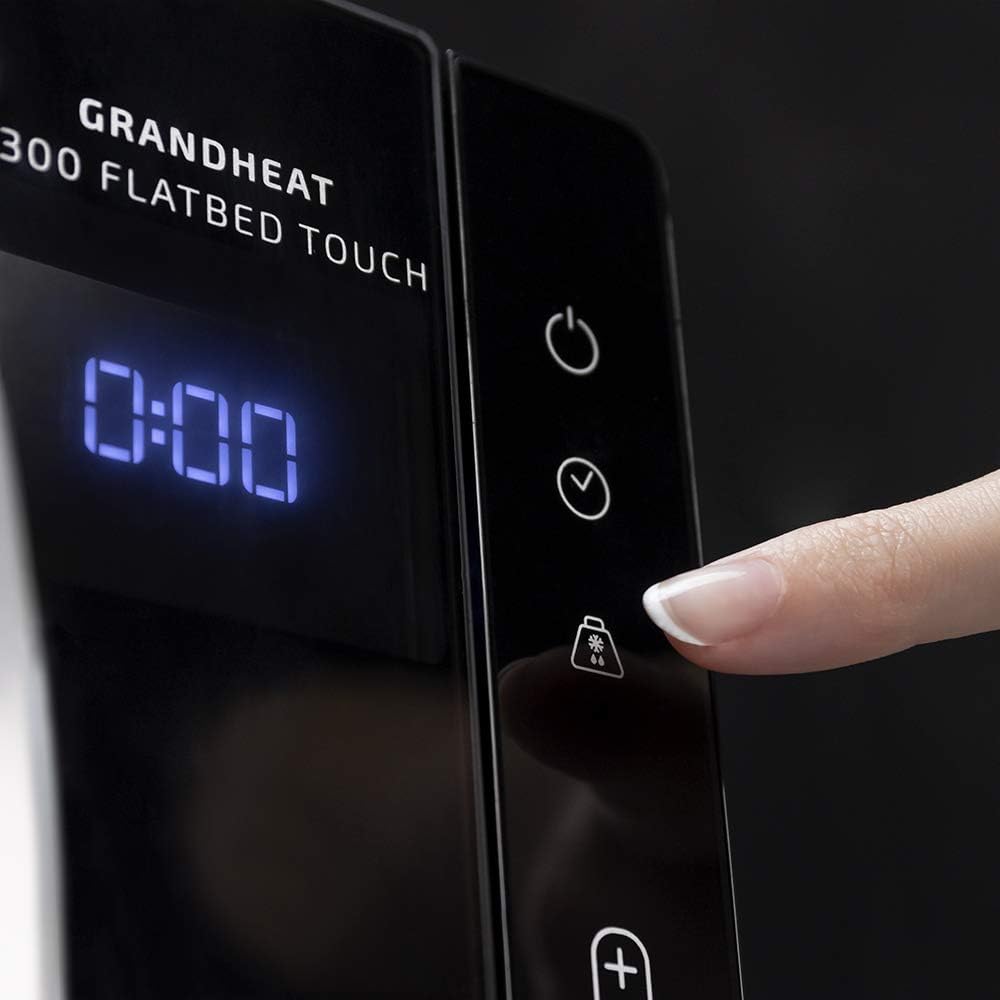
Figure 4.2: A finger interacting with the defrost button on the touch control panel.
- Press the Defrost button (❄️).
- Use the +/- buttons to select the defrost time or weight, depending on the mode.
- Press the Start button to begin defrosting.
4.5 চাইল্ড সেফটি লক
To activate the child safety lock, press and hold the Stop/Cancel button (■) for approximately 3 seconds until a lock indicator appears on the display. To deactivate, repeat the process.
5. যত্ন এবং পরিষ্কার করা
নিয়মিত পরিষ্কার এবং রক্ষণাবেক্ষণ আপনার মাইক্রোওয়েভ ওভেনের দীর্ঘায়ু এবং সর্বোত্তম কর্মক্ষমতা নিশ্চিত করবে।
৬.১ অভ্যন্তরীণ পরিষ্কার-পরিচ্ছন্নতা
The ceramic-coated interior and flatbed design make cleaning exceptionally easy. After each use, wipe the interior with a damp cloth and mild detergent. For stubborn food spills, place a bowl of water with lemon slices inside and heat for a few minutes to loosen residue, then wipe clean. Since there is no turntable, there are fewer parts to clean.

Figure 5.1: The flatbed interior of the microwave oven, highlighting the absence of a turntable for easier cleaning.
5.2 বাহ্যিক পরিষ্কার করা
একটি নরম সঙ্গে বহি পৃষ্ঠ মুছা, ঘamp cloth. Do not use abrasive cleaners or harsh chemicals that could damage the finish.
৫.৩ দুর্গন্ধ দূরীকরণ
To remove odors from the oven, combine a cup of water with a few tablespoons of lemon juice or vinegar in a microwave-safe bowl. Heat on high for 5-7 minutes. Allow to cool slightly, then wipe the interior with a clean cloth.
6. সমস্যা সমাধানের নির্দেশিকা
If you encounter any issues with your microwave oven, please refer to the following common problems and solutions before contacting customer support.
| সমস্যা | সম্ভাব্য কারণ | সমাধান |
|---|---|---|
| মাইক্রোওয়েভ চালু হয় না। | দরজা ঠিকমতো বন্ধ করা হয়নি; পাওয়ার কর্ড খুলে ফেলা হয়েছে; সার্কিট ব্রেকার ছিঁড়ে গেছে; চাইল্ড লক সক্রিয় করা হয়েছে। | Ensure door is fully closed; Check power connection; Reset circuit breaker; Deactivate child lock. |
| Food not heating properly. | Incorrect power level or cooking time; Food quantity too large; Improper dishware. | Adjust power level and time; Reduce food quantity or cook in batches; Use microwave-safe dishes. |
| অপারেশন চলাকালীন অস্বাভাবিক শব্দ। | Food container touching interior walls; Debris inside the oven. | Ensure container is not touching walls; Clean interior thoroughly. |
| ডিসপ্লেতে একটি ত্রুটি কোড দেখাচ্ছে। | অভ্যন্তরীণ ত্রুটি। | ১ মিনিটের জন্য মাইক্রোওয়েভটি খুলে আবার প্লাগ ইন করুন। যদি ত্রুটিটি থেকে যায়, তাহলে গ্রাহক সহায়তার সাথে যোগাযোগ করুন। |
7. প্রযুক্তিগত স্পেসিফিকেশন
Detailed specifications for the Cecotec GrandHeat 2300 Flatbed Touch Microwave Oven.
| বৈশিষ্ট্য | স্পেসিফিকেশন |
|---|---|
| ব্র্যান্ড | সেকোটেক |
| মডেল | GrandHeat 2300 Flatbed Touch |
| ক্ষমতা | 23 লিটার |
| পাওয়ার আউটপুট | 800 ওয়াট |
| ভলিউমtage | 230V এসি |
| ফ্রিকোয়েন্সি | 50 Hz |
| মাত্রা (L x W x H) | 57.5 x 45 x 37.5 সেমি |
| ওজন | 13.3 কিলোগ্রাম |
| উপাদান | Painted Metal or Stainless Steel |
| নয়েজ লেভেল | 10 ডিবি |
| বিশেষ বৈশিষ্ট্য | Automatic Cooking, Defrost, Timer, Programmable, Flatbed (no turntable) |
৭. ওয়ারেন্টি এবং গ্রাহক সহায়তা
Cecotec is committed to providing high-quality products and excellent customer service. This product is designed for durability and performance.
খুচরা যন্ত্রাংশ উপলব্ধতা: এই মডেলের খুচরা যন্ত্রাংশ ক্রয়ের তারিখ থেকে ৫ বছর পর্যন্ত পাওয়া যাবে।
যেকোনো প্রশ্ন, প্রযুক্তিগত সহায়তা, বা ওয়ারেন্টি দাবির জন্য, অনুগ্রহ করে তাদের অফিসিয়ালের মাধ্যমে Cecotec গ্রাহক সহায়তার সাথে যোগাযোগ করুন website or the contact information provided with your purchase. Please have your product model and serial number ready when contacting support.
Ask a question about this manual
Ask about setup, troubleshooting, compatibility, parts, safety, or missing instructions. Manuals+ will review the question and use this page’s manual context to help answer it.