
1. ভূমিকা
This manual provides detailed instructions for the installation, operation, and maintenance of your Alptop AT-200DW Outdoor PTZ WiFi IP Security Camera. This 1080P HD camera offers pan/tilt functionality, two-way audio, motion detection, and color night vision, designed to enhance your home surveillance.

Figure 1: Alptop AT-200DW Outdoor PTZ WiFi IP Security Camera.
মূল বৈশিষ্ট্য:
- Full 1080P HD Video Resolution (1920x1080P)
- Pan/Tilt Functionality: 320° horizontal, 90° vertical rotation
- Intelligent Full-color Night Vision (up to 100FT) and IR Night Vision (up to 150FT)
- Motion Detection Alerts with push notifications, email, or FTP upload
- Clear Two-Way Audio with built-in microphone and speaker
- Reliable 2.4G WiFi Connection (5Ghz not supported)
- IP66 ওয়েদারপ্রুফ ডিজাইন
- Supports max 128GB Micro SD Card for local storage
- মাল্টি-প্ল্যাটফর্ম viewing via CamHi/CamHiPro App (iOS/Android) and PC Software (Windows/Mac)
2. সেটআপ গাইড
2.1 প্যাকেজ বিষয়বস্তু
Before installation, please ensure all components are present:
- Alptop AT-200DW Camera Unit
- পাওয়ার অ্যাডাপ্টার (12V 2A)
- মাউন্টিং স্ক্রু এবং ওয়াল প্লাগ
- ব্যবহারকারী ম্যানুয়াল (এই দস্তাবেজ)
2.2 ভৌত ইনস্টলেশন
The camera supports multiple installation options including vertical, wall, and ceiling mount. Choose a location that provides optimal viewing coverage and stable Wi-Fi signal.
- মাউন্টিং ব্র্যাকেট ব্যবহার করে ড্রিলিং পয়েন্টগুলিকে টেমপ্লেট হিসেবে চিহ্নিত করুন।
- যদি রাজমিস্ত্রির উপর মাউন্ট করা থাকে, তাহলে গর্ত ছিদ্র করুন এবং দেয়ালের প্লাগ ঢোকান।
- Secure the mounting bracket to the desired surface using the provided screws.
- Attach the camera unit to the mounted bracket.
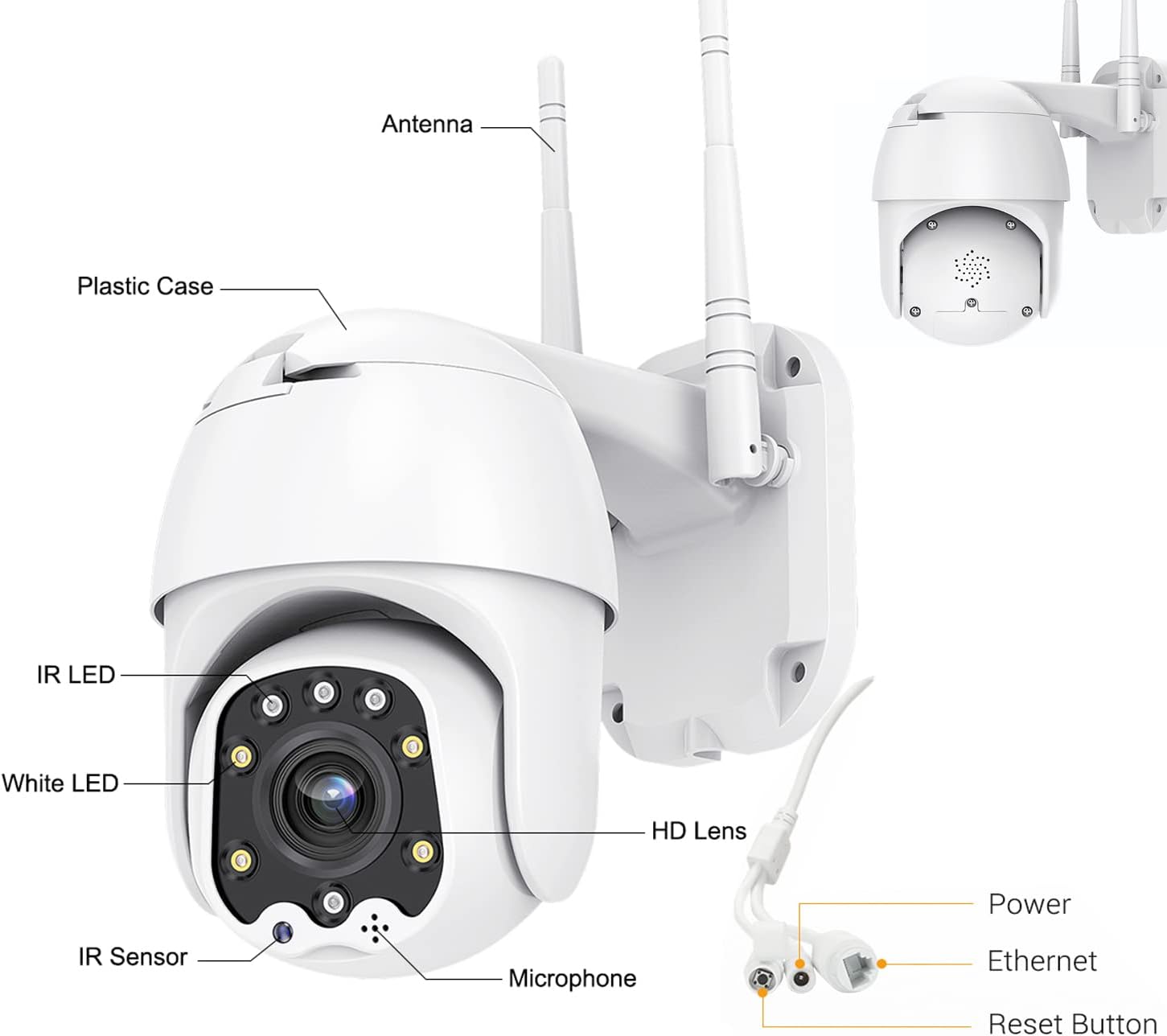
Figure 2: Camera Components and Connections.
৫.৩ এসডি কার্ড ইনস্টলেশন (ঐচ্ছিক)
The camera supports a Micro SD card up to 128GB for local video storage (card not included).
- Open the cover on the camera body.
- Carefully insert the Micro SD card into the slot until it clicks into place.
- কভারটি নিরাপদে বন্ধ করুন।
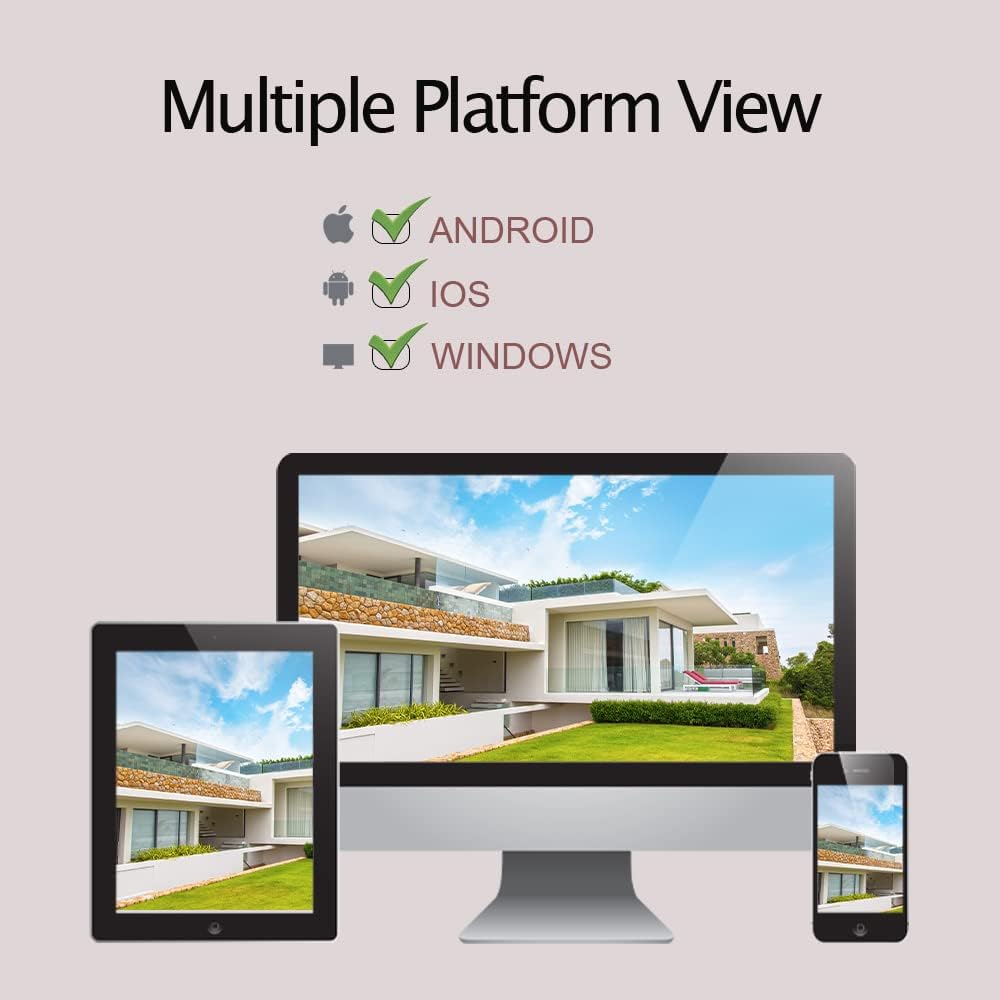
Figure 3: SD Card Installation Steps.
2.4 Network Connection and App Setup
The camera connects via 2.4GHz Wi-Fi. Ensure your Wi-Fi password does not contain special symbols.
- Download the "CamHiPro" app from the App Store (iOS) or Google Play Store (Android).
- একটি অ্যাকাউন্ট নিবন্ধন করুন এবং লগ ইন করুন।
- ক্যামেরা অন পাওয়ার।
- In the app, follow the on-screen instructions to add a new device. Select "Add Camera" and choose the Wi-Fi setup method.
- Enter your 2.4GHz Wi-Fi network details when prompted.
- ক্যামেরাটি আপনার ওয়াই-ফাই নেটওয়ার্কের সাথে সংযুক্ত হবে। একবার সংযুক্ত হয়ে গেলে, আপনি view লাইভ স্ট্রিম
3. ক্যামেরা অপারেটিং
3.1 লাইভ View এবং PTZ নিয়ন্ত্রণ
Once connected, you can access the live video feed through the CamHiPro app or PC software.
- প্যান/কাত: Use the directional controls within the app to rotate the camera horizontally (320°) and vertically (90°) to adjust the viewআইএন কোণ
- ডিজিটাল জুম: লাইভে জুম করতে চিমটি দিন view to digitally magnify the image.
৪.৪ দ্বিমুখী অডিও
The camera features a built-in microphone and speaker for two-way communication.
- Tap the microphone icon in the app to speak through the camera's speaker.
- The camera's microphone will pick up audio from its surroundings.

Figure 4: Two-Way Audio Functionality.
৬.২ গতি সনাক্তকরণ এবং সতর্কতা
The camera can detect motion and send alerts to your device.
- Configure motion detection sensitivity and detection areas within the app settings.
- When motion is detected, the camera can send push notifications to your phone, send an email with a photo, or upload photos/videos to an FTP server.
- The camera also supports recording alarm video to the local Micro SD card.
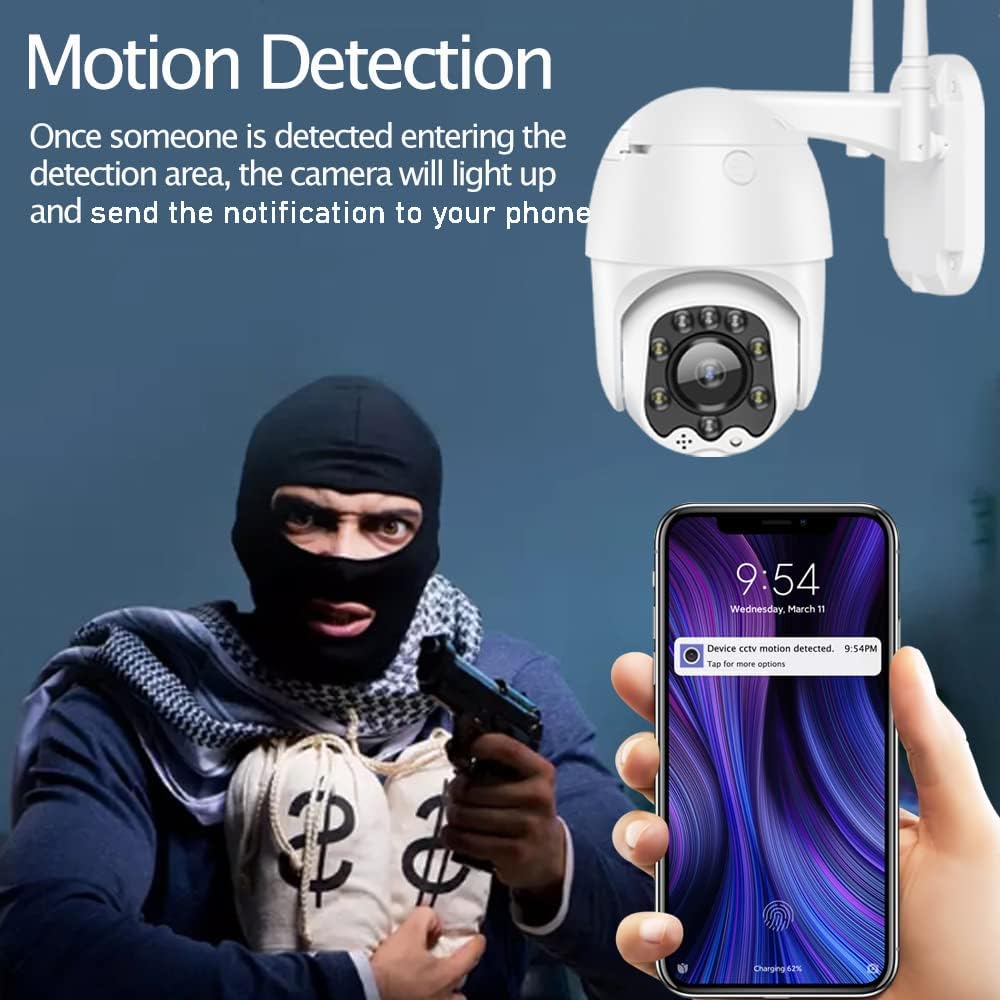
Figure 5: Motion Detection Alerts.
৪.৩ নাইট ভিশন মোড
The AT-200DW offers intelligent full-color night vision and infrared night vision.
- স্মার্ট নাইট ভিশন: The camera automatically switches between IR and full-color mode based on light conditions and detected motion.
- ইনফ্রারেড নাইট ভিশন: Provides black and white video in low light using IR LEDs.
- সম্পূর্ণ রঙিন নাইট ভিশন: Utilizes white LEDs to provide color video even in very low light conditions. This can also act as a deterrent.

Figure 6: Full-Color Night Vision for Deterrence.
3.5 Multi-Platform Viewing
Access your camera feed from various devices.
- মোবাইল অ্যাপ: CamHi/CamHiPro for iOS and Android smartphones.
- পিসি সফটওয়্যার: Available for Windows and Mac operating systems.
- Web ব্রাউজার: Supports IE, Firefox, Safari, Chrome.
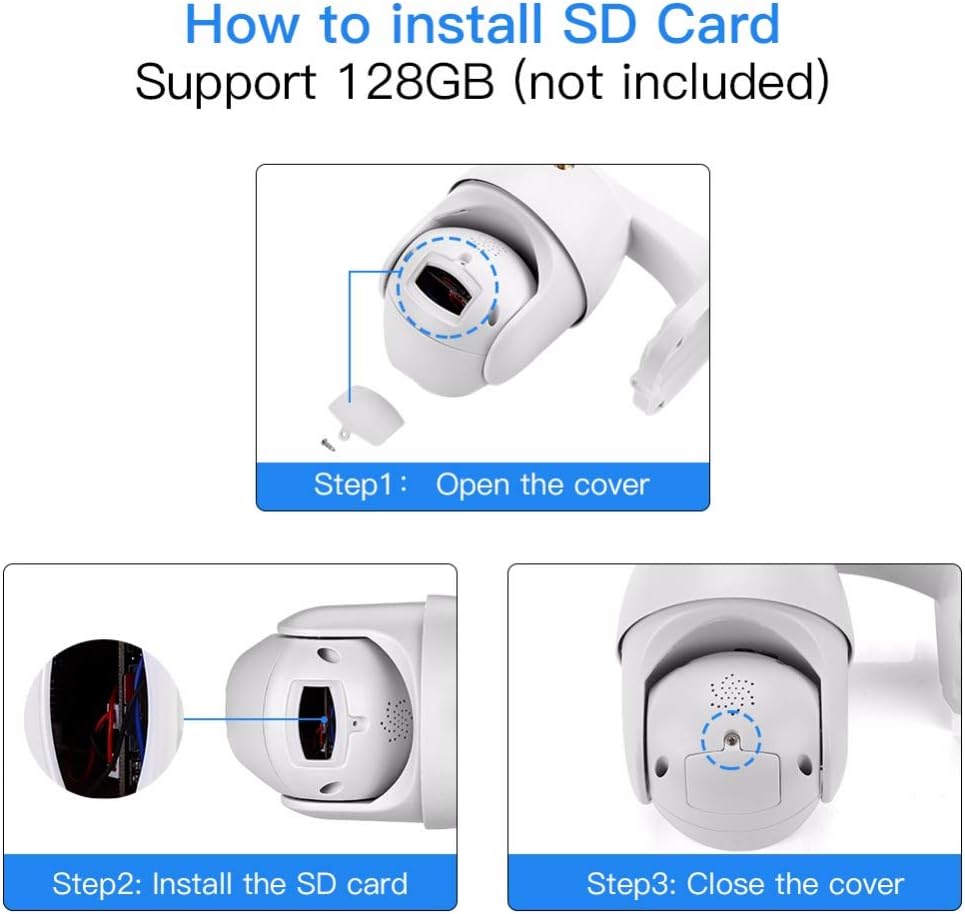
Figure 7: Multiple Platform Viewing Options.
4. রক্ষণাবেক্ষণ
নিয়মিত রক্ষণাবেক্ষণ আপনার ক্যামেরার সর্বোত্তম কর্মক্ষমতা এবং দীর্ঘায়ু নিশ্চিত করে।
- পরিষ্কার করা: মাঝে মাঝে ক্যামেরার লেন্স এবং বডি নরম, ঘ দিয়ে মুছে ফেলুন।amp ধুলো এবং ময়লা অপসারণের জন্য কাপড়। কঠোর রাসায়নিক বা ঘষিয়া তুলিয়া ফেলিতে সক্ষম ক্লিনার ব্যবহার করবেন না।
- ফার্মওয়্যার আপডেট: Check the CamHiPro app or Alptop's official webযেকোনো উপলব্ধ ফার্মওয়্যার আপডেটের জন্য সাইট। ফার্মওয়্যার আপডেট রাখলে কর্মক্ষমতা উন্নত হতে পারে এবং নতুন বৈশিষ্ট্য যোগ করা যেতে পারে।
- এসডি কার্ড পরিচালনা: If using an SD card for continuous recording, consider formatting it periodically (e.g., monthly) through the app to maintain performance and prevent data corruption.
- সংযোগ পরীক্ষা: Occasionally verify the camera's Wi-Fi connection stability, especially after power outages or network changes.
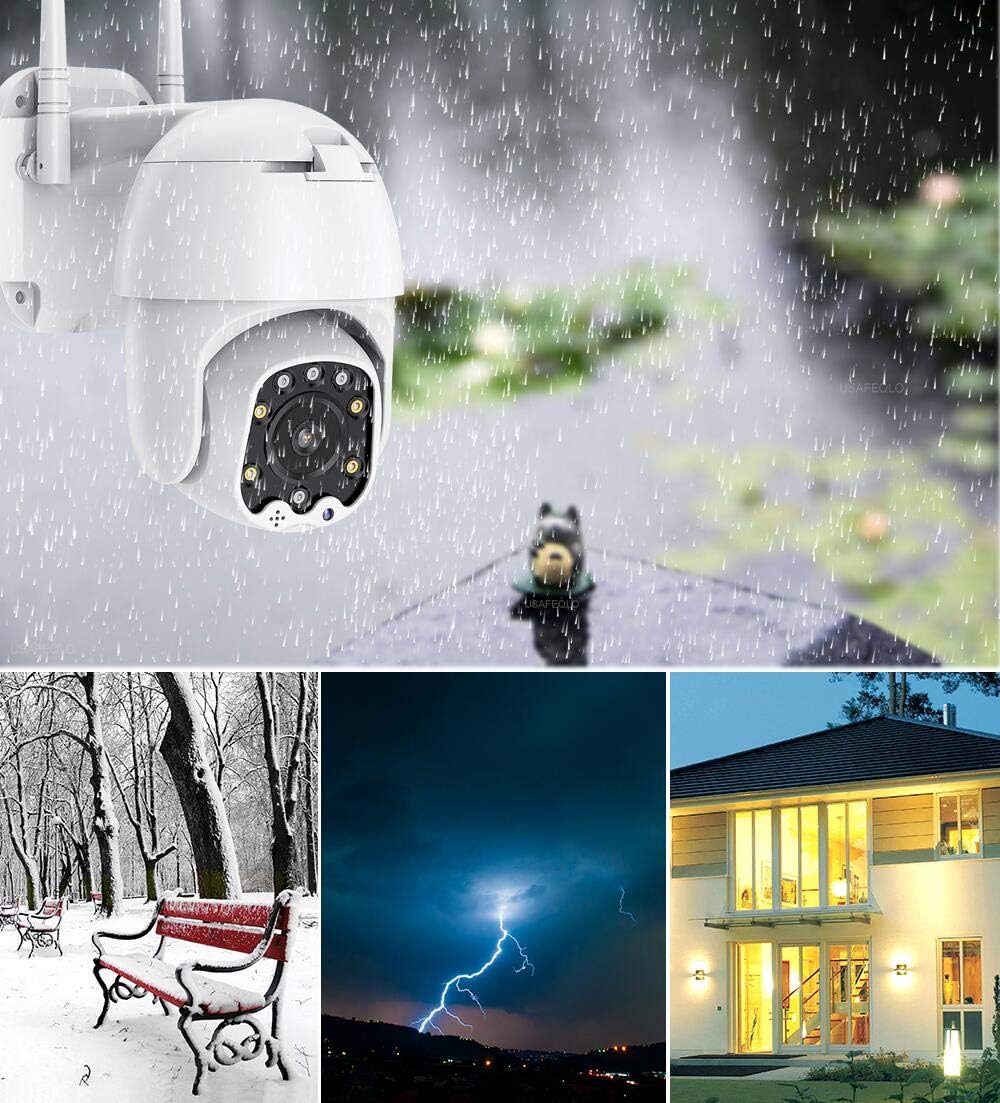
Figure 8: IP66 Weatherproof Design.
5. সমস্যা সমাধান
আপনার ক্যামেরা নিয়ে যদি কোনও সমস্যা হয়, তাহলে নিম্নলিখিত সাধারণ সমস্যা এবং সমাধানগুলি দেখুন:
| সমস্যা | সম্ভাব্য কারণ | সমাধান |
|---|---|---|
| ক্যামেরা Wi-Fi এর সাথে সংযোগ করতে ব্যর্থ হয়েছে। | Incorrect Wi-Fi band (5GHz), wrong password, special characters in password, weak signal. | Ensure you are connecting to a 2.4GHz Wi-Fi network. Verify Wi-Fi password (no special symbols). Move camera closer to router or use a Wi-Fi extender. |
| No video feed or intermittent connection. | Network congestion, poor Wi-Fi signal, router channel interference. | Check network stability. Try changing your router's 2.4GHz Wi-Fi channel to a less congested one (e.g., 1, 6, or 11). Ensure your smartphone is not on the 2.4GHz band if possible. |
| Motion detection not working or too sensitive. | Incorrect settings, environmental factors. | Adjust motion detection sensitivity and detection areas in the app. Ensure there are no moving objects (trees, flags) in the detection zone causing false alarms. |
| Two-way audio is unclear or has echo. | Environmental noise, microphone/speaker obstruction. | Ensure no obstructions near microphone or speaker. Reduce background noise if possible. |
| SD কার্ড রেকর্ডিং করছে না বা স্বীকৃত হচ্ছে না। | Card not inserted correctly, incompatible card, card full/corrupted. | Re-insert the SD card. Ensure it is a Class 10 or higher, up to 128GB. Format the SD card via the app. |
6. স্পেসিফিকেশন
| বৈশিষ্ট্য | বিস্তারিত |
|---|---|
| মডেল নম্বর | AT-200DW |
| ভিডিও রেজোলিউশন | ১০৮০পি এইচডি (১৯২০x১০৮০) |
| প্যান/টিল্ট রেঞ্জ | অনুভূমিক 320°, উল্লম্ব 90° |
| নাইট ভিশন রেঞ্জ | IR: 150FT, Full-color: 100FT |
| সংযোগ | 2.4GHz Wi-Fi (IEEE802.11b/g/n), Ethernet |
| স্টোরেজ | Supports max 128GB Micro SD card |
| অডিও | Two-way audio (built-in 38dB microphone & speaker) |
| পাওয়ার সাপ্লাই | 12V 2A (AC/DC) |
| অপারেটিং তাপমাত্রা | Not specified, but designed for outdoor use (IP66) |
| আইপি রেটিং | IP66 (আবহাওয়ারোধী) |
| মাত্রা | 8.19 x 8.15 x 5.43 ইঞ্চি |
| ওজন | 1.76 পাউন্ড |
7. ওয়্যারেন্টি এবং সমর্থন
For warranty information and technical support, please refer to the documentation included with your product or contact Alptop customer service directly. You can also visit the official Alptop website for the latest support resources, FAQs, and contact details.
The primary application for managing your camera is the CamHiPro app, available for iOS and Android devices. PC software is also available for Windows and Mac users.