
1. ভূমিকা
পণ্য ওভারview
The XIAOVV 2.4G WiFi P6 Solar Wireless Outdoor Security Camera is designed to provide reliable surveillance for your property. Featuring a built-in solar panel and a high-capacity battery, it offers continuous operation without the need for frequent charging. Its advanced features include smart PIR motion detection, pan and tilt capabilities, clear night vision, and two-way audio communication.

চিত্র 1: সামনে view of the XIAOVV solar security camera and its detached solar panel on a wooden table.
মূল বৈশিষ্ট্য:
- Integrated Solar Panel & 10,000 mAh Battery: Ensures year-round continuous power.
- স্মার্ট পিআইআর মোশন ডিটেকশন: Reduces false alarms by detecting human body temperature.
- প্যান এবং টিল্ট কার্যকারিতা: Offers 355° horizontal and 100° vertical rotation for comprehensive coverage.
- HD Night Vision with Spotlight: Provides clear monitoring in low-light conditions and deters intruders.
- দ্বিমুখী অডিও: ক্যামেরার মাধ্যমে রিয়েল-টাইম যোগাযোগ সক্ষম করে।
- IP65 আবহাওয়া প্রতিরোধ: Designed to withstand various outdoor environmental conditions.
- Military-Grade Data Encryption: Ensures the privacy and security of your recordings.
- নমনীয় স্টোরেজ বিকল্প: Supports local SD card storage and cloud storage services.
প্যাকেজ বিষয়বস্তু:
- 1 x XIAOVV Solar Wireless Security Camera
- 1 x Solar Panel (integrated or separate, depending on model variant)
- 1 এক্স মাউন্টিং বন্ধনী
- 1 x USB চার্জিং কেবল
- 1 x Screw Kit for Installation
- ১ x ব্যবহারকারীর ম্যানুয়াল (এই নথি)
2. প্রাথমিক সেটআপ
৫.১ ক্যামেরা চার্জ করা
Before the first use, ensure the camera's built-in 10,000 mAh battery is fully charged. You can charge it via the USB cable or by exposing the solar panel to direct sunlight for several hours.
২.২ অ্যাপ ইনস্টলেশন এবং অ্যাকাউন্ট তৈরি
- Download the official 'xiaovv APP' from your smartphone's App Store (iOS) or Google Play Store (Android).
- অ্যাপটি খুলুন এবং একটি নতুন ব্যবহারকারী অ্যাকাউন্ট তৈরি করতে স্ক্রিনে প্রদর্শিত নির্দেশাবলী অনুসরণ করুন।
- Log in to your account and select 'Add Device' or the '+' icon to begin pairing your camera.
- Follow the app's prompts to connect the camera to your 2.4GHz Wi-Fi network. Ensure your Wi-Fi signal is strong at the installation location.
2.3 ক্যামেরা ইনস্টলেশন
Proper installation is crucial for optimal performance and solar charging efficiency.
- একটি অবস্থান চয়ন করুন: Select an outdoor area that provides a clear view of the surveillance zone and where the solar panel can receive at least 4-6 hours of direct sunlight daily. Avoid shaded areas.
- মাউন্ট করা: Use the provided mounting bracket and screws to securely attach the camera to a wall or other stable surface. Ensure the camera is within range of your 2.4GHz Wi-Fi network.
- কোণ সামঞ্জস্য করুন: Position the solar panel to maximize sun exposure. The camera's pan and tilt features allow for fine-tuning the viewing angle after installation.

Figure 2: XIAOVV solar security camera mounted on an outdoor wall with its solar panel.

Figure 3: Camera installation showing a wide field of view from a mounted position.
3. অপারেটিং নির্দেশাবলী
৬.২ পিআইআর মোশন ডিটেকশন
The camera utilizes advanced PIR (Passive Infrared) technology to detect motion based on human body temperature, significantly reducing false alarms caused by wind, rain, or insects. When motion is detected, the camera will automatically begin recording and send notifications to your smartphone.
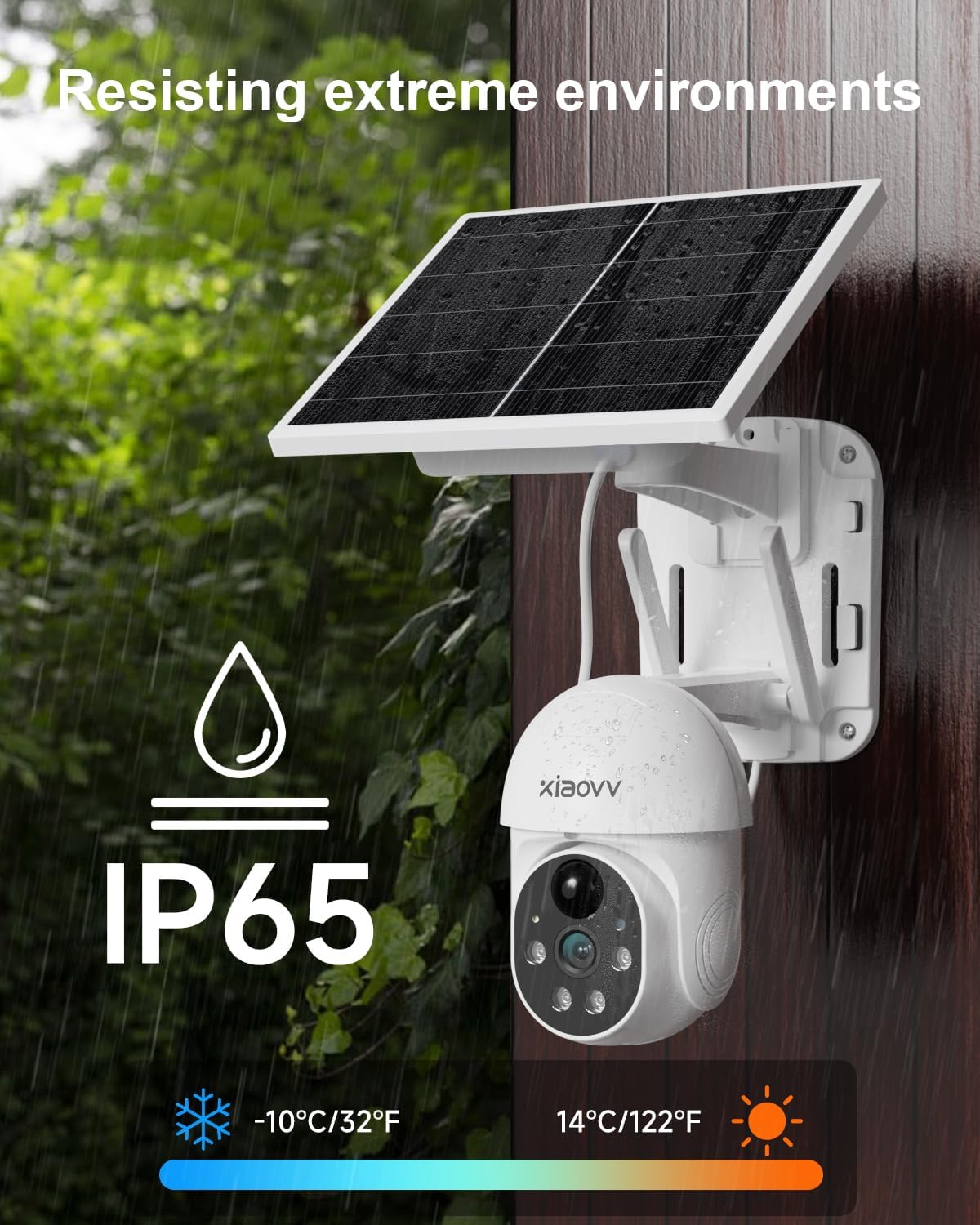
Figure 4: PIR motion detection in action, highlighting human presence at a doorway.
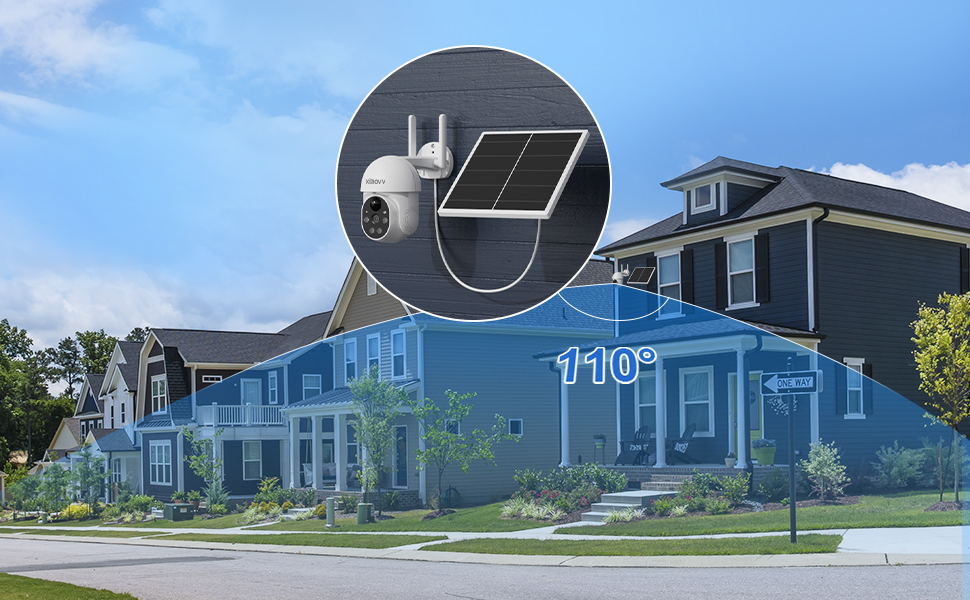
Figure 5: PIR detection mechanism, focusing on temperature-based sensing.
৩.২ প্যান, টিল্ট এবং ডিজিটাল জুম
ক্যামেরা নিয়ন্ত্রণ করুন viewing angle remotely through the XIAOVV app. The camera supports 355° horizontal pan and 100° vertical tilt, allowing you to monitor a wide area. Digital zoom is also available for closer inspection of details.

Figure 6: Illustration of the camera's pan (355°) and tilt (90°) range.
৪.৫ নাইট ভিশন এবং স্পটলাইট
The camera provides clear HD night vision, allowing you to see details even in complete darkness. When motion is detected at night, the integrated spotlight can automatically activate to illuminate the area, providing color night vision and acting as a deterrent. A voice siren can also be triggered.

Figure 7: Camera operating with its spotlight active during nighttime.

Figure 8: Camera features for warning intruders, including spotlight and siren.
৪.৪ দ্বিমুখী অডিও
Communicate with visitors or deter unwanted guests using the camera's built-in microphone and speaker. Access this feature through the live view in the XIAOVV app.

Figure 9: Two-way audio feature allowing communication through the camera.
3.5 রেকর্ডিং এবং স্টোরেজ
The camera supports two primary recording and storage methods:
- স্থানীয় সঞ্চয়স্থান: Insert a microSD card (not included) into the designated slot on the camera for continuous or event-triggered recording.
- ক্লাউড স্টোরেজ: Subscribe to the optional cloud storage service through the XIAOVV app for secure, remote storage of your video recordings.
3.6 App Features and Multi-Camera View
The XIAOVV app provides a range of personalized functions, including auto-tracking, adjustable PIR sensitivity, siren voice customization, lamplight sensitivity settings, and alarm time period settings. You can also view live feeds from multiple XIAOVV cameras simultaneously within the app, allowing for comprehensive monitoring of different areas.

Figure 10: XIAOVV app interface displaying various personalized functions and camera controls.
4. রক্ষণাবেক্ষণ নির্দেশিকা
4.1 ব্যাটারি ব্যবস্থাপনা
The integrated solar panel is designed to keep the 10,000 mAh battery charged, ensuring continuous operation. To maximize charging efficiency:
- Ensure the solar panel is positioned to receive maximum direct sunlight throughout the day.
- Regularly clean the surface of the solar panel to remove dust, dirt, leaves, or snow that may obstruct sunlight.
৫.১ আবহাওয়া প্রতিরোধ
The XIAOVV P6 camera boasts an IP65 weather-resistant rating, meaning it is protected against dust ingress and low-pressure water jets from any direction. It is designed to operate reliably in various outdoor conditions, including rain, snow, and extreme temperatures ranging from -10°C to 50°C (14°F to 122°F).

Figure 11: Camera demonstrating IP65 weather resistance in rainy conditions.
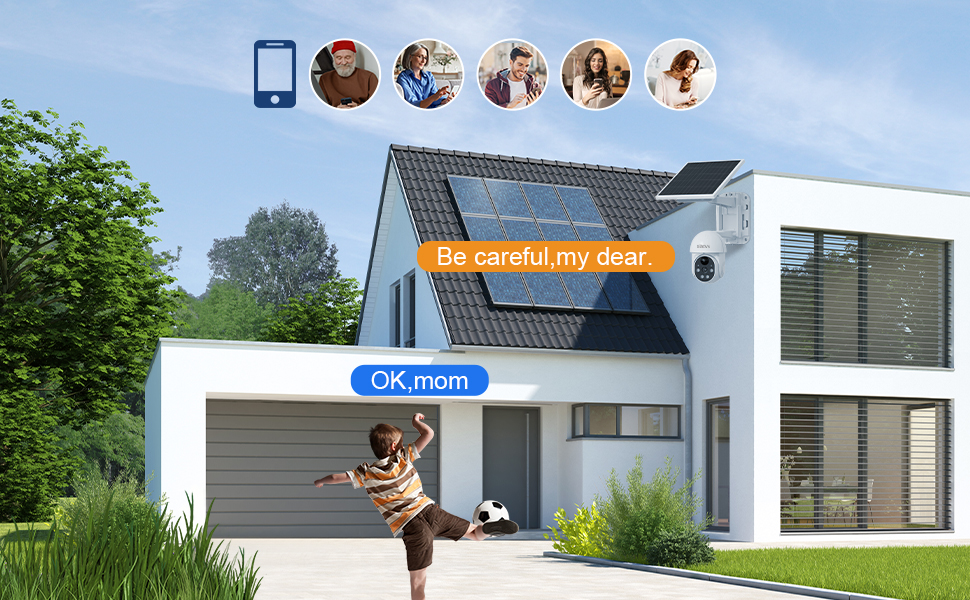
Figure 12: Weather resistance details, including IP65 rating and operational temperature range.
১৭ তথ্য সুরক্ষা
XIAOVV prioritizes your privacy. The camera uses military-grade data encryption algorithms to ensure 100% protection of your private data, whether stored locally or in the cloud.

Figure 13: Illustration of military-grade data encryption for privacy protection.
5. সাধারণ সমস্যা সমাধান করা
৬.২ সংযোগ সমস্যা
- কোন Wi-Fi সংযোগ নেই: Ensure your router is broadcasting a 2.4GHz Wi-Fi signal. The camera does not support 5GHz networks.
- দুর্বল সংকেত: Check the Wi-Fi signal strength at the camera's installation location using your smartphone. If the signal is weak, consider moving the camera closer to the router or installing a Wi-Fi extender.
- পেয়ারিং ব্যর্থতা: Try resetting the camera (refer to the device for a reset button location, usually a small pinhole) and repeat the pairing process through the XIAOVV app.
৫.৩ মিথ্যা অ্যালার্ম
- Adjust PIR Sensitivity: In the XIAOVV app settings, reduce the PIR sensitivity level to prevent triggers from minor movements or environmental factors.
- Optimize Camera Placement: Avoid pointing the camera directly at busy roads, swaying trees, or areas with reflective surfaces that might cause unwanted detections.
৬.২ রেকর্ডিং সমস্যা
- SD কার্ড সনাক্ত করা যায়নি: Ensure the microSD card is correctly inserted and formatted within the camera settings via the app. Try a different, compatible SD card if issues persist.
- ক্লাউড স্টোরেজ: Verify your cloud storage subscription is active and that your internet connection is stable for uploads.
- Full Storage: Regularly check the remaining storage space on your SD card or cloud account. Delete old recordings if necessary.
5.4 Solar Panel Not Charging
- সূর্যালোক এক্সপোজার: Confirm the solar panel receives adequate direct sunlight for several hours each day. Relocate if necessary.
- বাধা: Clear any debris, dirt, or snow from the solar panel surface.
6. প্রযুক্তিগত স্পেসিফিকেশন
| বৈশিষ্ট্য | স্পেসিফিকেশন |
|---|---|
| মডেল | 2.4G WiFi P6 |
| কার্যকর ভিডিও রেজোলিউশন | 2 MP (1080p) |
| সংযোগ প্রযুক্তি | Wireless (2.4G WiFi) |
| শক্তির উৎস | Solar Powered (with 10,000 mAh Lithium battery) |
| প্যান অ্যাঙ্গেল | 355 ডিগ্রী |
| কাত কোণ | 100 ডিগ্রী |
| Viewকোণ | 100 ডিগ্রী |
| বিশেষ বৈশিষ্ট্য | Night Vision, PIR Detection, Spotlight, Voice Siren, Two-Way Audio |
| আবহাওয়া প্রতিরোধ | IP65 |
| উপাদান | ওয়াটারপ্রুফ আউটডোর সিকিউরিটি ক্যামেরা |
| মাত্রা (L x W x H) | 24 x 24 x 20 সেমি |
| ওজন | 1.5 কিলোগ্রাম |
| কন্ট্রোল অ্যাপ | xiaovv APP |
৭. ওয়ারেন্টি এবং গ্রাহক সহায়তা
7.1 ওয়ারেন্টি তথ্য
This XIAOVV product is covered by a ১ বছরের প্রস্তুতকারকের ওয়ারেন্টি for after-sales maintenance. Spare parts are guaranteed to be available for 1 year from the date of purchase.
7.2 গ্রাহক সহায়তা
For technical assistance, troubleshooting, or any product-related inquiries, please contact XIAOVV customer support. Online support services are available to provide timely and professional assistance.
Please refer to the official XIAOVV webসবচেয়ে হালনাগাদ যোগাযোগের তথ্যের জন্য সাইট অথবা আপনার ক্রয়ের ডকুমেন্টেশন।
১০. পণ্য ভিডিও
Video 1: An official product video demonstrating the features and functionality of the XIAOVV Solar Wireless Security Camera.