
1. ভূমিকা
Thank you for choosing the EBTOOLS 2.4G Wireless Keyboard and Mouse combo. This product is designed for comfortable and efficient use with its low-noise operation, adjustable DPI settings, and reliable 2.4G wireless connectivity. This manual provides detailed instructions for setup, operation, and maintenance to ensure optimal performance.
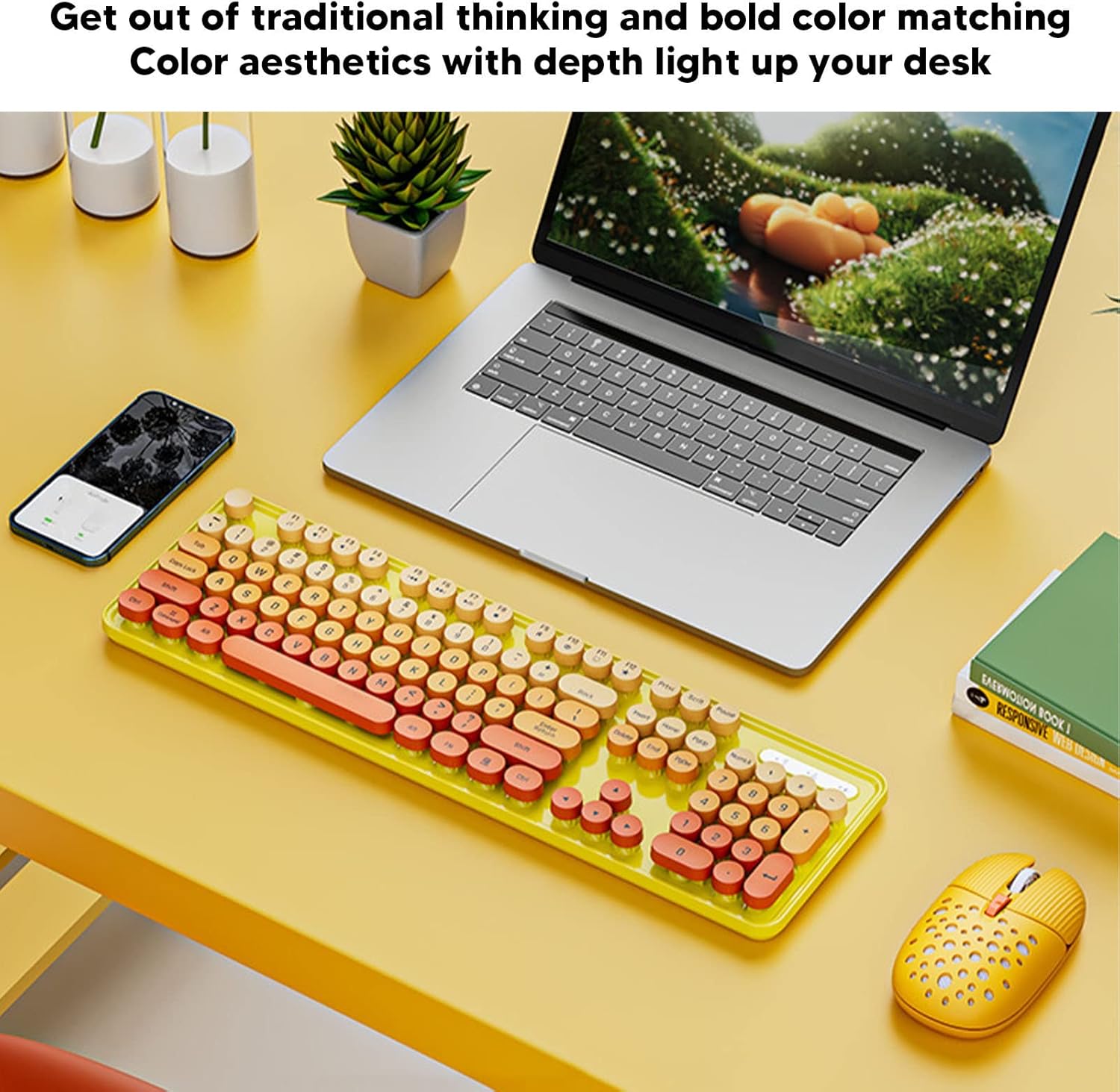
Image: The EBTOOLS 2.4G Wireless Keyboard and Mouse in mixed color yellow, displayed on a desk alongside a laptop and smartphone, showcasing its design and compact form factor.
2. প্যাকেজ বিষয়বস্তু
- 1 x EBTOOLS 2.4G Wireless Keyboard
- 1 x EBTOOLS 2.4G Wireless Mouse
- 1 x USB Receiver (typically stored in the mouse battery compartment)
- ব্যবহারকারী ম্যানুয়াল (এই দস্তাবেজ)
3. সেটআপ নির্দেশাবলী
3.1. ব্যাটারি ইনস্টলেশন
The keyboard and mouse require batteries for operation. Please ensure you have 1 AA battery for the keyboard and 1 AA battery for the mouse (batteries are not included).
- কীবোর্ডের নিচের দিকে ব্যাটারির বগিটি খুঁজুন।
- ব্যাটারি কম্পার্টমেন্ট কভার খুলুন.
- Insert the AA battery according to the polarity indicators (+/-) inside the compartment.
- ব্যাটারি কম্পার্টমেন্ট কভার নিরাপদে বন্ধ করুন.

Image: The underside of the EBTOOLS keyboard with the battery compartment open, showing where to insert the AA battery.
৩. USB রিসিভার সংযোগ করা
The keyboard and mouse share a single 2.4G USB receiver for wireless connection.
- Locate the USB receiver. It is typically stored in the battery compartment of the mouse for safekeeping.
- USB রিসিভারটি তার স্টোরেজ স্লট থেকে সরান।
- Plug the USB receiver into an available USB port on your computer (desktop PC, laptop, etc.).
- The system should automatically detect and install the necessary drivers. This is a plug-and-play device.

Image: A diagram illustrating the compatibility of the keyboard and mouse with various systems, including desktop PCs, laptops, and other computers, highlighting its plug-and-play functionality.

Image: An illustration demonstrating the 2.4G wireless connection mode for the keyboard and mouse, emphasizing the ability to connect two devices wirelessly with a single receiver.
4. অপারেটিং নির্দেশাবলী
৪. মাউসের ডিপিআই সামঞ্জস্য করা
The mouse features three adjustable DPI (Dots Per Inch) settings to suit your preference and task requirements. You can cycle through these settings by pressing the DPI button, usually located near the scroll wheel on the mouse.
- 800 DPI: Suitable for precise tasks or slower cursor movement.
- 1600 DPI: Standard setting for general use.
- 2400 DPI: Ideal for faster cursor movement, such as gaming or navigating large screens.
4.2. Using Multimedia Keys
The keyboard is equipped with 18 multimedia keys for quick access to various functions. These keys are typically activated by pressing the Fn key in combination with the corresponding function key (F1-F12) or dedicated multimedia keys.

ছবি: বিস্তারিত view of the EBTOOLS keyboard layout, highlighting the standard keys and the 18 multimedia keys, along with their respective functions such as volume control, media playback, and quick access to applications.
Common multimedia functions include:
- Volume Down / Up / Mute
- Play / Pause / Previous Track / Next Track
- Home / My Computer / Mail / Favorites
- Other system-specific functions
5. রক্ষণাবেক্ষণ
5.1. পরিষ্কার করা
আপনার কীবোর্ড এবং মাউসের স্থায়িত্ব এবং চেহারা বজায় রাখতে:
- পৃষ্ঠতল মুছতে একটি নরম, শুকনো কাপড় ব্যবহার করুন।
- একগুঁয়ে ময়লার জন্য, সামান্য ডিampজল বা হালকা পরিষ্কারের দ্রবণ দিয়ে কাপড়টি ধুয়ে ফেলুন। কঠোর রাসায়নিক এড়িয়ে চলুন।
- কীবোর্ড কীগুলির মধ্যে থেকে ধুলো এবং ধ্বংসাবশেষ অপসারণ করতে সংকুচিত বাতাস ব্যবহার করুন।
5.2. ব্যাটারি প্রতিস্থাপন
When the keyboard or mouse becomes unresponsive or exhibits intermittent connectivity, it may be time to replace the batteries. Follow the battery installation steps in Section 3.1.

Image: An illustration depicting the energy-saving features of the keyboard and mouse, emphasizing lower power consumption and extended battery life for continuous use.
6. সমস্যা সমাধান
| সমস্যা | সমাধান |
|---|---|
| কীবোর্ড/মাউস সাড়া দিচ্ছে না |
|
| বিরতিহীন সংযোগ |
|
| মাউস কার্সার অনিয়মিত বা মসৃণভাবে চলছে না |
|
7. স্পেসিফিকেশন
| বৈশিষ্ট্য | বিস্তারিত |
|---|---|
| ব্র্যান্ড | EBTOOLS |
| রঙ | Mixed Color Yellow |
| সংযোগ প্রযুক্তি | 2.4G Radio Frequency Wireless |
| বিশেষ বৈশিষ্ট্য | কম নয়েজ অপারেশন |
| সামঞ্জস্যপূর্ণ ডিভাইস | Personal Computer (Desktop PC, Laptop) |
| অপারেটিং সিস্টেম | Major PC Operating Systems |
| Hand Orientation (Mouse) | দুশ্চিন্তাগ্রস্ত |
| ব্যাটারি প্রয়োজন | Yes (1 AA for keyboard, 1 AA for mouse) |
| কী সংখ্যা (কীবোর্ড) | 104 |
| শক্তির উৎস | ব্যাটারি চালিত |
| কীবোর্ড লেআউট | কোয়ার্টি |
| মাউস ডিপিআই সেটিংস | ৮০০, ১২০০, ১৬০০ (সামঞ্জস্যযোগ্য) |
| উপাদান | ABS |
৮. অফিসিয়াল পণ্য ভিডিও
8.1. Keyboard and Mouse Overview
ভিডিও: একটি ওভারview of the EBTOOLS Keyboard and Mouse, demonstrating its features and design. This video is provided by the seller, Zhiyavex-US.
8.2. Yunseity Wireless Keyboard and Mouse Demonstration
Video: A demonstration of the Yunseity Wireless Keyboard and Mouse, showcasing its functionality and user experience. This video is provided by the seller, Zhiyavex-US.
9. ওয়্যারেন্টি এবং সমর্থন
EBTOOLS products are designed for reliability and performance. For any questions, technical support, or warranty inquiries, please refer to the contact information provided with your purchase or visit the official EBTOOLS webসাইট। ওয়ারেন্টি দাবির জন্য অনুগ্রহ করে আপনার ক্রয়ের প্রমাণপত্র সংরক্ষণ করুন।
The product comes with a standard return policy of 30 days from the date of purchase for refund or replacement, as per seller terms.