
ভূমিকা
This manual provides detailed instructions for the setup, operation, and maintenance of your XIAOVV Indoor Surveillance Camera, Model XVV-3630S-Q2. This device is designed for indoor monitoring, offering features such as 2K resolution, motion detection, night vision, two-way audio, and 360-degree pan/tilt capabilities. Please read this manual thoroughly before using the product to ensure proper functionality and safety.
পণ্য ওভারview
The XIAOVV Indoor Surveillance Camera is a compact device designed for comprehensive indoor monitoring. It features a high-resolution lens, integrated microphone and speaker for two-way audio, and a motorized base for pan and tilt functions.

চিত্র 1: সামনে view of the XIAOVV Indoor Surveillance Camera alongside a smartphone displaying its control application.
প্যাকেজ বিষয়বস্তু
- XIAOVV Indoor Surveillance Camera
- USB-C থেকে USB-A কেবল
- পাওয়ার অ্যাডাপ্টার (5V, 2A)
- মাউন্ট প্লেট
- স্ক্রু এবং ওয়াল প্লাগ
- ব্যবহারকারীর ম্যানুয়াল

চিত্র 2: রিয়ার view of the camera, highlighting the speaker grille and USB-C power input.

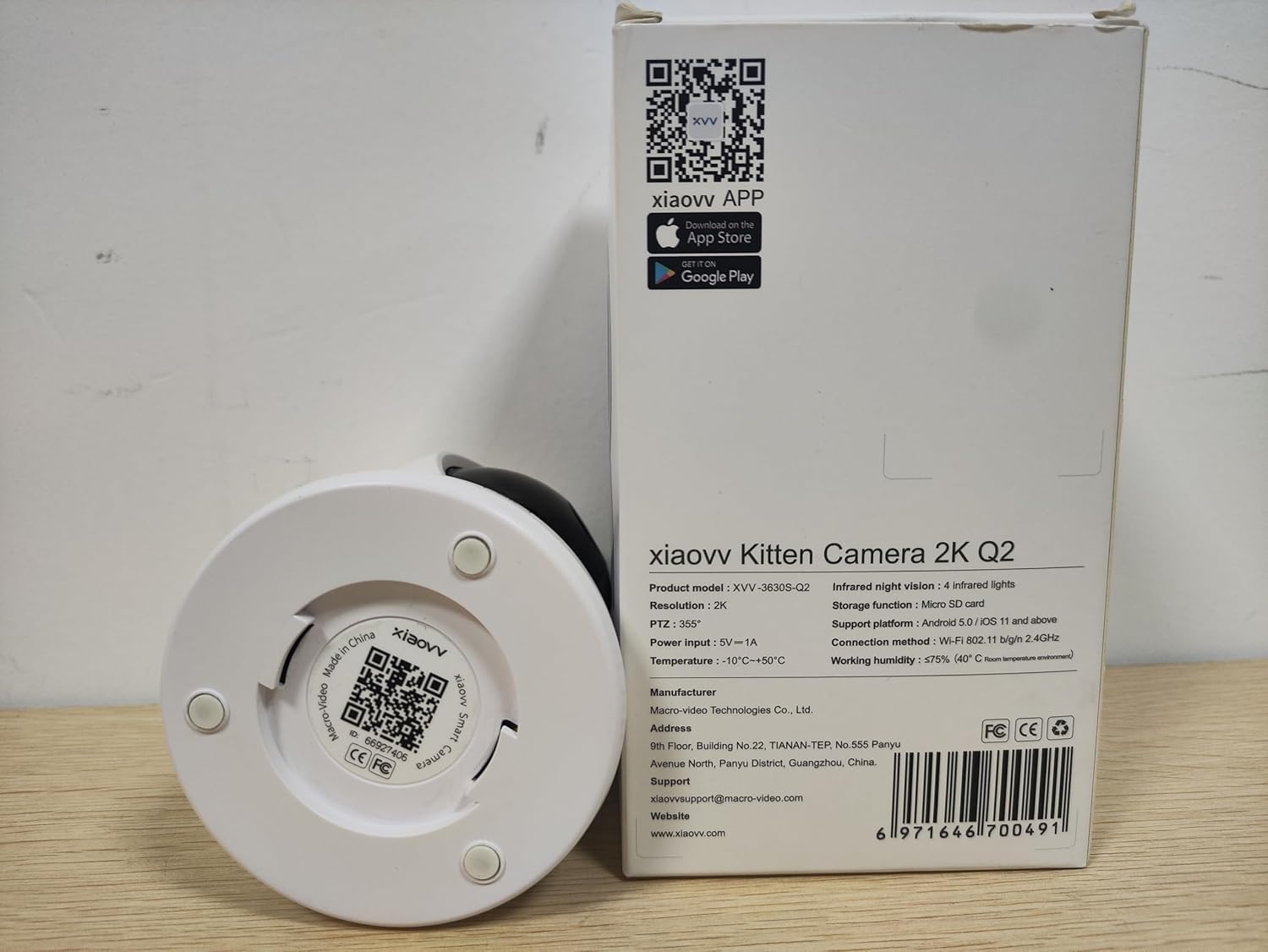
চিত্র 3: Underside of the camera, displaying the product model (XVV-3630S-Q2), QR code for app download, and regulatory markings.
সেটআপ
- পাওয়ার সংযোগ: Connect the provided USB-C cable to the camera's power port and the USB-A end to the power adapter. Plug the adapter into a standard electrical outlet. The camera will power on and initiate its startup sequence.
- অ্যাপ ইনস্টলেশন: Download the XIAOVV application to your smartphone. You can find the app by scanning the QR code located on the bottom of the camera (refer to Figure 3) or by searching for "XIAOVV" in your device's app store (App Store for iOS, Google Play for Android).
- অ্যাকাউন্ট নিবন্ধন: Open the XIAOVV app and follow the on-screen instructions to create a new user account or log in if you already have one.
- ডিভাইস পেয়ারিং:
- অ্যাপে, "ডিভাইস যোগ করুন" অথবা '+' আইকনটি নির্বাচন করুন।
- Choose your camera model from the list.
- আপনার স্মার্টফোনটি 2.4GHz Wi-Fi নেটওয়ার্কের সাথে সংযুক্ত আছে কিনা তা নিশ্চিত করুন। ক্যামেরাটি শুধুমাত্র 2.4GHz Wi-Fi সমর্থন করে।
- Follow the app's prompts to connect the camera to your Wi-Fi network. This typically involves scanning a QR code generated by the app with the camera's lens.
- বসানো: Place the camera on a flat surface or mount it to a wall or ceiling using the included mounting plate, screws, and wall plugs. Ensure the camera has a clear line of sight to the area you wish to monitor and is within range of your Wi-Fi signal.
অপারেটিং নির্দেশাবলী
1. লাইভ View এবং প্যান/টিল্ট নিয়ন্ত্রণ
Once connected, open the XIAOVV app and select your camera to access the live video feed. Use the on-screen controls to remotely adjust the camera's viewআইএন কোণ
- প্যান: ক্যামেরাটি অনুভূমিকভাবে ৩৬০ ডিগ্রি পর্যন্ত ঘোরান।
- কাত: Adjust the camera vertically up to 90 degrees.
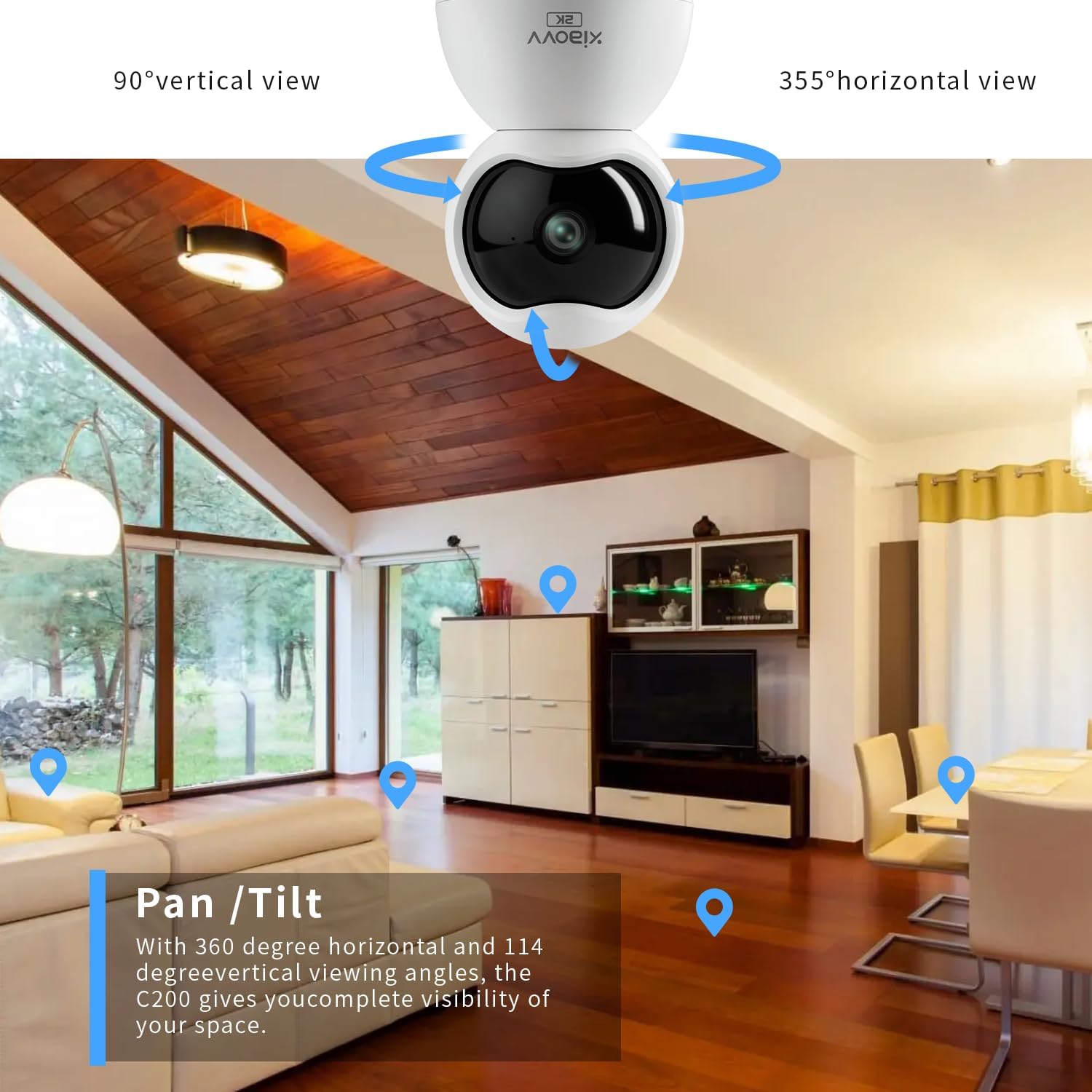
চিত্র 4: Illustration of the camera's pan and tilt capabilities, providing extensive coverage of an indoor space.
৫. দ্বিমুখী অডিও
The camera features a built-in microphone and speaker, enabling two-way communication. From the live view screen in the app, tap the microphone icon to speak through the camera, and listen to audio from the camera's environment.

চিত্র 5: The mobile application interface demonstrating the two-way audio function, allowing interaction with the monitored area.
৩.৩. গতি সনাক্তকরণ এবং সতর্কতা
Configure motion detection settings within the app to receive real-time alerts on your smartphone when movement is detected. You can adjust sensitivity levels and set specific detection zones.

চিত্র 6: একজন প্রাক্তনample of a push notification received on a smartphone when the camera detects motion.
4. নাইট ভিশন
The camera is equipped with infrared LEDs for automatic night vision, providing clear black-and-white video footage in low-light or no-light conditions.
৬. রেকর্ডিং এবং স্টোরেজ
The camera supports local storage via a Micro-SD card (up to 128GB, not included). Insert the Micro-SD card into the designated slot on the camera. Recordings can also be stored on a cloud server, accessible through a subscription service via the XIAOVV app.
6. গোপনীয়তা মোড
Activate Privacy Mode through the app to physically obscure the camera lens, ensuring privacy when monitoring is not desired.
চিত্র 7: The camera's night vision capability and the concept of privacy mode for enhanced user control.
স্পেসিফিকেশন
| বৈশিষ্ট্য | স্পেসিফিকেশন |
|---|---|
| মডেলের নাম | XVV-3630S-Q2 |
| ইনডোর/আউটডোর ব্যবহার | ইনডোর |
| ভিডিও ক্যাপচার রেজোলিউশন | 2K (2304x1296 pixels) |
| সংযোগ প্রোটোকল | ওয়াই-ফাই (শুধুমাত্র 2.4GHz) |
| শক্তির উৎস | কর্ডেড ইলেকট্রিক (১২০V, ১৫W) |
| বিশেষ বৈশিষ্ট্য | 2-Way Audio, Motion Detection, Night Vision, 360-degree Pan, 90-degree Tilt |
| স্টোরেজ | Micro-SD card (up to 128GB), Cloud Storage (subscription) |
| সামঞ্জস্যপূর্ণ ডিভাইস | Smartphone (Android 5.0 / iOS 11 and above) |
| মাউন্ট টাইপ | ওয়াল মাউন্ট, ট্যাবলেটপ |
| মাত্রা (L x W x H) | 2.36 x 2.36 x 3.15 ইঞ্চি |
| অপারেটিং তাপমাত্রা | -10°C থেকে +50°C |
| কাজের আর্দ্রতা | ≤75% (40°C room temperature conditions) |
সমস্যা সমাধান
- ক্যামেরা ওয়াই-ফাই এর সাথে সংযুক্ত হচ্ছে না: Ensure your Wi-Fi network is 2.4GHz. The camera does not support 5GHz networks. Verify your Wi-Fi password and ensure the camera is within range of your router.
- কোনও ভিডিও ফিড নেই: Check if the camera is properly powered on. Restart the camera by unplugging and re-plugging the power adapter. Ensure your internet connection is stable.
- Loud voice prompts from camera: Some camera voice prompts (e.g., during setup or when reaching pan/tilt limits) may be loud and currently cannot be adjusted or muted via the app.
- খারাপ ছবির মান: Ensure the camera lens is clean. Check your network speed; a slow connection can affect streaming quality. Verify the app settings for video resolution.
- গতি সনাক্তকরণ কাজ করছে না: Check the motion detection settings in the app, including sensitivity and detection zones. Ensure the camera's view বাধা দেওয়া হয় না।
রক্ষণাবেক্ষণ
- পরিষ্কার করা: ক্যামেরার লেন্স এবং বডি নরম, শুকনো কাপড় দিয়ে আলতো করে মুছে ফেলুন। কঠোর রাসায়নিক বা ঘষিয়া তুলিয়া ফেলিতে সক্ষম পদার্থ ব্যবহার করা এড়িয়ে চলুন।
- ফার্মওয়্যার আপডেট: Regularly check the XIAOVV app for available firmware updates. Keeping your camera's firmware updated ensures optimal performance and security.
- শক্তি চক্র: If the camera experiences issues, a simple power cycle (unplugging and re-plugging) can often resolve minor glitches.
ওয়্যারেন্টি এবং সমর্থন
For warranty information, please refer to the documentation included with your purchase or contact XIAOVV customer support. The manufacturer is XIAOVV.
প্রস্তুতকারক: Macro-Video Technologies Co., Ltd.
সমর্থন ইমেল: xiaovvsupport@macro-video.com
Webসাইট: www.xiaovv.com
ঠিকানা: 9th Floor, Building No. 22, TIANAN-TEP, No. 555 Panyu Avenue North, Panyu District, Guangzhou, China.