
1. ভূমিকা
This manual provides detailed instructions for the setup, operation, and maintenance of your ASprink PM-247-WF WiFi Thermal Label Printer. This printer is designed for efficient label printing for small businesses and packages, featuring 300DPI resolution and versatile connectivity options including Wi-Fi and USB.
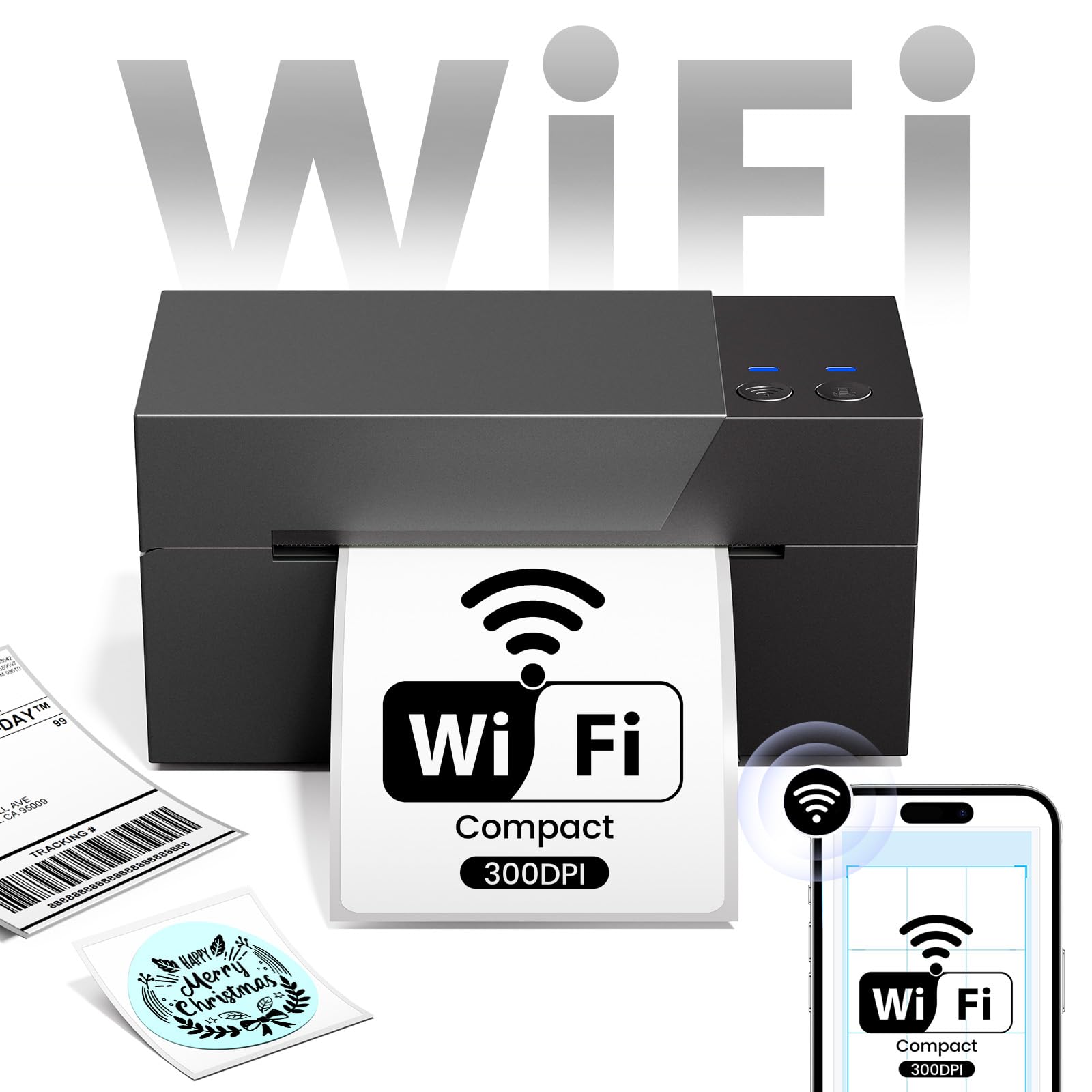
Image 1.1: ASprink PM-247-WF WiFi Thermal Label Printer.
2. প্যাকেজ বিষয়বস্তু
অনুগ্রহ করে যাচাই করুন যে প্যাকেজে সমস্ত আইটেম উপস্থিত আছে:
- ASprink PM-247-WF Thermal Label Printer
- পাওয়ার অ্যাডাপ্টার
- ইউএসবি কেবল
- দ্রুত শুরু নির্দেশিকা (এই ম্যানুয়াল)
- Sample Thermal Labels (may vary)
3. পণ্য শেষview
The ASprink PM-247-WF printer is designed for ease of use and compact integration into your workspace. It supports label widths from 1 to 4.6 inches, accommodating various label types including 4x6 inch shipping labels.

Image 3.1: The ASprink PM-247-WF printer supports various label widths from 1 to 4.6 inches.
4. সেটআপ
4.1 শারীরিক সংযোগ
- প্রিন্টারটি একটি স্থিতিশীল, সমতল পৃষ্ঠে রাখুন।
- Connect the power adapter to the printer and then to a power outlet.
- If using a USB connection, connect the USB cable from the printer to your computer.
২.৪ লেবেল লোড হচ্ছে
- প্রিন্টারের উপরের কভারটি খুলুন।
- Insert the thermal labels into the label compartment, ensuring the print side is facing up.
- লেবেল গাইডগুলি আপনার লেবেলের প্রস্থের সাথে সুন্দরভাবে ফিট করার জন্য সামঞ্জস্য করুন।
- Close the top cover. The printer will automatically detect and calibrate the label size.
৩.৩ ড্রাইভার এবং সফটওয়্যার ইনস্টলেশন
For optimal performance, install the necessary drivers and software:
- For Computers (Windows, Mac, Linux, Chrome OS): Download and install the latest printer drivers from the official ASprink support webসাইট
- For Mobile Devices (Android, iOS): Download the "Labelife" application from your device's app store.
4.4 ওয়াই-ফাই সংযোগ
The PM-247-WF supports Wi-Fi connectivity for wireless printing from multiple devices.
- আপনার প্রিন্টারটি চালু আছে কিনা তা নিশ্চিত করুন।
- Follow the Wi-Fi setup instructions provided in the "Labelife" app or the printer driver software to connect the printer to your local Wi-Fi network.
- Once connected, the Wi-Fi indicator light on the printer will illuminate steadily.

Image 4.1: The ASprink PM-247-WF supports Wi-Fi connectivity with Android, iOS, iPad, Windows, Mac OS, and Chrome OS.
5. অপারেটিং নির্দেশাবলী
5.1 Printing via Wi-Fi
The Wi-Fi feature allows printing from anywhere within your Wi-Fi range, supporting up to 5 devices simultaneously.
- Ensure your device (computer, smartphone, tablet) is connected to the same Wi-Fi network as the printer.
- Open the document or label you wish to print.
- Select the ASprink PM-247-WF from your list of available printers.
- Adjust print settings (e.g., label size, orientation) as needed and initiate printing.

Image 5.1: Wi-Fi connectivity enables convenient printing from various locations within your network.

Image 5.2: Wi-Fi printing allows greater flexibility compared to proximity-limited Bluetooth printing.

Image 5.3: The printer supports simultaneous connections and printing from up to 5 devices.
5.2 Printing via USB
For direct connection, you can use the USB cable.
- প্রদত্ত USB কেবল ব্যবহার করে আপনার কম্পিউটারে প্রিন্টারটি সংযুক্ত করুন৷
- আপনার কম্পিউটারে প্রিন্টার ড্রাইভার ইনস্টল করা আছে কিনা তা নিশ্চিত করুন।
- Open the document or label, select the ASprink PM-247-WF printer, and print.
5.3 Supported Platforms and Print Quality
The ASprink PM-247-WF is compatible with major shipping partners and marketplaces, including eBay, Amazon, Etsy, Shopify, ShipStation, USPS, UPS, FedEx, and more. It delivers a print resolution of 300DPI, ensuring clear and crisp labels. The printing speed is approximately 100mm/s, capable of producing up to 72 sheets of 4"x 6" labels per minute.

Image 5.4: The printer is widely compatible with various e-commerce and shipping platforms.
6. রক্ষণাবেক্ষণ
নিয়মিত রক্ষণাবেক্ষণ আপনার প্রিন্টারের দীর্ঘায়ু এবং সর্বোত্তম কর্মক্ষমতা নিশ্চিত করে।
- প্রিন্ট হেড পরিষ্কার করা: Use a lint-free cloth lightly dampened with isopropyl alcohol to gently wipe the print head. Ensure the printer is off and cooled down before cleaning.
- রোলার পরিষ্কার করা: Periodically clean the rubber rollers with a damp cloth to prevent dust and label residue buildup.
- সাধারণ যত্ন: Keep the printer free from dust and debris. Avoid exposing it to extreme temperatures or direct sunlight.
7. সমস্যা সমাধান
If you encounter issues with your ASprink PM-247-WF printer, refer to the following common solutions:
- প্রিন্টার সাড়া দিচ্ছে না: Check power connections and ensure the printer is turned on. Verify USB or Wi-Fi connection status.
- খারাপ প্রিন্ট গুণমান: Ensure you are using high-quality thermal labels. Clean the print head as described in the Maintenance section. Verify print settings (e.g., darkness, resolution) in your software.
- সঠিকভাবে খাওয়ানো না হওয়া লেবেল: Ensure labels are loaded properly and the label guides are adjusted. Recalibrate the printer if necessary (refer to software instructions).
- সংযোগ সমস্যা: For Wi-Fi, ensure the printer and your device are on the same network. For USB, try a different USB port or cable. Reinstall drivers if issues persist.
For further assistance, please contact ASprink support.
8. স্পেসিফিকেশন
| বৈশিষ্ট্য | স্পেসিফিকেশন |
|---|---|
| মডেল নম্বর | PM-247-WF |
| মাত্রা (D x W x H) | ১৫ডি x ৬১.২ওয়াট x ৩৯.৪এইচ সেন্টিমিটার |
| আইটেম ওজন | 1360 গ্রাম |
| সংযোগ | ইউএসবি, ওয়াই-ফাই |
| মুদ্রণ প্রযুক্তি | তাপীয় |
| প্রিন্ট রেজোলিউশন | 300DPI |
| সর্বোচ্চ মুদ্রণের গতি | 100mm/s (approx. 72 sheets of 4"x6" labels/minute) |
| সর্বাধিক মিডিয়া আকার | 4 x 6 ইঞ্চি |
| Supported Label Widths | ১৭ - ৩২ ইঞ্চি |
| সামঞ্জস্যপূর্ণ অপারেটিং সিস্টেম | Android, iOS, Mac, Windows, Linux, Chrome OS |
9. ওয়্যারেন্টি এবং সমর্থন
ASprink provides free, lifetime technical support for your PM-247-WF printer. If you require assistance, please contact the ASprink support team via phone, online chat, or email. Support inquiries are typically answered within 24 hours.
For the most up-to-date contact information, please visit the official ASprink webসাইট