
ভূমিকা
Thank you for choosing the LEMNOI 7-inch Digital Calendar Clock (Model SG9). This device is designed to assist individuals, particularly those with memory loss or dementia, by clearly displaying the time, date, and day of the week. It features multiple alarm and medication reminder functions, adjustable brightness, and can also serve as a digital photo frame. Please read this manual carefully to ensure proper setup and operation.
প্যাকেজ বিষয়বস্তু
- LEMNOI 7-inch Digital Calendar Clock (SG9)
- পাওয়ার অ্যাডাপ্টার
- ব্যবহারকারীর ম্যানুয়াল
- Stand (for tabletop use)

পণ্য ওভারview
The LEMNOI SG9 features a clear 7-inch HD display and intuitive controls. The front panel includes navigation buttons for easy menu interaction.

সেটআপ
1. পাওয়ার সংযোগ
- Connect the power adapter to the DC IN port on the back of the clock.
- পাওয়ার অ্যাডাপ্টারটিকে একটি আদর্শ বৈদ্যুতিক আউটলেটে প্লাগ করুন৷
- The clock will power on automatically.
দ্রষ্টব্য: The clock operates on AC power and does not use batteries for primary function. A built-in backup system saves settings during power outages
৪. প্রাথমিক ভাষা নির্বাচন
- Upon first power-on, the clock may display a language selection screen.
- ব্যবহার করুন Up এবং নিচে buttons to navigate through the language options (English, French, German, Italian, Spanish).
- চাপুন OK আপনার নির্বাচন নিশ্চিত করতে বোতাম।

৫. সময় এবং তারিখ নির্ধারণ
- চাপুন মেনু / রিটার্ন প্রধান মেনু অ্যাক্সেস করার জন্য বোতাম।
- Navigate to "Date & Time" using the Up/নিচে বোতাম এবং টিপুন OK.
- Adjust the year, month, day, hour, and minute using the Up/নিচে বোতাম ব্যবহার করুন বাম/ঠিক to move between fields.
- Select 12-hour or 24-hour format as preferred.
- চাপুন OK to save changes and মেনু / রিটার্ন প্রস্থান করতে
অপারেটিং নির্দেশাবলী
1. প্রদর্শন মোড
The clock offers 6 distinct display modes, including a unique floral surface mode that changes weekly. You can cycle through these modes by pressing the বাম or ঠিক buttons from the main display.

2. Brightness Adjustment and Auto-Dimming
The clock features 5 levels of adjustable brightness and an automatic dimming function to optimize visibility day and night.
- Manual Brightness: Access the "Brightness" setting in the menu to select a level from 1 to 5.
- স্বয়ংক্রিয় ডিমিং: Enable "Auto Dimming" in the settings. You can customize the start and end times for dimming, and set the desired dimming brightness level (e.g., 0% for a completely dark screen at night).


3. অ্যালার্ম সেটিংস
The clock supports up to 15 daily alarms and 15 medication reminders, each with customizable labels and frequencies.
- একটি অ্যালার্ম সেট করা:
- From the main menu, select "Alarm" or "Take Medicine".
- Choose an alarm slot (e.g., Alarm 1, Medication 1).
- Set the desired time (hour and minute).
- Select the frequency: Daily, Weekdays (Mon-Fri), Weekends (Sat-Sun), or Specific Dates.
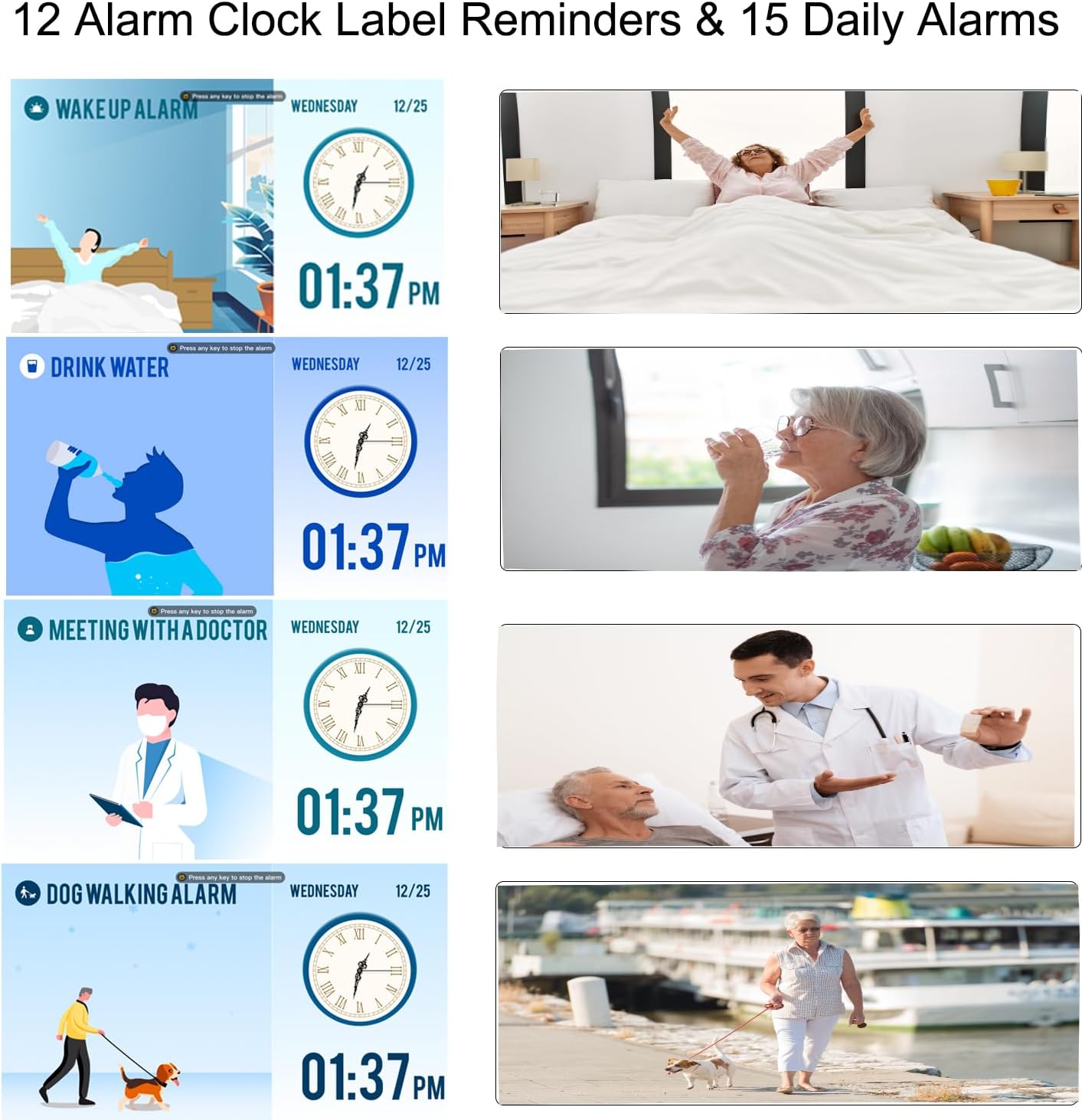
- Choose an alarm label from the 12 available options (e.g., Wake Up, Drink Water, Meeting with Doctor, Dog Walking). These labels are displayed with vivid color images for easy comprehension.
- Select an alarm sound.
- চাপুন OK সংরক্ষণ করতে
- ওষুধের অনুস্মারক: Specifically designed for morning, afternoon, and evening medication alerts.

4. ডেলাইট সেভিং টাইম (DST)
The clock supports automatic adjustment for Daylight Saving Time. Ensure this feature is enabled in the "Date & Time" settings for accurate time display.

5. Using as a Digital Photo Frame
The clock can function as a high-resolution digital photo and video frame. Insert a USB flash drive (not included) into the USB port on the side of the clock. Navigate to the "Photo Frame" option in the menu to play your media.

রক্ষণাবেক্ষণ
- পরিষ্কার করা: Use a soft, dry cloth to clean the screen and body of the clock. Do not use liquid cleaners or abrasive materials.
- বসানো: Place the clock on a stable, flat surface or mount it securely on a wall. Avoid direct sunlight, high temperatures, or humid environments.
- শক্তি: Always use the provided power adapter. Disconnect power during thunderstorms or when not in use for extended periods.

সমস্যা সমাধান
| সমস্যা | সম্ভাব্য কারণ | সমাধান |
|---|---|---|
| ঘড়ি চালু হচ্ছে না। | বিদ্যুৎ সংযোগ নেই। | Ensure the power adapter is securely connected to the clock and a working electrical outlet. |
| ডিসপ্লে খুব ম্লান বা খুব উজ্জ্বল। | Brightness settings are incorrect or auto-dimming is active. | Adjust manual brightness in settings or check auto-dimming schedule and brightness level. |
| অ্যালার্ম বাজছে না। | Alarm is disabled, volume is too low, or incorrect time/frequency set. | Verify alarm settings, ensure volume is audible, and check alarm time/frequency. |
| পাওয়ার ওউ এর পরে সময় ভুল।tage. | Backup battery may be depleted or not functioning. | The clock has a backup system for settings. If time is incorrect, manually reset the time and date. |
| Cannot play photos/videos. | USB drive not inserted correctly or unsupported file বিন্যাস | Ensure USB drive is fully inserted. Check that media files are in supported formats (e.g., JPEG for photos, common video formats). |
স্পেসিফিকেশন
| বৈশিষ্ট্য | বিস্তারিত |
|---|---|
| ব্র্যান্ড | LEMNOI |
| মডেল নম্বর | SG9 |
| প্রদর্শনের ধরন | ডিজিটাল |
| পর্দার আকার | 7 ইঞ্চি |
| রেজোলিউশন | 1024 x 600 পিক্সেল |
| পণ্যের মাত্রা (ওয়াট x হাফ) | 19 সেমি x 16 সেমি |
| আইটেম ওজন | 290 গ্রাম |
| উপাদান | অ্যাক্রিলোনিট্রাইল বুটাডিন স্টাইরিন (ABS) |
| শক্তির উৎস | বৈদ্যুতিক তার |
| বিশেষ বৈশিষ্ট্য | Auto-dimmable, Adjustable Brightness (5 levels), Temperature Indicator, 6 Display Modes, 15 Daily Alarms, 15 Medication Reminders, 12 Alarm Labels, Digital Photo Frame Function, Daylight Saving Time Auto-Adjust, Multi-language Support |
| মাউন্ট টাইপ | ট্যাবলেটপ |
| Required Battery (Backup) | 1 CR123A (not included for primary operation) |
ওয়্যারেন্টি এবং সমর্থন
For warranty information or technical support, please refer to the contact details provided on the product packaging or the official LEMNOI webসাইট। যেকোনো ওয়ারেন্টি দাবির জন্য ক্রয়ের প্রমাণ হিসেবে আপনার ক্রয়ের রসিদটি রাখুন।