
1. পণ্য শেষview
The Kuulaa Ultra Slim MagSafe Power Bank (Model KL-YD71) is a compact and lightweight portable charger designed for convenience and efficiency. With a 5000 mAh capacity, it provides reliable power for your mobile devices, featuring both magnetic wireless charging and wired fast charging capabilities. Its ultra-slim design makes it ideal for travel and everyday use.
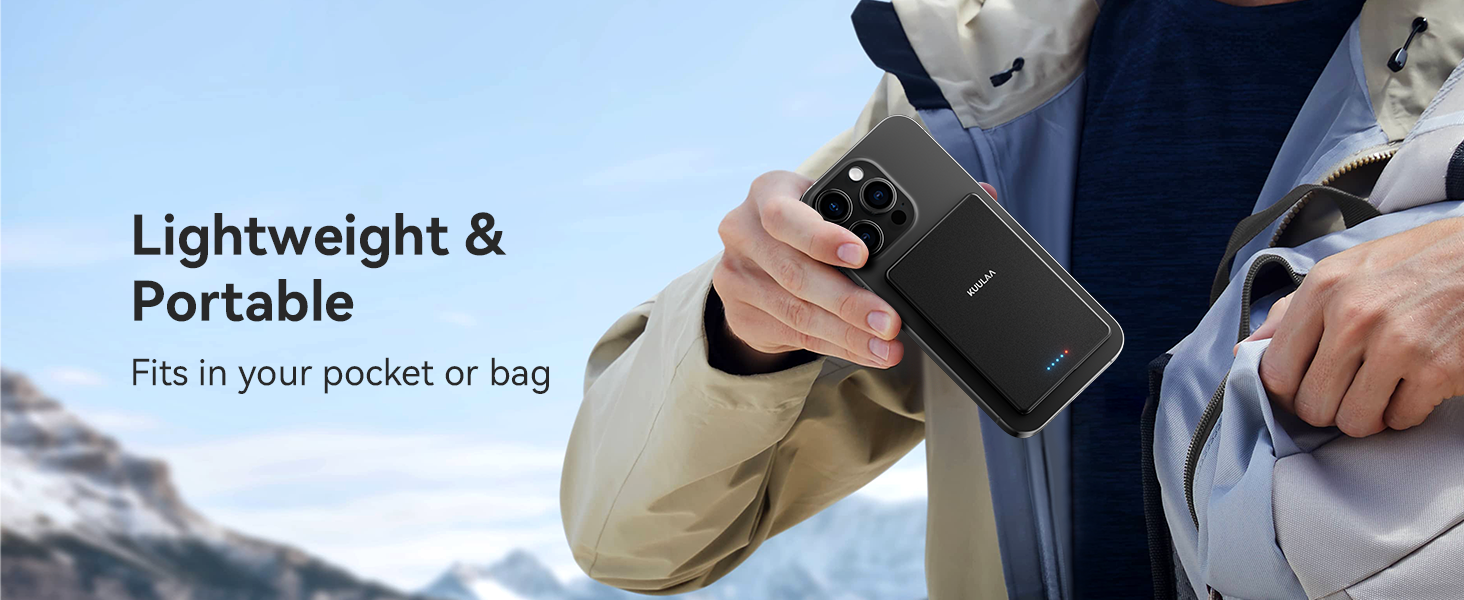
Image: The Kuulaa Power Bank highlighting its ultra-slim profile (৯.১ মিমি) এবং হালকা ওজন (১৯৩ গ্রাম)।
মূল বৈশিষ্ট্য:
- অতি-পাতলা এবং হালকা: Weighs approximately 110 grams and is 6.9mm thin, designed for portability.
- দ্বৈত চার্জিং পদ্ধতি: Supports 7.5W magnetic wireless charging and 20W USB-C wired fast charging.
- শক্তিশালী চৌম্বকীয় সংযুক্তি: Features a 10N super-strong magnet for secure attachment to compatible devices.
- উন্নত নিরাপত্তা ব্যবস্থা: Built-in mechanisms protect against overcharging, over-discharging, and overheating.
- মসৃণ ডিজাইন: A simple, black design with an aluminum alloy shell for durability and aesthetic appeal.
2. প্যাকেজ বিষয়বস্তু
নিম্নলিখিত আইটেমগুলির জন্য প্যাকেজটি পরীক্ষা করুন:
- Kuulaa 5000mAh Magnetic Power Bank (Model KL-YD71) x 1
- Leather Organizer Pouch (85x125mm) x 1
- USB-A থেকে USB-C চার্জিং কেবল x 1
- ব্যবহারকারীর ম্যানুয়াল x 1
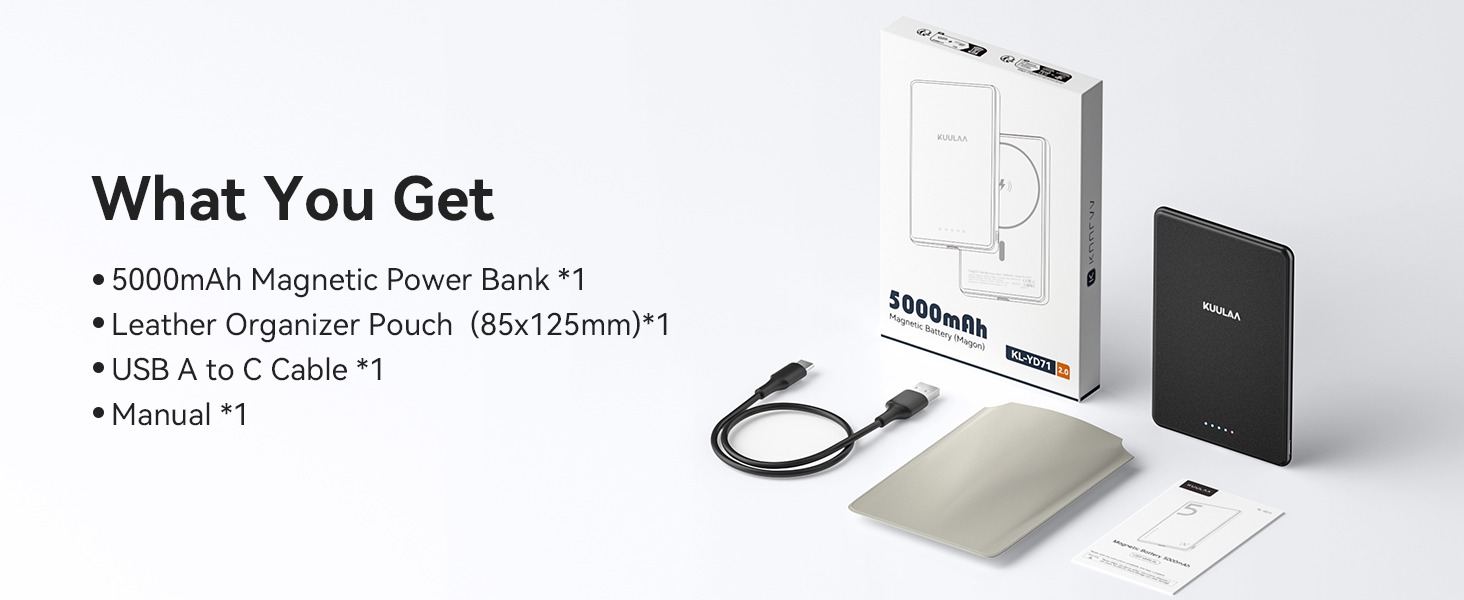
ছবি: পণ্য প্যাকেজে অন্তর্ভুক্ত সমস্ত আইটেম।
3. নিরাপত্তা নির্দেশাবলী
To ensure safe operation and prolong the lifespan of your Kuulaa Power Bank, please read and follow these safety guidelines:
- পাওয়ার ব্যাংককে চরম তাপমাত্রা (গরম বা ঠান্ডা), সরাসরি সূর্যের আলো বা উচ্চ আর্দ্রতার সংস্পর্শে রাখবেন না।
- Avoid dropping, disassembling, or attempting to repair the device yourself. This may void the warranty and pose safety risks.
- পাওয়ার ব্যাঙ্ককে পানি ও অন্যান্য তরল থেকে দূরে রাখুন।
- শুধুমাত্র প্রদত্ত বা প্রত্যয়িত চার্জিং কেবল এবং অ্যাডাপ্টার ব্যবহার করুন।
- Do not place metal objects or magnetic cards between the power bank and your device during wireless charging, as this can interfere with charging or damage the power bank.
- If the power bank becomes excessively hot, emits an odor, or shows any signs of damage, discontinue use immediately.
- পাওয়ার ব্যাঙ্ক ব্যবহার না করার সময় ঠান্ডা, শুষ্ক জায়গায় সংরক্ষণ করুন।

ছবি: ওভারview of the power bank's superior safety features.
৪. পাওয়ার ব্যাংক সেটআপ এবং চার্জ করা
পাওয়ার ব্যাঙ্ক চার্জ করা:
- প্রদত্ত USB-A থেকে USB-C কেবলটি পাওয়ার ব্যাংকের USB-C পোর্টের সাথে সংযুক্ত করুন।
- Plug the USB-A end of the cable into a compatible USB wall adapter (not included) or a computer's USB port.
- The LED indicators on the power bank will illuminate to show the charging status. When all LEDs are solid, the power bank is fully charged.

Image: Power bank charging via USB-C.
ব্যাটারি স্তর পরীক্ষা করা হচ্ছে:
একবার পাওয়ার বোতাম টিপুন view LED লাইট দ্বারা নির্দেশিত বর্তমান ব্যাটারি স্তর।
- 1 LEDs: 0-25%
- 2টি এলইডি: 26-50%
- 3টি এলইডি: 51-75%
- 4টি এলইডি: 76-100%
Image: LED indicators displaying battery charge status.
5. অপারেটিং নির্দেশাবলী
চৌম্বক ওয়্যারলেস চার্জিং:
- Ensure your device is compatible with MagSafe (iPhone 12 series and newer) or has a MagSafe-compatible case.
- Align the power bank with the back of your iPhone. The strong magnets will automatically snap it into place.
- Wireless charging will begin automatically. The LED indicators on the power bank may show charging activity.
- দ্রষ্টব্য: For optimal magnetic attachment and charging efficiency, use without a case or with a MagSafe-compatible case. Non-magnetic phone cases are not supported.
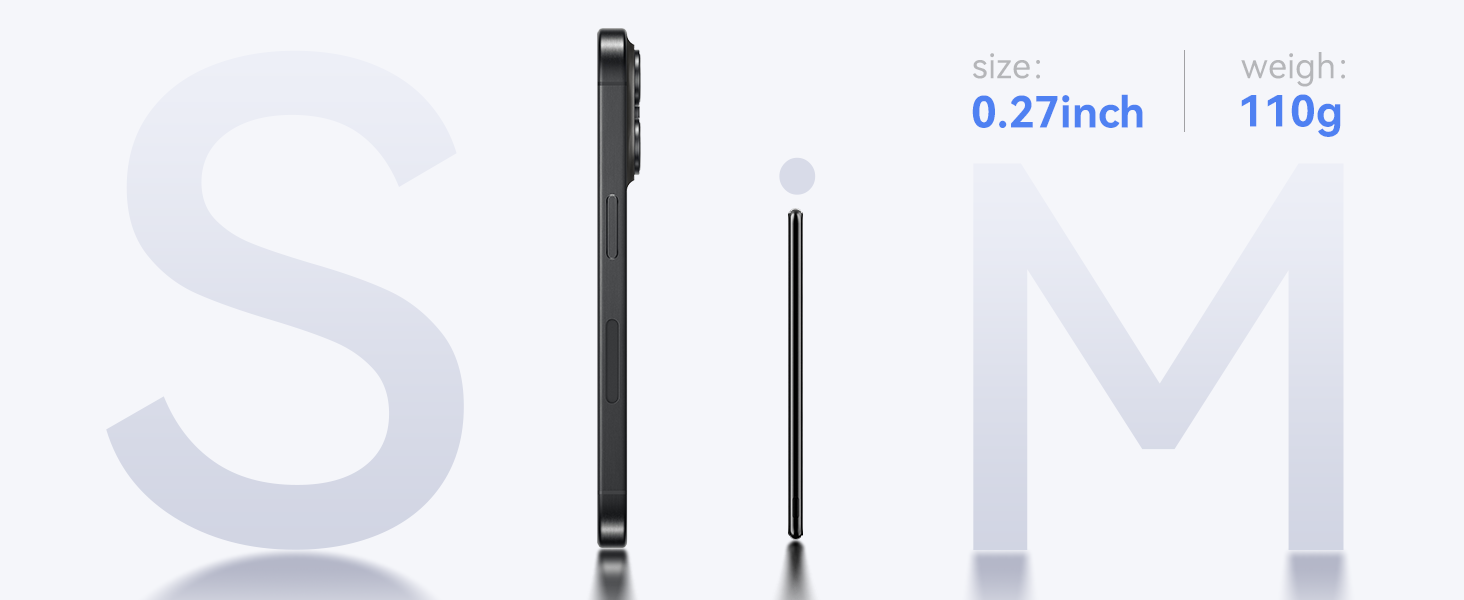
Image: Magnetic attachment for wireless charging.
Wired Charging (USB-C PD 20W):
- Connect one end of a USB-C to USB-C cable (or the provided USB-A to USB-C cable with an appropriate adapter) to the USB-C port on the power bank.
- তারের অন্য প্রান্তটি আপনার ডিভাইসের চার্জিং পোর্টের সাথে সংযুক্ত করুন।
- পাওয়ার ব্যাংক স্বয়ংক্রিয়ভাবে আপনার ডিভাইসটি সনাক্ত করবে এবং চার্জ করা শুরু করবে।
Image: Wired charging via USB-C port.
6. সামঞ্জস্য
The Kuulaa Ultra Slim MagSafe Power Bank is compatible with:
- iPhone 12, 13, 14, 15, and 16 Series (for magnetic wireless charging).
- Other devices that support USB-C charging (for wired charging).
Important Note for Magnetic Charging:
- Magnetic charging works best without a phone case or with an official MagSafe case/MagSafe-compatible case.
- Non-magnetic phone cases are না supported for magnetic attachment and wireless charging.
- Not recommended for use with iPhone 12 mini and iPhone 13 mini due to size.
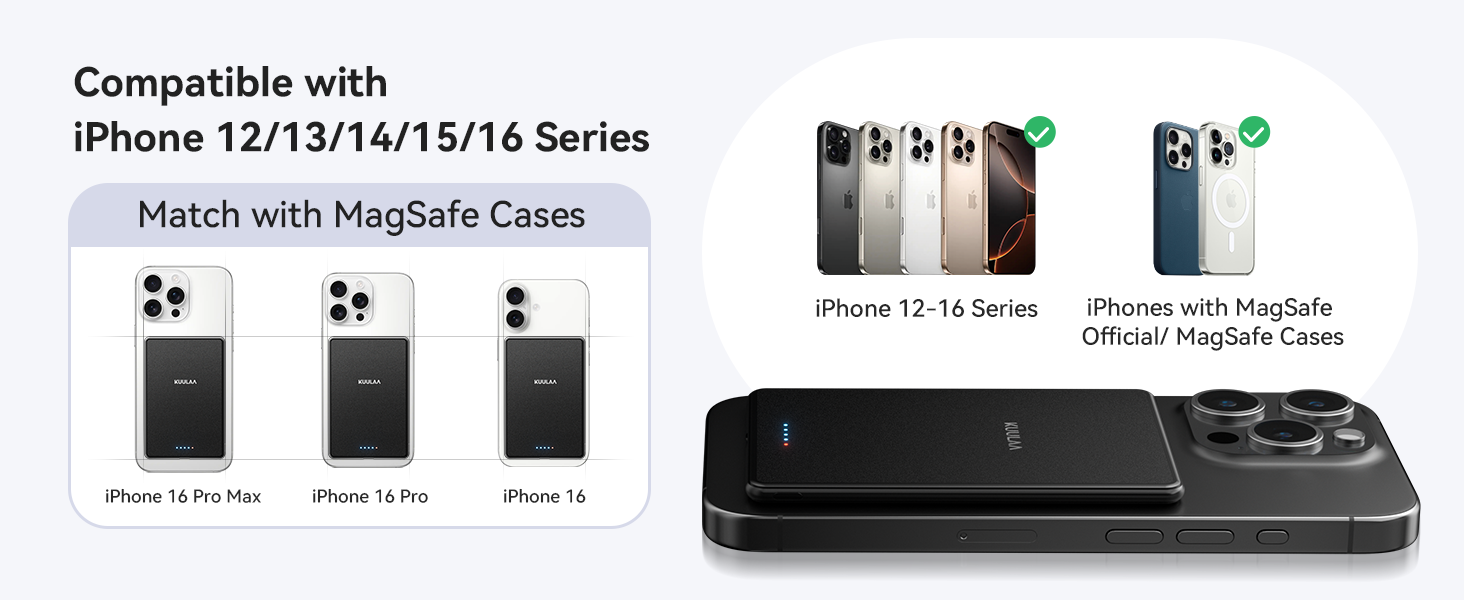
Image: Compatibility guide for MagSafe cases and iPhone models.
7. রক্ষণাবেক্ষণ
- পরিষ্কার করা: পাওয়ার ব্যাংকের পৃষ্ঠ পরিষ্কার করার জন্য একটি নরম, শুকনো কাপড় ব্যবহার করুন। কঠোর রাসায়নিক বা ঘষিয়া তুলিয়া ফেলিতে সক্ষম পদার্থ ব্যবহার করবেন না।
- সঞ্চয়স্থান: Store the power bank in a cool, dry environment, away from direct sunlight and extreme temperatures.
- ব্যাটারি যত্ন: To maintain battery health, fully charge the power bank at least once every three months if not in regular use.
8. সমস্যা সমাধান
-
পাওয়ার ব্যাঙ্ক চার্জ হচ্ছে না:
- নিশ্চিত করুন যে চার্জিং কেবলটি পাওয়ার ব্যাংক এবং পাওয়ার সোর্স উভয়ের সাথেই নিরাপদে সংযুক্ত আছে।
- Verify that the wall adapter or USB port is functional.
- একটি ভিন্ন USB-C কেবল বা পাওয়ার অ্যাডাপ্টার ব্যবহার করার চেষ্টা করুন।
-
ডিভাইসটি ওয়্যারলেসভাবে চার্জ হচ্ছে না:
- Check if your device is MagSafe compatible (iPhone 12 series or newer).
- Ensure there are no foreign objects between the power bank and your device.
- ম্যাগসেফ-সামঞ্জস্যপূর্ণ নয় এমন যেকোনো ফোন কেস সরিয়ে ফেলুন।
- পাওয়ার ব্যাংকে পর্যাপ্ত চার্জ আছে কিনা তা যাচাই করুন।
-
দুর্বল চৌম্বকীয় সংযুক্তি:
- Ensure your phone case is MagSafe compatible or remove the case entirely.
- Clean the magnetic surfaces on both the power bank and your device/case.
-
ধীর চার্জিং:
- For wired charging, ensure you are using a 20W PD compatible wall adapter for fast charging.
- For wireless charging, ensure proper alignment and that no foreign objects are interfering.
- Check the power bank's charge level; charging speed may decrease at very low battery levels.
9. স্পেসিফিকেশন
| বৈশিষ্ট্য | বিস্তারিত |
|---|---|
| মডেল নম্বর | KL-YD71 |
| ব্যাটারির ক্ষমতা | 5000 mAh |
| পণ্যের মাত্রা | 4.05 x 2.67 x 0.28 ইঞ্চি |
| আইটেম ওজন | ৮.৪৭ আউন্স (প্রায় ২৪০ গ্রাম) |
| ওয়্যারলেস চার্জিং আউটপুট | 7.5W (সর্বোচ্চ) |
| তারযুক্ত চার্জিং আউটপুট (USB-C) | 20W Power Delivery (PD) Max |
| সংযোগকারী প্রকার | ইউএসবি টাইপ-সি |
| বিশেষ বৈশিষ্ট্য | Ultra-Slim, Magnetic, Wireless Charging, Fast Charging |
| প্রস্তুতকারক | Shenzhen Kula Technology Co., Ltd. |
10. ওয়্যারেন্টি এবং সমর্থন
The Kuulaa Power Bank KL-YD71 comes with a 24-hour warranty to ensure your peace of mind. If you encounter any issues or have questions regarding your product, please contact our customer support team.
গ্রাহক সমর্থন:
- For assistance, please visit the official Kuulaa webসাইটে যান অথবা আপনার ক্রয় প্ল্যাটফর্মের মাধ্যমে সরাসরি বিক্রেতার সাথে যোগাযোগ করুন।
- Please have your model number (KL-YD71) and purchase details ready when contacting support.