
1. ভূমিকা
This manual provides detailed instructions for the installation, configuration, and operation of the D-Link Guardian 700 Pro Multi-Gig Business Router (DBR-700). The DBR-700 is designed to provide enterprise-level networking capabilities for small and medium businesses, offering high-speed connectivity, robust security features, and simplified management.
Key features include a 2.5GbE WAN port, six 2.5GbE LAN ports, a 2.5GbE SFP uplink for flexible fiber connections, Multi-WAN failover, SPI Firewall, VPN support (IPSec, WireGuard, OpenVPN), and centralized management for up to 15 D-Link Guardian Wi-Fi 6 Smart Access Points (DBR-X3000-AP, sold separately).

Image: The D-Link Guardian 700 Pro Multi-Gig Router (DBR-700) designed for small and medium business environments.
2. প্যাকেজ বিষয়বস্তু
যাচাই করুন যে আপনার প্যাকেজে নিম্নলিখিত আইটেম রয়েছে:
- D-Link Guardian 700 Pro Multi-Gig Business Router (DBR-700)
- পাওয়ার অ্যাডাপ্টার
- দ্রুত ইনস্টলেশন গাইড (কিউআইজি)
যদি কোনও জিনিসপত্র অনুপস্থিত বা ক্ষতিগ্রস্ত হয়, তাহলে অনুগ্রহ করে আপনার স্থানীয় ডি-লিংক রিসেলারের সাথে যোগাযোগ করুন।
3. হার্ডওয়্যার ওভারview
3.1. ফ্রন্ট প্যানেল
The front panel of the DBR-700 features status indicators and network ports.

ছবি: সামনের দিকে view of the DBR-700 router, showing LED indicators, Console port, LAN ports, WAN port, and LAN/WAN SFP port.
- SYS LED: সিস্টেমের অবস্থা নির্দেশ করে।
- SFP LED: Indicates status of the SFP port.
- রিসেট বোতাম: ডিভাইস রিসেট করতে বা ফ্যাক্টরি ডিফল্ট পুনরুদ্ধার করতে ব্যবহৃত হয়।
- কনসোল পোর্ট: For command-line interface access.
- LAN পোর্ট (1-6): Six 2.5GbE LAN ports for connecting local network devices.
- ল্যান/ওয়ান পোর্ট: A 2.5GbE port configurable as either a LAN or WAN interface.
- WAN পোর্ট: A dedicated 2.5GbE WAN port for internet connectivity.
- LAN/WAN SFP Port: A 2.5GbE/1GbE SFP port for fiber or copper connections, configurable as LAN or WAN.
3.2. রিয়ার প্যানেল
The rear panel includes the power input and power switch.

ছবি: পিছন view of the DBR-700 router, showing the DC 12V/2A power input and On/Off switch.
- DC 12V/2A: পাওয়ার ইনপুট সংযোগকারী।
- চালু/বন্ধ সুইচ: ডিভাইসের জন্য শক্তি নিয়ন্ত্রণ.
4. ইনস্টলেশন
Follow these steps for the initial setup of your DBR-700 router:
- পাওয়ার সংযোগ: Connect the provided power adapter to the DC 12V/2A port on the rear panel of the router and plug it into a power outlet. Turn on the router using the On/Off switch.
- WAN সংযোগ: Connect your internet service provider's modem or main network line to the WAN port on the router using an Ethernet cable. If using fiber, insert the SFP module (sold separately) into the LAN/WAN SFP port and connect the fiber cable.
- ল্যান সংযোগ: Connect your local network devices (e.g., computers, switches, access points) to the ল্যান ports (1-6) or the configurable LAN/WAN port using Ethernet cables.
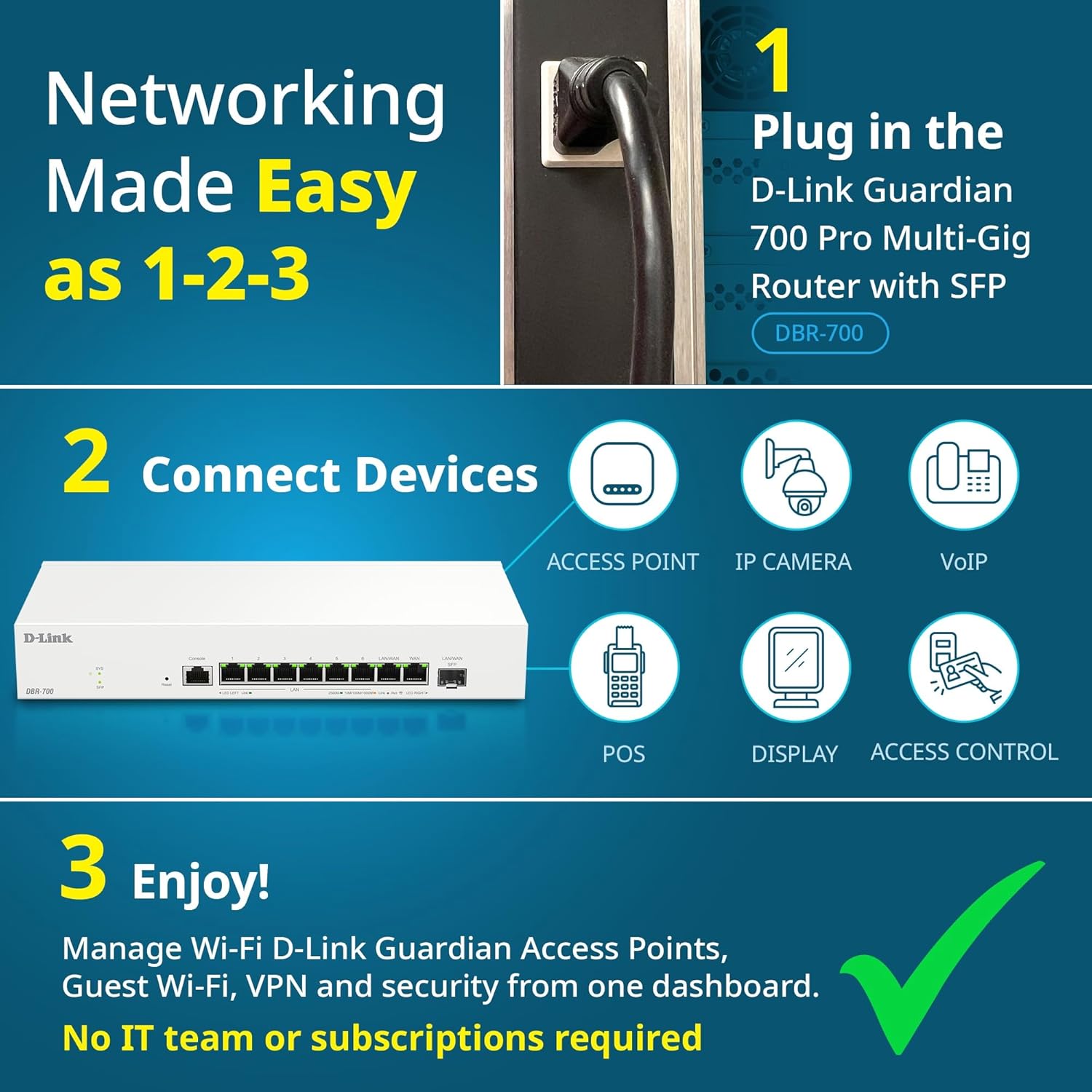
Image: Visual guide for router installation: 1. Plug in the DBR-700 router. 2. Connect devices like access points, IP cameras, VoIP, POS, displays, and access control. 3. Enjoy managed Wi-Fi, Guest Wi-Fi, VPN, and security from one dashboard.
5. কনফিগারেশন
5.1। প্রবেশাধিকার Web ইন্টারফেস
To configure the DBR-700, access its web-ভিত্তিক ব্যবস্থাপনা ইন্টারফেস:
- আপনার কম্পিউটার রাউটারের LAN পোর্টগুলির একটির সাথে সংযুক্ত আছে কিনা তা নিশ্চিত করুন।
- খোলা a web ব্রাউজার (যেমন, ক্রোম, ফায়ারফক্স, এজ)।
- Enter the router's default IP address (typically
192.168.1.1or similar, refer to the Quick Installation Guide for the exact address) into the address bar and press Enter. - Enter the default username and password when prompted. (Refer to the Quick Installation Guide for default credentials).
৫.১. মৌলিক নেটওয়ার্ক সেটিংস
Once logged in, you can configure basic network settings:
- WAN সেটিংস: Configure your internet connection type (e.g., DHCP, Static IP, PPPoE) as provided by your ISP.
- LAN সেটিংস: Adjust the router's internal IP address, subnet mask, and DHCP server settings for your local network.
- সময় সেটিংস: Set the correct time zone and synchronize the router's clock.
6. উন্নত বৈশিষ্ট্য
6.1. Multi-WAN Failover
The DBR-700 supports Multi-WAN with intelligent failover, ensuring business continuity by providing redundant internet connections. If the primary WAN link fails, the router automatically switches to a secondary WAN link.

Image: The DBR-700's ports, illustrating the Primary 2.5GbE WAN, Secondary 2.5GbE LAN/WAN, and SFP Uplink for Multi-WAN failover capabilities.
6.2. VPN Configuration
The router includes built-in VPN support for IPSec, WireGuard, and OpenVPN, enabling secure remote access for employees and branch office connectivity. It supports up to 100 VPN tunnels.
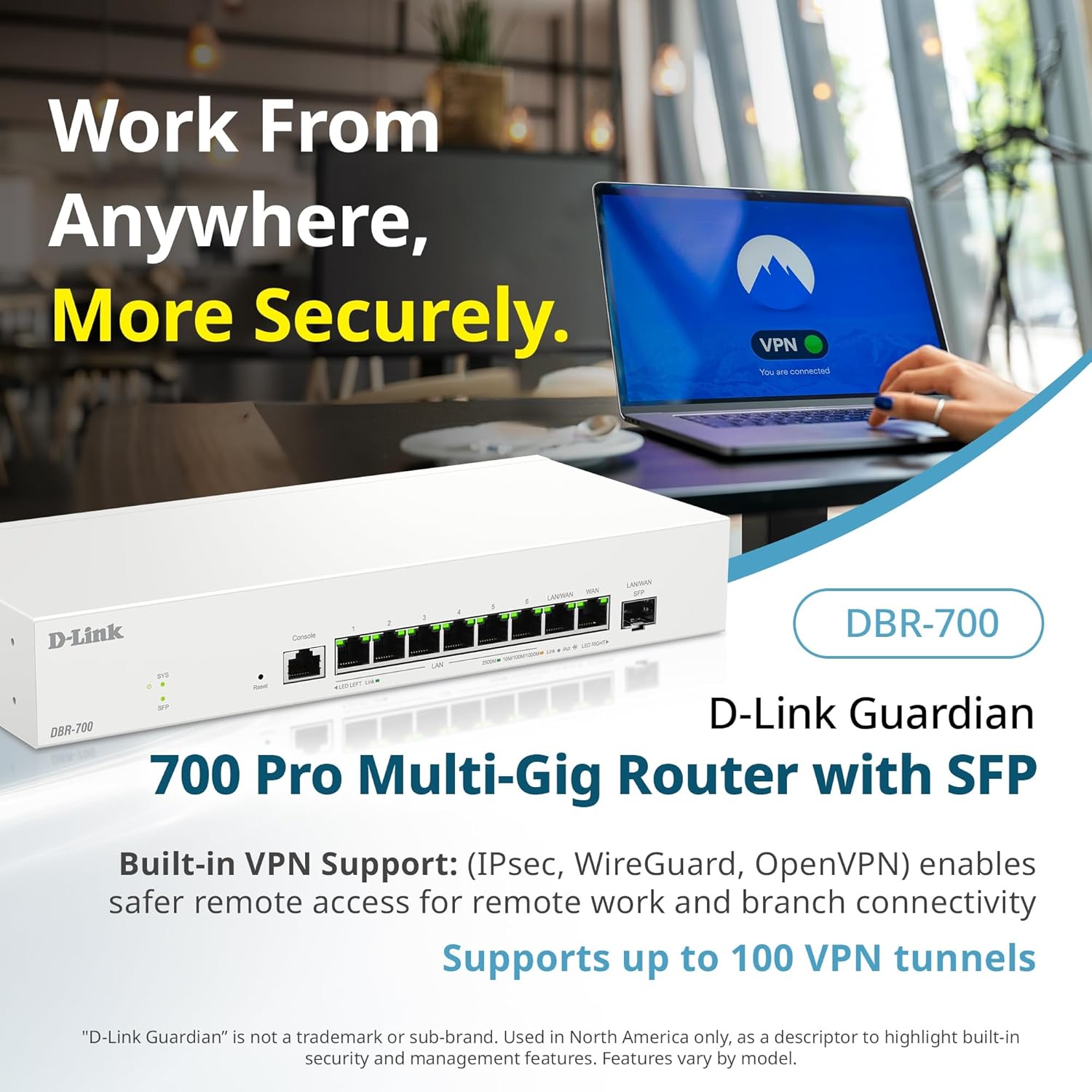
Image: A laptop displaying a 'VPN Connected' status, with the DBR-700 router in the foreground, illustrating secure remote access.
6.3. Centralized Access Point Management
The DBR-700 can discover and manage up to 15 D-Link Guardian Wi-Fi 6 Smart Access Points (DBR-X3000-AP, sold separately) from a single intuitive dashboard. This simplifies Wi-Fi network deployment and management.

Image: A tablet showing the D-Link Wi-Fi management dashboard, demonstrating centralized control over D-Link Guardian Access Points, with the DBR-700 router and a DBR-X3000-AP in the background.
6.4. Guest Wi-Fi Management
Set up and manage guest Wi-Fi networks with a Captive Portal. This allows for branded sign-in pages for guests while keeping business systems separate and secure. Configuration and management are done from the router dashboard.

Image: A smartphone screen showing a customizable guest Wi-Fi login portal, highlighting the DBR-700's ability to manage and customize guest networks.
7. রক্ষণাবেক্ষণ
7.1. ফার্মওয়্যার আপডেট
Regularly check for and install firmware updates to ensure optimal performance, security, and access to new features. Firmware updates can typically be found on the D-Link support webআপনার নির্দিষ্ট মডেলের জন্য সাইট।
7.2। ফ্যাক্টরি রিসেট
If you encounter persistent issues or wish to clear all configurations, you can perform a factory reset. To do this, locate the Reset button on the front panel. With the router powered on, use a paperclip or similar pointed object to press and hold the Reset button for approximately 5-10 seconds until the SYS LED blinks. Release the button, and the router will restart with factory default settings.
8. সমস্যা সমাধান
This section addresses common issues you might encounter with your DBR-700 router.
8.1. ইন্টারনেট সংযোগ নেই
- তারগুলি পরীক্ষা করুন: নিশ্চিত করুন যে সমস্ত ইথারনেট কেবলগুলি সঠিক পোর্টের (WAN, LAN) সাথে নিরাপদে সংযুক্ত আছে।
- মডেমের অবস্থা: Verify that your internet service provider's modem is working correctly and has an active internet connection.
- WAN কনফিগারেশন: রাউটারের লগ ইন করুন web interface and verify that the WAN settings (e.g., IP address, DNS) are correctly configured according to your ISP's requirements.
- ডিভাইসগুলি রিবুট করুন: Power cycle your modem, then the router, and then your connected devices.
৭.৩. অ্যাক্সেস করা যাচ্ছে না Web ইন্টারফেস
- আইপি ঠিকানা: Ensure your computer is configured to obtain an IP address automatically (DHCP) or has a static IP address within the router's subnet.
- রাউটার আইপি: Double-check the router's default IP address. It might be printed on a label on the router itself or in the Quick Installation Guide.
- ফায়ারওয়াল/অ্যান্টিভাইরাস: আপনার কম্পিউটারে অ্যাক্সেস ব্লক করতে পারে এমন যেকোনো ফায়ারওয়াল বা অ্যান্টিভাইরাস সফ্টওয়্যার সাময়িকভাবে অক্ষম করুন।
- ব্রাউজার ক্যাশে: আপনার সাফ web ব্রাউজারের ক্যাশে এবং কুকিজ, অথবা অন্য একটি ব্রাউজার চেষ্টা করুন।
8.3. Slow Network Speeds
- কেবল মান: Ensure you are using high-quality Ethernet cables (Cat5e or Cat6) for multi-gig connections.
- ডিভাইস সামঞ্জস্যতা: Verify that connected devices and network adapters support 2.5GbE speeds.
- ISP Speed: Confirm your internet service plan provides the expected speeds.
- ট্রাফিক ব্যবস্থাপনা: Check router settings for any Quality of Service (QoS) or bandwidth limits that might be affecting performance.
9. প্রযুক্তিগত স্পেসিফিকেশন
| বৈশিষ্ট্য | স্পেসিফিকেশন |
|---|---|
| ব্র্যান্ড | ডি-লিংক |
| মডেল নম্বর | DBR-700 |
| WAN পোর্ট | 1x 2.5GbE WAN, 1x 2.5GbE/1GbE SFP (configurable as WAN) |
| ল্যান পোর্ট | 6x 2.5GbE LAN, 1x 2.5GbE (configurable as LAN) |
| ভিপিএন সমর্থন | IPSec, WireGuard, OpenVPN (up to 100 tunnels) |
| এপি ব্যবস্থাপনা | Manages up to 15 D-Link Guardian Wi-Fi 6 Smart Access Points |
| নিরাপত্তা বৈশিষ্ট্য | SPI Firewall, WPA3 encryption, VLANs |
| মাত্রা (LxWxH) | 11.02 x 1.73 x 4.96 ইঞ্চি |
| আইটেম ওজন | 2 পাউন্ড |
| ভলিউমtage | 120 ভোল্ট (AC) |
| রঙ | সাদা |
10. ওয়্যারেন্টি এবং সমর্থন
বিস্তারিত ওয়ারেন্টি তথ্য, প্রযুক্তিগত সহায়তা এবং অতিরিক্ত সংস্থানগুলির জন্য, অনুগ্রহ করে অফিসিয়াল ডি-লিংকটি দেখুন। website. You can find product registration, FAQs, firmware downloads, and contact information for customer service.
ডি-লিংক অফিসিয়াল Webসাইট: www.dlink.com
Please have your product model number (DBR-700) and serial number ready when contacting support.