Pro v2 Manuals & User Guides

User manuals, setup guides, troubleshooting help, and repair information for Pro v2 products.

Tip: include the full model number printed on your Pro v2 label for the best match.

Pro v2 manuals

এই ব্র্যান্ডের জন্য সর্বশেষ পোস্ট, বৈশিষ্ট্যযুক্ত ম্যানুয়াল এবং খুচরা বিক্রেতা-সংযুক্ত ম্যানুয়াল tag.

VULPES GOODS PRO V2 অ্যান্টি বার্ক কলার PRO ব্যবহারকারী নির্দেশিকা

7 এপ্রিল, 2025
অ্যান্টি বার্ক কলার প্রো ম্যানুয়াল দ্য ডিভাইস ইন্ডিকেটর lamp When the screen is switched off, the green light will continue to blink until the screen is switched on again. Sensitivity button The Anti bark band has 7 different sound levels…

VULPES GOODS PRO V2 ইলেকট্রিক ওয়্যারলেস ব্রেস্ট পাম্পের মালিকের ম্যানুয়াল

6 মার্চ, 2025
VULPES GOODS PRO V2 Electric Wireless Breast Pump Specifications Product Name PRO V2 Breast Pump Connectivity Bluetooth Compatibility EasyPump app Connecting to the app To make pumping even more enjoyable, you can pair the PRO V2 with the EasyPump app via Bluetooth. From…

VULPES GOODS PRO V2 ইলেকট্রিক ব্রেস্ট পাম্প ব্যবহারকারী নির্দেশিকা

6 মার্চ, 2025
PRO V2 Electric Breast Pump Product Specifications: Name of parts: Breast Pump Material: Silicone, ABS Heat-resistance temperature: Not specified Gas storage: Included Product Information: The breast pump comes with various parts made of silicone and ABS materials. It includes…

Epomaker TH80 PRO V2 মেকানিক্যাল গেমিং কীবোর্ড ব্যবহারকারী ম্যানুয়াল

7 আগস্ট, 2024
Epomaker TH80 PRO V2 Mechanical Gaming Keyboard User Manual https://youtu.be/0-KwATFuNYg WINDOWS (PRESS FN+A) MAC (PRESS FN+S) LIGHT EFFECTS FUNCTION KEY COMBINATIONS PAIRING BLUETOOTH Toggle the switch to the left, and make sure that the keyboard is under Bluetooth mode: Hold…

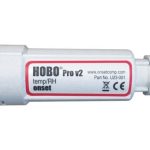
HOBO Pro v2 আপেক্ষিক আর্দ্রতা ডেটা লগার ব্যবহারকারী গাইড

নভেম্বর 20, 2021
HOBO® Pro v2 Logger (U23‐00x) Quick Start   Open HOBOware® software. (Get the latest software at www.onsetcomp.com/hoboware‐free‐download.) Attach the USB Optic Base Station (BASE‐U‐4) or HOBO Waterproof Shuttle (U‐DTW‐ 1) to a USB port on the computer (refer to the hardware manual at www.onsetcomp.com/support/manuals for details). Attach…