1. সেটআপ
This section guides you through the initial setup of your NEC VY24G/D-9 laptop.
৪.১ প্যাকিং এবং প্রাথমিক পরিদর্শন
প্যাকেজিং থেকে সমস্ত উপাদান সাবধানে সরিয়ে ফেলুন। নিম্নলিখিত জিনিসপত্রগুলি উপস্থিত আছে কিনা তা যাচাই করুন:
- NEC VY24G/D-9 Laptop
- এসি অ্যাডাপ্টার এবং পাওয়ার কর্ড
- Recovery CD
- Any additional software CDs (e.g., WinDVD, Roxio Creator)
Inspect the laptop and accessories for any visible damage. Note that the exterior casing and LCD screen may have minor cosmetic scratches from previous use, which do not affect functionality.
1.2 AC অ্যাডাপ্টার সংযোগ করা
Before first use, connect the AC adapter to the laptop and a power outlet to charge the battery and provide power.
- Plug the DC output connector of the AC adapter into the power input port on the side of the laptop.
- এসি অ্যাডাপ্টারের সাথে পাওয়ার কর্ড সংযুক্ত করুন।
- পাওয়ার কর্ডের অন্য প্রান্তটি একটি গ্রাউন্ডেড বৈদ্যুতিক আউটলেটে প্লাগ করুন।
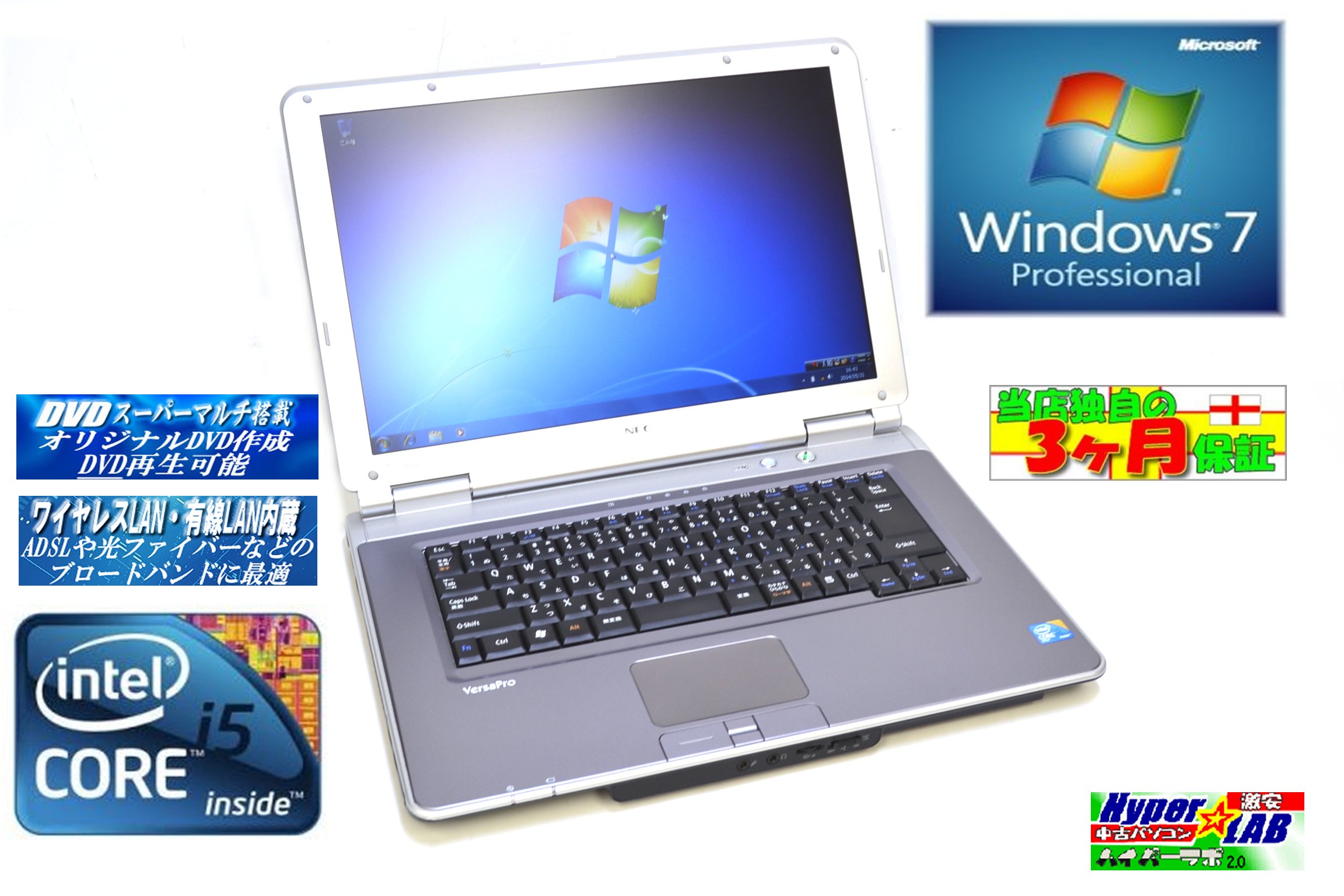
Image 1.1: The NEC VY24G/D-9 laptop shown with its AC adapter and included software/recovery CDs. The laptop is silver with a black base, and the AC adapter is a black rectangular unit with a power cord.
1.3 Initial Power On and Operating System Setup
Press the power button to turn on the laptop. The system comes with Windows 7 Professional 32-bit pre-installed. Follow the on-screen prompts to complete the initial operating system setup, which may include setting up user accounts, time zone, and network connections.
2. অপারেটিং নির্দেশাবলী
This section covers the basic operation of your NEC VY24G/D-9 laptop.
2.1 পাওয়ার অন/অফ
- পাওয়ার অন করতে: ল্যাপটপে অবস্থিত পাওয়ার বোতামটি টিপুন।
- বন্ধ করতে: Click the Start button in Windows, then select "Shut Down."
- নতুন করে শুরু: Click the Start button, then select "Restart."
- ঘুমাতে: Click the Start button, then select "Sleep."
2.2 Using the DVD Multi Drive
The laptop is equipped with a DVD Multi optical drive for reading and writing CDs and DVDs.
- ট্রে খুলতে অপটিক্যাল ড্রাইভে ইজেক্ট বোতাম টিপুন।
- ট্রেতে লেবেলের দিকটি উপরের দিকে রেখে একটি সিডি বা ডিভিডি রাখুন।
- Gently push the tray back into the laptop until it clicks shut.
- The operating system will typically detect the disc automatically.
2.3 একটি নেটওয়ার্কের সাথে সংযোগ করা
The laptop supports both wired and wireless network connections.
- তারযুক্ত LAN: Connect an Ethernet cable to the LAN port on the side of the laptop.
- Wireless LAN (802.11bgn): Use the Windows network settings to connect to available Wi-Fi networks. Ensure the wireless adapter is enabled (check for a physical switch or function key combination if Wi-Fi is not detected).
2.4 Using USB Ports and PC Card Slot
The laptop features multiple USB 2.0 ports and a PC Card slot for connecting external devices.
- USB 2.0 পোর্ট (x5): Connect USB devices such as mice, keyboards, external hard drives, or flash drives.
- PC Card Slot (x1): Insert compatible PC Cards for expanded functionality, such as additional network adapters or storage.

ছবি ৩: একটি পাশ view of the NEC VY24G/D-9 laptop, illustrating the arrangement of its various ports, including USB, LAN, and potentially VGA or serial ports.
3. রক্ষণাবেক্ষণ
সঠিক রক্ষণাবেক্ষণ আপনার ল্যাপটপের দীর্ঘায়ু এবং সর্বোত্তম কর্মক্ষমতা নিশ্চিত করে।
৪.১ ল্যাপটপ পরিষ্কার করা
- বাহ্যিক: একটি নরম, লিন্ট-মুক্ত কাপড় সামান্য ব্যবহার করুন dampজল বা হালকা পরিষ্কারের দ্রবণ দিয়ে ঘষুন। কঠোর রাসায়নিক এড়িয়ে চলুন।
- পর্দা: Use a microfiber cloth specifically designed for electronics screens. Do not spray liquid directly onto the screen.
- কীবোর্ড: চাবির মাঝখান থেকে ধুলো এবং ধ্বংসাবশেষ অপসারণ করতে সংকুচিত বাতাস ব্যবহার করুন।
3.2 সফ্টওয়্যার আপডেট
Regularly check for and install updates for Windows 7 Professional and any installed applications to ensure security and performance.
3.3 ব্যাটারি যত্ন
To maximize battery life, avoid extreme temperatures and allow the battery to discharge partially before recharging. If storing the laptop for an extended period, ensure the battery is charged to about 50%.
4. সমস্যা সমাধান
এই বিভাগটি আপনার সম্মুখীন হতে পারে এমন সাধারণ সমস্যার সমাধান প্রদান করে।
৫.১ ল্যাপটপ চালু হচ্ছে না
- নিশ্চিত করুন যে এসি অ্যাডাপ্টারটি ল্যাপটপ এবং একটি কার্যকরী পাওয়ার আউটলেট উভয়ের সাথেই নিরাপদে সংযুক্ত রয়েছে।
- অন্য ডিভাইস প্লাগ ইন করে পাওয়ার আউটলেটটি কার্যকর কিনা তা যাচাই করুন।
- If using battery power, ensure the battery is charged.
৪.১ স্ক্রিনে কোনও ডিসপ্লে নেই
- ল্যাপটপটি চালু আছে কিনা তা পরীক্ষা করুন।
- Adjust the screen brightness using the function keys (Fn + brightness keys).
- Connect an external monitor to determine if the issue is with the laptop's internal display.
৫.২ নেটওয়ার্ক সংযোগ সমস্যা
- তারযুক্ত: Ensure the Ethernet cable is properly connected and the network router/modem is working.
- বেতার: Verify that Wi-Fi is enabled and you are connecting to the correct network with the correct password. Restart your router/modem.
৫.২ সিস্টেম পুনরুদ্ধার
If the operating system becomes unstable or corrupted, you can use the provided Recovery CD to restore the system to its factory settings. Refer to the instructions included with the Recovery CD for detailed steps.
5. স্পেসিফিকেশন
Detailed technical specifications for the NEC VY24G/D-9 laptop.
| বৈশিষ্ট্য | স্পেসিফিকেশন |
|---|---|
| ব্র্যান্ড | এনইসি |
| মডেলের নাম | VY24G/D-9 (VersaPro VY24G/D-9) |
| পর্দার আকার | 15.4 ইঞ্চি |
| রেজোলিউশন | 1280 x 800 |
| সিপিইউ ব্র্যান্ড | ইন্টেল |
| CPU প্রকার | Core i5 (520M) |
| CPU গতি | 2.4 GHz |
| প্রসেসরের সংখ্যা | 1 |
| RAM সাইজ | 2 জিবি |
| HDD ক্ষমতা | 160 জিবি |
| এইচডিডি ইন্টারফেস | সিরিয়াল ATA |
| অপটিক্যাল ড্রাইভ | DVD Multi |
| ওয়্যারলেস টাইপ | 802.11bgn |
| তারযুক্ত ল্যান | হ্যাঁ |
| ইউএসবি পোর্ট | USB 2.0 x 5 |
| পিসি কার্ড স্লট | x 1 |
| অপারেটিং সিস্টেম | উইন্ডোজ 7 পেশাদার (-৪-বিট) |
| হার্ডওয়্যার প্ল্যাটফর্ম | PC |
6. ওয়্যারেন্টি এবং সমর্থন
This section provides information regarding the product warranty and how to obtain support.
6.1 পণ্য ওয়্যারেন্টি
This NEC VY24G/D-9 laptop comes with a 3 মাসের ওয়ারেন্টি from the date of purchase. This warranty covers manufacturing defects and hardware malfunctions under normal use. It does not cover damage caused by misuse, accidents, unauthorized modifications, or normal wear and tear.
6.2 প্রযুক্তিগত সহায়তা
For technical assistance or warranty claims, please contact your retailer or the authorized NEC service center. Have your purchase receipt and the laptop's serial number ready when contacting support.