ভূমিকা
This manual provides detailed instructions for the installation, operation, and maintenance of your FLYLINKTECH Dash Cam CD10. Please read this manual thoroughly before using the device to ensure proper functionality and safety.

ছবি: সামনে এবং পিছনে view of the FLYLINKTECH Dash Cam CD10, highlighting its compact design and 1.5-inch LCD screen.
পণ্য বৈশিষ্ট্য
- ফুল এইচডি ১০৮০পি ভিডিও: Records video at 1080p resolution for clear details.
- ১৮০° ওয়াইড অ্যাঙ্গেল লেন্স: Covers up to 5 traffic lanes, reducing blind spots.
- G-Sensor and Emergency Lock: Automatically detects collisions and locks video files.
- WDR Function: Enhances video quality in various lighting conditions, including low light.
- লুপ রেকর্ডিং: পুরনোটি ওভাররাইট করে files when storage is full, ensuring continuous recording.
- 1.5-ইঞ্চি এলসিডি স্ক্রিন: Compact display for easy viewing এবং নেভিগেশন.
- পার্কিং মনিটর: Records incidents when the vehicle is parked.
- গতি শনাক্তকরণ: Initiates recording when motion is detected.
- নাইট ভিশন: Improved low-light performance.

Image: Diagram illustrating key features of the dash cam, including 1080P resolution, 1.5-inch LCD, G-Sensor, motion detection, loop recording, 170-degree wide angle, WDR, and super night vision.
প্যাকেজ বিষয়বস্তু
প্যাকেজ আনবক্স করার সময় অনুগ্রহ করে প্যাকেজের বিষয়বস্তু পরীক্ষা করুন:
- FLYLINKTECH Dash Cam CD10
- সাকশন কাপ মাউন্ট
- আঠালো মাউন্ট
- স্ট্যাটিক স্টিকার
- Car Charger with additional USB port
- মাইক্রো ইউএসবি কেবল
- ব্যবহারকারী ম্যানুয়াল (এই দস্তাবেজ)
Note: An SD card is not included and must be purchased separately.

Image: All items included in the product package: the dash cam, packaging box, car charger, micro USB cable, suction cup mount, adhesive mount, and user manual.
সেটআপ এবং ইনস্টলেশন
২.১. মাইক্রো এসডি কার্ড ঢোকানো
Before first use, insert a high-speed Micro SD card (Class 10 or higher, up to 32GB recommended) into the dash cam's SD card slot. Ensure the card is inserted correctly until it clicks into place.
১. ড্যাশ ক্যাম মাউন্ট করা
Choose between the suction cup mount or the adhesive mount for installation.
- সাকশন কাপ মাউন্ট:
- Clean the windshield surface where you intend to mount the camera.
- Attach the dash cam to the suction cup mount.
- সাকশন কাপটি উইন্ডশিল্ডের সাথে শক্ত করে টিপুন এবং লিভারটি উল্টে এটিকে সুরক্ষিত করুন।
- আঠালো মাউন্ট:
- Clean the windshield surface thoroughly.
- Apply the static sticker to the windshield first, then attach the adhesive mount to the static sticker for easier removal later.
- Attach the dash cam to the adhesive mount.
- একটি শক্তিশালী বন্ধন নিশ্চিত করতে 30 সেকেন্ডের জন্য শক্ত করে টিপুন।
Position the dash cam near the rearview আয়না, যাতে এটি আপনার view রাস্তার
ছবি: একজন প্রাক্তনample of the dash cam installed on a car's windshield, showing optimal placement to avoid obstructing the driver's view while covering the road ahead.
3. সংযোগ শক্তি
Connect the provided car charger to your vehicle's cigarette lighter socket and the Micro USB cable to the dash cam's power port. Route the cable neatly along the windshield and dashboard to avoid interference with driving.
অপারেটিং নির্দেশাবলী
1. পাওয়ার চালু/বন্ধ
- The dash cam will automatically power on and begin recording when connected to power and the vehicle ignition is turned on.
- To manually power on/off, press and hold the Power button (usually marked with a power symbol) on the device.
১. মৌলিক রেকর্ডিং
Once powered on, the dash cam will automatically start loop recording. Video files are saved in segments (e.g., 1, 3, 5, or 10 minutes) and the oldest files are overwritten when the SD card is full.

Image: Visual representation of the loop recording function, showing how older video segments are automatically replaced by new ones to ensure continuous recording.
3. G-Sensor (Emergency Lock)
The built-in G-Sensor detects sudden impacts or rapid deceleration. When triggered, the current video segment is automatically locked and protected from being overwritten, serving as crucial evidence in case of an accident.

Image: Illustrations depicting the G-Sensor activating upon collision and the 24-hour parking monitor function, which records incidents when the vehicle is parked.
4. পার্কিং মনিটর
When enabled, the Parking Monitor function uses the internal battery to detect impacts or motion around the vehicle while parked. It will automatically start recording for a short period to capture any incidents.
5. গতি সনাক্তকরণ
In Motion Detection mode, the camera will only record when it detects movement in its field of view, conserving storage space. This feature is typically used when the vehicle is stationary.
৩. WDR (ওয়াইড ডাইনামিক রেঞ্জ)
WDR technology helps the camera perform optimally in challenging lighting conditions, such as strong backlight or low light, by balancing exposure to produce clearer images.

Image: Comparison showing how WDR improves image clarity in varying light conditions, alongside an illustration of the 170-degree wide angle coverage across multiple lanes.
রক্ষণাবেক্ষণ
- পরিষ্কার করা: Use a soft, dry cloth to clean the camera lens and screen. Do not use liquid cleaners or abrasive materials.
- SD কার্ড ফরম্যাটিং: It is recommended to format the Micro SD card regularly (e.g., once a month) within the dash cam's settings to prevent data corruption and ensure optimal recording performance. This will erase all data on the card.
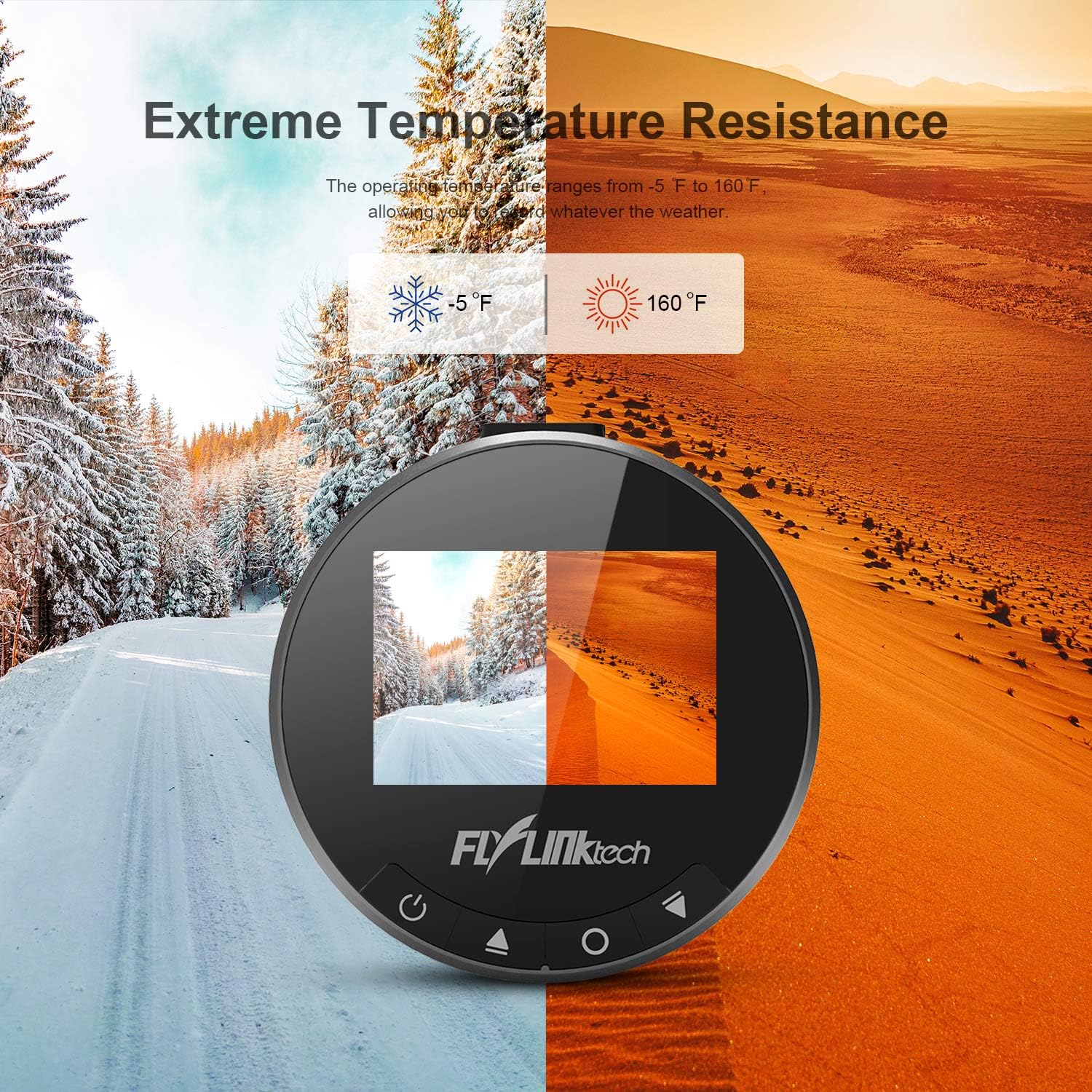
- তাপমাত্রা: Avoid exposing the dash cam to extreme temperatures outside its operating range (-20°C to 70°C / -5°F to 160°F) for prolonged periods.
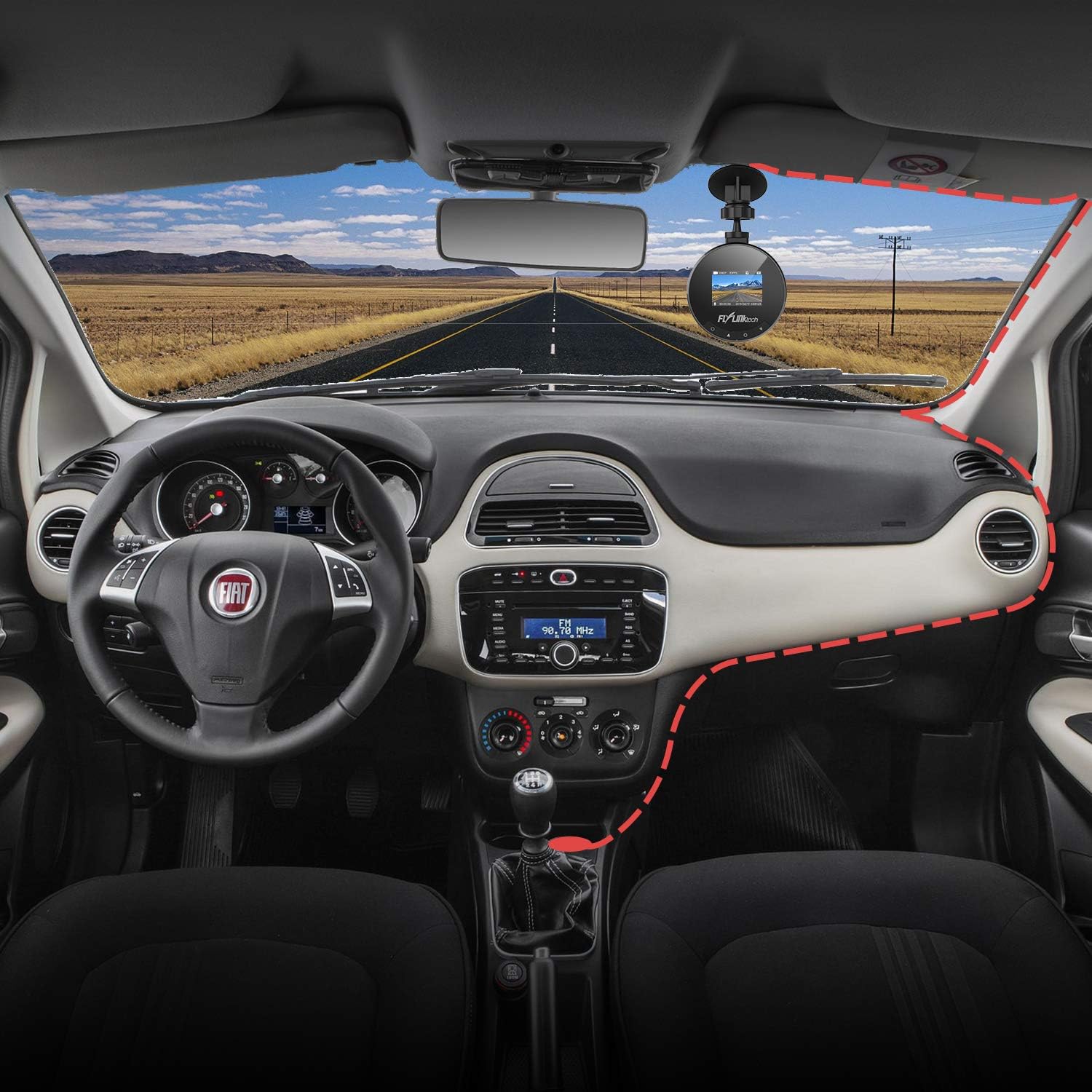
Image: Visual representation of the dash cam's ability to withstand extreme temperatures, from cold winter conditions (-5°F) to hot desert environments (160°F).
সমস্যা সমাধান
- ক্যামেরা চালু হচ্ছে না:
- - নিশ্চিত করুন যে গাড়ির চার্জারটি ড্যাশ ক্যাম এবং গাড়ির পাওয়ার আউটলেট উভয়ের সাথেই সঠিকভাবে সংযুক্ত আছে।
- - Check if the vehicle's cigarette lighter socket is functioning.
- - Try a different USB cable or car charger if available.
- Recording stops or freezes:
- - Format the Micro SD card within the camera's settings.
- - Ensure you are using a high-speed (Class 10 or higher) Micro SD card.
- - The SD card may be full; enable loop recording or replace the card.
- খারাপ ভিডিও কোয়ালিটি:
- - Clean the camera lens.
- - Ensure the protective film has been removed from the lens.
- - Adjust settings for WDR or exposure if available.
- Suction cup not sticking:
- - Clean both the windshield and the suction cup thoroughly.
- - Moisten the suction cup slightly before applying.
- - Ensure the lever is fully engaged after pressing the cup to the windshield.
স্পেসিফিকেশন
| বৈশিষ্ট্য | বিস্তারিত |
|---|---|
| পর্দা | 1.5 ইঞ্চি এলসিডি স্ক্রিন |
| খোলা হচ্ছে | F1.8 |
| জি সেন্সর | সমন্বিত |
| ভিডিও রেজোলিউশন | 1080P ফুল এইচডি |
| ছবির রেজোলিউশন | 12M / 10M / 8M / 5M / 3M / 2M / 1.3M |
| ভিডিও মোড | Normal / Loop Recording / Motion Detection / Parking Monitor |
| অপারেটিং তাপমাত্রা | -20°C ~ 70°C (-5°F ~ 160°F) |
| মাত্রা | 5.99 x 5.99 x 3 সেমি |
| ওজন | 280 গ্রাম |
| সংযোগ | ইউএসবি |
ওয়্যারেন্টি এবং সমর্থন
FLYLINKTECH provides a 2-year worry-free warranty for all dashboard cameras.
For technical support or warranty claims, please contact FLYLINKTECH customer service through the contact information provided in your product packaging or on the official FLYLINKTECH webসাইট


