1. ভূমিকা
Thank you for choosing the Boompods Bassline GO True Wireless Earbuds. This manual provides essential information for setting up, operating, and maintaining your earbuds to ensure optimal performance and longevity. Please read this manual thoroughly before use.

Image: Boompods Bassline GO True Wireless Earbuds, showcasinতাদের মসৃণ কালো নকশা।
2. প্যাকেজ বিষয়বস্তু
আপনার প্যাকেজে সমস্ত জিনিসপত্র আছে কিনা তা নিশ্চিত করুন:
- Boompods Bassline GO True Wireless Earbuds (Left and Right)
- চার্জিং কেস
- USB-A থেকে USB-C চার্জিং কেবল
- ব্যবহারকারী ম্যানুয়াল (এই দস্তাবেজ)
3. সেটআপ
৪.১. ইয়ারবাড এবং কেস চার্জ করা
Before first use, fully charge the earbuds and the charging case. The charging case provides additional battery life for your earbuds on the go.
- ইয়ারবাডগুলো চার্জিং কেসে রাখুন, নিশ্চিত করুন যে সেগুলো সঠিকভাবে বসানো আছে।
- USB-C চার্জিং কেবলটি কেসের চার্জিং পোর্টের সাথে এবং অন্য প্রান্তটি একটি USB পাওয়ার সোর্সের সাথে সংযুক্ত করুন (যেমন, ওয়াল অ্যাডাপ্টার, কম্পিউটার USB পোর্ট)।
- কেসের উপর থাকা ইন্ডিকেটর লাইটগুলি চার্জিং অবস্থা দেখাবে। সম্পূর্ণ চার্জ হয়ে গেলে, লাইটগুলি সম্পূর্ণতা বা নিভে যাওয়ার ইঙ্গিত দেবে।
A full charge provides up to 7 hours of playback for the earbuds, with the charging case extending total battery life to approximately 23 hours.

Image: Boompods Bassline GO earbuds inside their charging case, illustrating the charging process and extended battery life.
3.2. ব্লুটুথ পেয়ারিং
আপনার ডিভাইসের সাথে ইয়ারবাড পেয়ার করতে এই ধাপগুলি অনুসরণ করুন:
- চার্জিং কেসটি খুলুন। ইয়ারবাডগুলি স্বয়ংক্রিয়ভাবে পেয়ারিং মোডে প্রবেশ করবে।
- আপনার ডিভাইসে (স্মার্টফোন, ট্যাবলেট, ল্যাপটপ), ব্লুটুথ সক্ষম করুন।
- জন্য অনুসন্ধান করুন available Bluetooth devices and select "Boompods Bassline GO" from the list.
- একবার সংযুক্ত হয়ে গেলে, আপনি একটি শ্রবণযোগ্য নিশ্চিতকরণ শুনতে পাবেন এবং ইয়ারবাডের সূচক আলোগুলি পরিবর্তন হবে।
The earbuds feature Bluetooth 5.0 for a fast and stable wireless connection.
৬. ইয়ারবাড পরিচালনা করা
4.1. স্পর্শ নিয়ন্ত্রণ
The Boompods Bassline GO earbuds utilize sensitive touch controls for various functions:
| অ্যাকশন | ফাংশন |
|---|---|
| সিঙ্গেল ট্যাপ (বাম/ডান ইয়ারবাড) | সঙ্গীত চালান/বিরতি দিন, কলের উত্তর দিন/শেষ করুন |
| ডবল ট্যাপ (ডান ইয়ারবাড) | পরবর্তী ট্র্যাক |
| ডবল ট্যাপ (বাম ইয়ারবাড) | পূর্ববর্তী ট্র্যাক |
| ট্রিপল ট্যাপ (বাম/ডান ইয়ারবাড) | ভয়েস সহকারী সক্রিয় করুন |
| দীর্ঘক্ষণ টিপুন (ডান ইয়ারবাড) | ভলিউম আপ |
| দীর্ঘক্ষণ টিপুন (বাম ইয়ারবাড) | ভলিউম ডাউন |
| Long Press (during incoming call) | কল প্রত্যাখ্যান করুন |
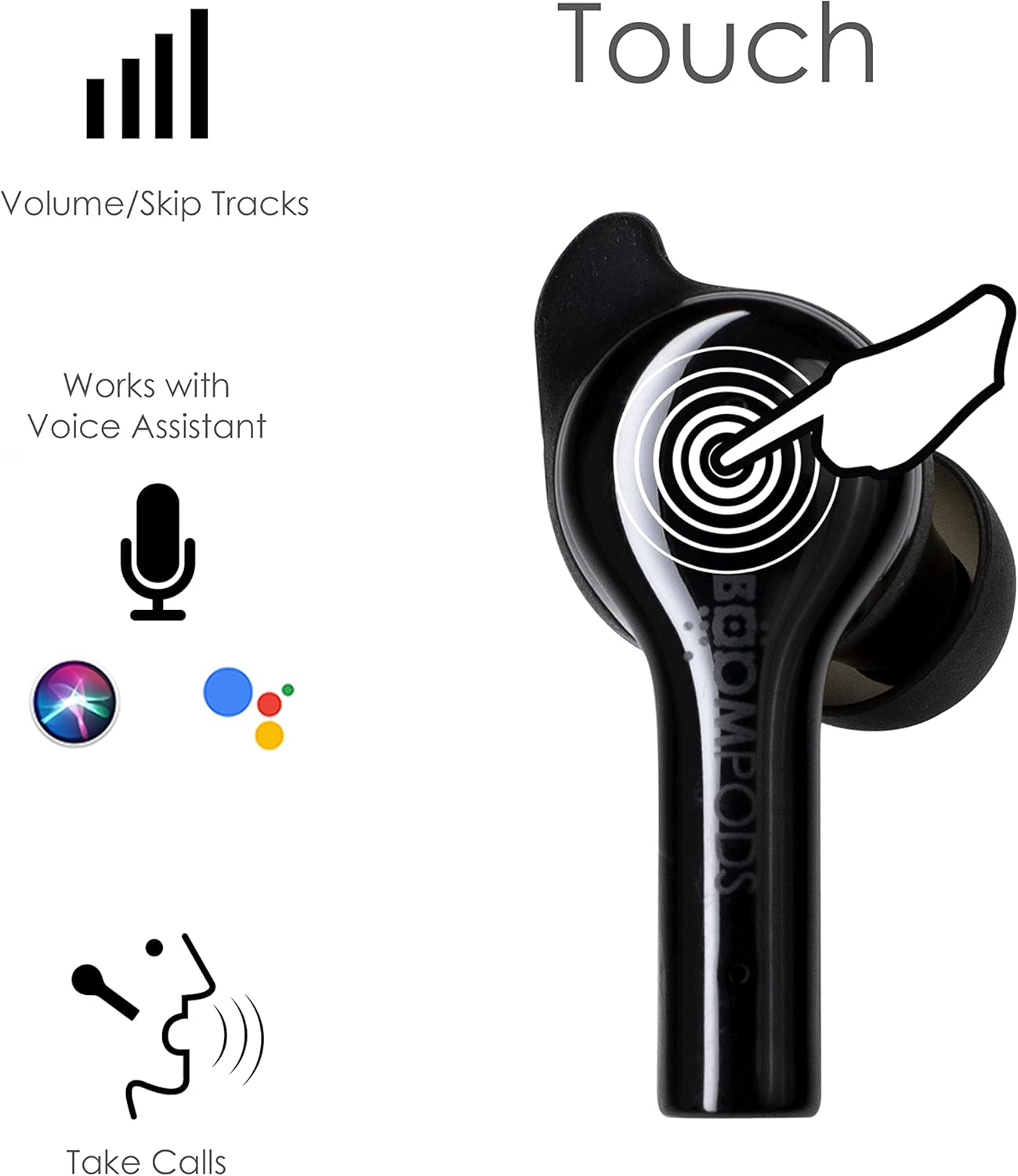
Image: Diagram illustrating the touch control areas on the Boompods Bassline GO earbuds for various functions.
4.2. ভয়েস সহকারী
The earbuds support voice assistant activation (e.g., Siri, Google Assistant). Triple tap either earbud to activate your device's voice assistant for hands-free control.
4.3. কল করা
The Boompods Bassline GO features an ENC (Environmental Noise Cancellation) microphone, perfectly positioned to capture your voice while reducing background noise for crystal-clear phone calls.
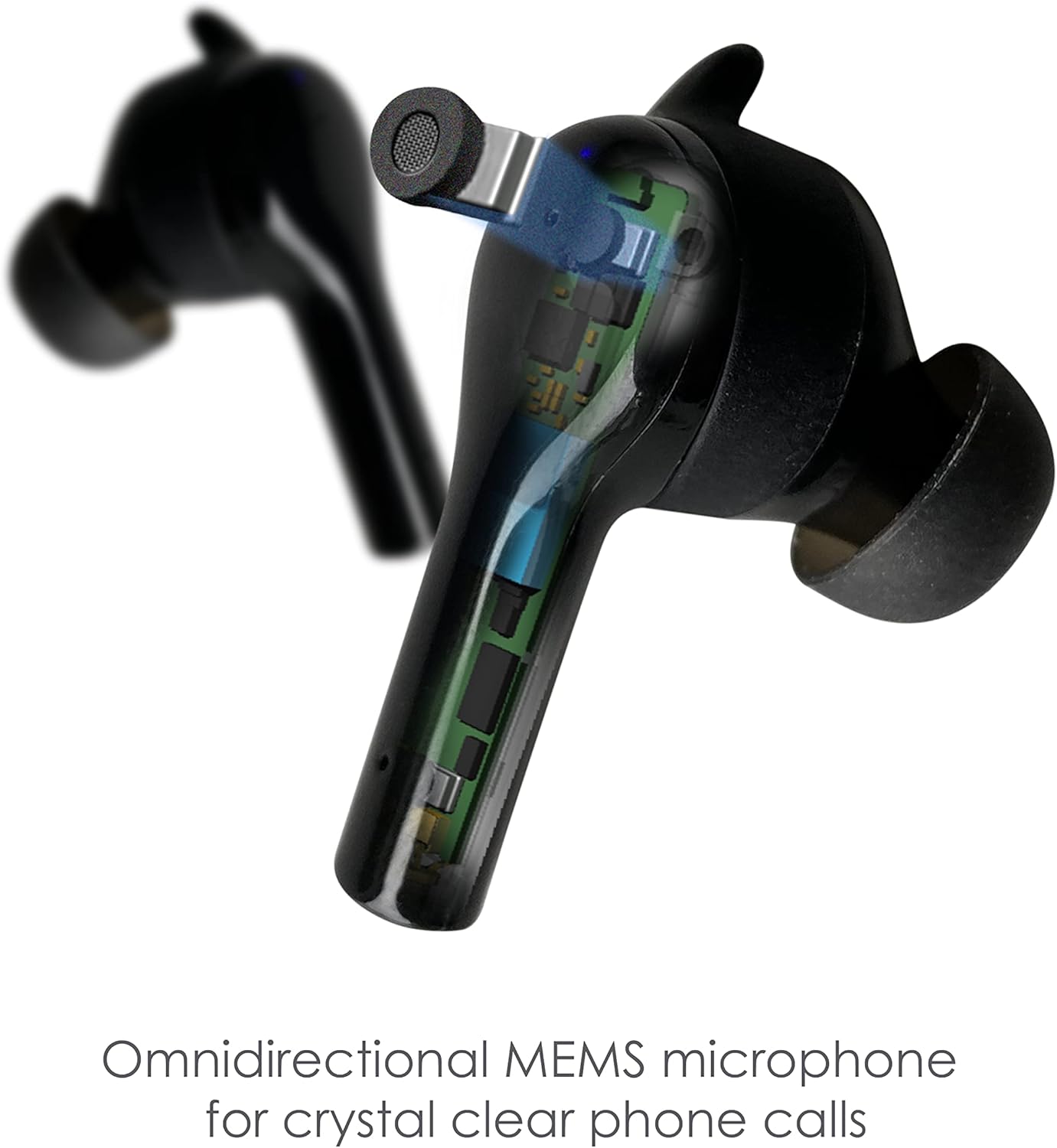
ছবি: বিস্তারিত view of the Boompods Bassline GO earbud, highlighting the omnidirectional MEMS microphone for clear calls.
4.4. Secure Fit and IPX4 Rating
The earbuds are designed for a secure and comfortable in-ear fit, suitable for various activities. They also boast an IPX4 water resistance rating, making them resistant to splashes and sweat, ideal for workouts or outdoor use.

Image: A person wearing the Boompods Bassline GO earbuds, demonstrating their secure fit during active use.
5. রক্ষণাবেক্ষণ
To ensure the longevity and optimal performance of your Boompods Bassline GO earbuds, follow these maintenance guidelines:
- পরিষ্কার করা: নিয়মিতভাবে ইয়ারবাড এবং চার্জিং কেস নরম, শুকনো, লিন্ট-মুক্ত কাপড় দিয়ে পরিষ্কার করুন। ঘষিয়া তুলিয়া ফেলিতে সক্ষম ক্লিনার বা দ্রাবক ব্যবহার করবেন না। একটি ছোট, নরম ব্রাশ বা তুলো দিয়ে কানের ডগা এবং স্পিকারের জাল থেকে যেকোনো কানের মোম বা ধ্বংসাবশেষ আলতো করে সরিয়ে ফেলুন।
- সঞ্চয়স্থান: When not in use, store the earbuds in their charging case to protect them from dust and damage. Store the case in a cool, dry place away from direct sunlight and extreme temperatures.
- চার্জিং: Avoid fully depleting the battery for extended periods. Charge the earbuds and case regularly, even if not in frequent use, to maintain battery health.
- জলের এক্সপোজার: While IPX4 rated for splash resistance, do not submerge the earbuds in water or expose them to heavy rain. Dry them thoroughly if they get wet.
6. সমস্যা সমাধান
If you encounter issues with your Boompods Bassline GO earbuds, refer to the following common solutions:
6.1. Earbuds Not Pairing/Connecting
- উভয় ইয়ারবাড চার্জ করা আছে তা নিশ্চিত করুন।
- আপনার ডিভাইসে ব্লুটুথ বন্ধ করুন এবং এটি আবার চালু করুন।
- Forget/delete "Boompods Bassline GO" from your device's Bluetooth list and attempt to pair again.
- Place both earbuds back into the charging case, close the lid, wait a few seconds, then open the lid to re-initiate pairing mode.
৬.২. কোন শব্দ নেই অথবা কম ভলিউম
- আপনার ইয়ারবাড (টাচ কন্ট্রোলের মাধ্যমে) এবং আপনার সংযুক্ত ডিভাইস উভয়ের ভলিউম স্তর পরীক্ষা করুন।
- নিশ্চিত করুন যে ইয়ারবাডগুলি আপনার কানে সঠিকভাবে লাগানো আছে।
- ইয়ারবাড স্পিকারের জাল থেকে যেকোনো ধ্বংসাবশেষ পরিষ্কার করুন।
- Try disconnecting and reconnecting the earbuds to your device.
৬.৩. চার্জিং সমস্যা
- নিশ্চিত করুন যে USB-C কেবলটি কেস এবং পাওয়ার সোর্স উভয়ের সাথেই নিরাপদে সংযুক্ত আছে।
- একটি ভিন্ন USB-C কেবল বা পাওয়ার অ্যাডাপ্টার ব্যবহার করে দেখুন।
- নিশ্চিত করুন যে ইয়ারবাড এবং কেসের ভিতরের চার্জিং কন্টাক্টগুলি পরিষ্কার এবং ময়লামুক্ত।
7. স্পেসিফিকেশন
| বৈশিষ্ট্য | বিস্তারিত |
|---|---|
| মডেলের নাম | Bassline GO |
| মডেল নম্বর | BAGO |
| সংযোগ প্রযুক্তি | ওয়্যারলেস (ব্লুটুথ ৫.৩) |
| কান বসানো | ইন-ইয়ার |
| কন্ট্রোল টাইপ | টাচ কন্ট্রোল |
| মাইক্রোফোন | ENC (পরিবেশগত শব্দ বাতিলকরণ) |
| জল প্রতিরোধের | IPX4 |
| ব্যাটারি লাইফ (ইয়ারবাড) | চার্জ প্রতি 7 ঘন্টা পর্যন্ত |
| মোট খেলার সময় (কেস সহ) | 23 ঘন্টা পর্যন্ত |
| চার্জিং পোর্ট | ইউএসবি-সি |
| ফ্রিকোয়েন্সি রেঞ্জ | ২০ হার্জ - ২০,০০০ হার্জ |
| সামঞ্জস্যপূর্ণ ডিভাইস | Smartphones, tablets, laptops, gaming consoles, smart speakers, car audio systems |
| রঙ | কালো |
8. ওয়্যারেন্টি এবং সমর্থন
Warranty information for the Boompods Bassline GO earbuds is not explicitly provided within the product details. For specific warranty terms and conditions, please refer to the official Boompods webসাইটে যান অথবা সরাসরি তাদের গ্রাহক সহায়তার সাথে যোগাযোগ করুন।
For further assistance or technical support, please visit the official Boompods website or contact their customer service team through the contact information provided on their site.


