1. পণ্য শেষview
The Loolinn Z3 Drone is designed for beginners, offering stable flight and ease of use. It features optical flow positioning technology for intelligent hovering and includes a 720p camera for capturing aerial photos and videos. With three included batteries, users can enjoy extended flight times.

Image 1.1: The Loolinn Z3 Drone, its remote control, and three rechargeable batteries.
2. প্যাকেজ বিষয়বস্তু
অনুগ্রহ করে যাচাই করুন যে নীচে তালিকাভুক্ত সমস্ত আইটেম আপনার প্যাকেজে উপস্থিত রয়েছে:
- 1 x Loolinn Z3 Drone
- 1 এক্স রিমোট কন্ট্রোল
- 1 এক্স ব্যবহারকারী ম্যানুয়াল
- 1 x স্মার্টফোন ধারক
- 3 x Drone Batteries
- 2 এক্স ইউএসবি চার্জিং কেবল
- 4 x Rotor Blade Protectors
- 4 x Extra Propellers
- 1 এক্স স্ক্রু ড্রাইভার

Image 2.1: Contents of the Loolinn Z3 Drone package, including the drone, remote, batteries, and accessories.
3. নিরাপত্তা নির্দেশিকা
Before operating the Loolinn Z3 Drone, please read and adhere to the following safety guidelines to ensure a safe and enjoyable experience:
- Always fly in open areas, away from people, animals, buildings, and obstacles.
- Avoid flying in strong winds or adverse weather conditions.
- Maintain a visual line of sight with the drone at all times.
- Ensure the drone batteries and remote control batteries are fully charged before each flight.
- আঙুল এবং ঢিলেঢালা পোশাক ঘূর্ণায়মান প্রোপেলার থেকে দূরে রাখুন।
- Do not operate the drone near airports or restricted airspace.
- This product is suitable for ages 14 and up. Adult supervision is recommended for younger users.
4. সেটআপ
৫.১ ব্যাটারি চার্জিং এবং ইনস্টলেশন
The drone comes with three 1500mAh Lithium Ion batteries. Each battery provides approximately 20 minutes of flight time. Use the provided USB charging cables to charge the drone batteries. A full charge typically takes about 35 minutes per battery.
- Connect the USB charging cable to a power source (e.g., computer USB port, USB wall adapter).
- Connect the battery to the charging cable. The indicator light on the cable will show charging status.
- সম্পূর্ণ চার্জ হয়ে গেলে, ব্যাটারিটি সংযোগ বিচ্ছিন্ন করুন।
- Insert a charged battery into the drone's battery compartment.
The remote control requires 4 AA batteries (not included). Open the battery compartment on the back of the remote and insert the batteries, observing correct polarity.

Image 4.1: The three 1500mAh Lithium Ion batteries included with the Loolinn Z3 Drone.
4.2 Propeller and Guard Installation
Attach the propeller guards to the drone's arms by snapping them into place. Ensure they are securely fastened. If replacing propellers, match the propellers marked 'A' with motor 'A' and 'B' with motor 'B'.
4.3 Smartphone Holder Attachment
Attach the smartphone holder to the top of the remote control. This allows you to mount your smartphone to view the drone's camera feed.
4.4 Pairing the Drone and Remote
- ড্রোনটি একটি সমতল, স্তরের পৃষ্ঠে রাখুন।
- Turn on the drone by pressing the power button. The drone's indicator lights will flash.
- রিমোট কন্ট্রোল চালু করুন।
- Push the left joystick (throttle) all the way up, then all the way down. The drone's lights will stop flashing and remain solid, indicating successful pairing.
4.5 জাইরোস্কোপ ক্রমাঙ্কন
After pairing, calibrate the gyroscope for stable flight:
- Ensure the drone is on a flat, level surface.
- Push both joysticks on the remote control down and to the right simultaneously.
- The drone's lights will flash rapidly and then become solid, indicating successful calibration.
5. অপারেটিং নির্দেশাবলী
৪.১ মৌলিক ফ্লাইট নিয়ন্ত্রণ
- এক-চাবি উড্ডয়ন/অবতরণ: Press the one-key take-off/landing button (usually marked with an arrow) to automatically take off or land.
- Throttle (Left Joystick): Push up to ascend, pull down to descend.
- Directional Control (Right Joystick): Push forward to fly forward, pull back to fly backward, push left to fly left, push right to fly right.
- ইয়াও (বাম জয়স্টিক বাম/ডান): Push left to rotate left, push right to rotate right.
5.2 অপটিক্যাল ফ্লো পজিশনিং
The Loolinn Z3 Drone is equipped with an optical flow positioning sensor on its underside. This technology helps the drone maintain its position and hover stably, especially in indoor environments or areas with minimal wind. This feature contributes to easier control and clearer image capture.

Image 5.1: The Loolinn Z3 Drone utilizing its optical flow positioning technology for stable flight.
5.3 ক্যামেরা অপারেশন
The drone features a 720p camera for capturing photos and videos. To access the camera feed and control, download the dedicated Loolinn drone app on your smartphone and connect via Wi-Fi.
- Download the Loolinn drone app from your smartphone's app store.
- ড্রোন চালু করুন।
- Connect your smartphone to the drone's Wi-Fi network (usually named 'Loolinn_XXXX').
- অ্যাপটি খুলুন view লাইভ ক্যামেরা ফিড।
- Use the app interface to take photos or start/stop video recording.

Image 5.2: A smartphone displaying the 720p live video feed from the drone's camera.
5.4 Special Features: 3D Flip
The Loolinn Z3 Drone can perform 3D flips. To execute a flip:
- Fly the drone to a height of at least 2 meters (6.5 feet).
- Press the 3D flip button on the remote control (refer to your remote diagram for exact location).
- Immediately push the right joystick in the desired direction (forward, backward, left, or right) to perform the flip.

Image 5.3: The Loolinn Z3 Drone executing a 3D flip, demonstrating its acrobatic capabilities.
৪.৪ ফ্লাইট পরিবেশগত বিবেচনা
The Loolinn Z3 Drone is lightweight (approximately 4.65 ounces) and can be sensitive to wind. For optimal performance and control, fly in calm conditions. The maximum control range is approximately 262 feet (80 meters).
6. রক্ষণাবেক্ষণ
6.1 ব্যাটারি যত্ন
- Always use the provided charging cables.
- অতিরিক্ত চার্জ বা অতিরিক্ত ডিসচার্জ ব্যাটারি করবেন না।
- সরাসরি সূর্যালোক এবং চরম তাপমাত্রা থেকে দূরে একটি শীতল, শুষ্ক জায়গায় ব্যাটারি সংরক্ষণ করুন।
- If not used for an extended period, charge batteries to about 50% capacity.
৭.৩.২ প্রোপেলার প্রতিস্থাপন
In case of propeller damage, use the included extra propellers and screwdriver for replacement. Ensure the correct 'A' and 'B' propellers are installed on their respective motors.
6.3 পরিষ্কার করা
Use a soft, dry cloth to clean the drone and remote control. Avoid using water or chemical cleaners, which can damage electronic components.
7. সমস্যা সমাধান
- ড্রোন চালু হচ্ছে না: ব্যাটারিটি সম্পূর্ণ চার্জ করা আছে এবং সঠিকভাবে ঢোকানো আছে তা নিশ্চিত করুন।
- জোড়া লাগানোর অসুবিধা: Make sure the drone and remote are turned on and within range. Repeat the pairing steps (Section 4.4).
- অস্থির ফ্লাইট: Perform gyroscope calibration (Section 4.5). Avoid flying in windy conditions. Check for damaged propellers.
- ক্যামেরার মান খারাপ: The camera records at 720p resolution. Ensure good lighting conditions for best results.
- স্বল্প ফ্লাইট সময়: Ensure batteries are fully charged. Flight time can be affected by aggressive flying or strong winds.
- Propeller damage: Replace damaged propellers immediately using the spare parts provided.
- সংযোগ হারানো: If the drone loses connection with the remote, it will typically descend and land automatically. Ensure you are within the maximum range of 262 feet.
8. স্পেসিফিকেশন
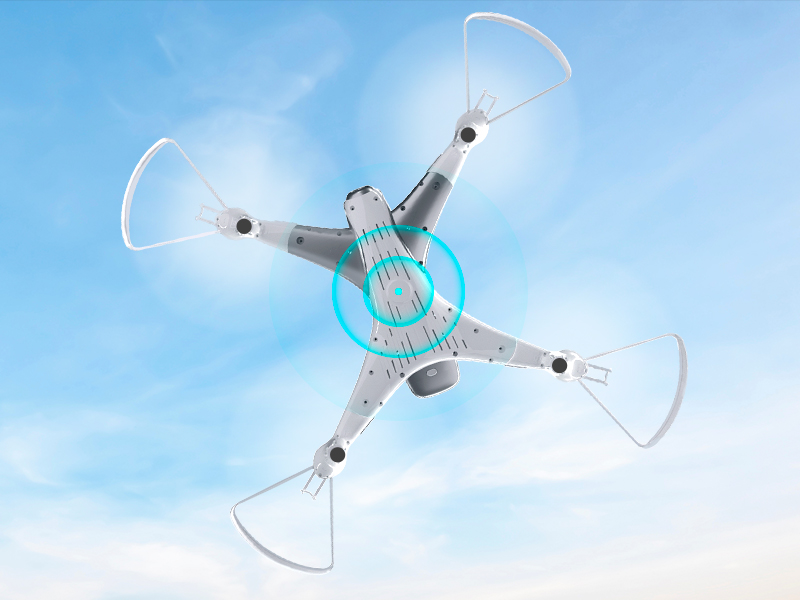
Image 8.1: The Loolinn Z3 Drone's weight measured on an electronic scale.
| বৈশিষ্ট্য | স্পেসিফিকেশন |
|---|---|
| ব্র্যান্ড | লুলিন |
| মডেলের নাম | Z3 ড্রোন |
| বিশেষ বৈশিষ্ট্য | 3 Batteries, 3D Flip, 60 Minutes Long Flight Time (total), Optical Flow Positioning Technology, Stable Flight |
| বয়সের সীমা (বর্ণনা) | Kids, Teenagers |
| রঙ | সাদা |
| ভিডিও ক্যাপচার রেজোলিউশন | 720p |
| সংযোগ প্রযুক্তি | ওয়াই-ফাই |
| স্কিল লেভেল | শিক্ষানবিস |
| আইটেম ওজন | ৪.২ আউন্স (প্রায় ১১৯ গ্রাম) |
| ব্যাটারির ক্ষমতা | 1500 মিলিamp ঘন্টা (প্রতি ব্যাটারি) |
| ভিডিও ক্যাপচার ফরম্যাট | MP4 |
| রিমোট কন্ট্রোল প্রযুক্তি | ওয়াই-ফাই |
| সর্বোচ্চ পরিসীমা | ১৬ ফুট (প্রায় ৫ মিটার) |
| উপাদান | ধাতু, প্লাস্টিক |
| ব্যাটারি সেল রচনা | লিথিয়াম আয়ন |
| সমর্থিত চিত্র ফর্ম্যাট | জেপিইজি |
| পণ্যের মাত্রা | ১৬.৯"লি x ১৩.৪"ওয়াট x ১০.৪"এইচ |
| ইউপিসি | 768492333128 |
9. ওয়্যারেন্টি এবং সমর্থন
Loolinn is committed to providing quality products and customer satisfaction. For any inquiries or support needs, please refer to the following:
- রিটার্ন নীতি: A full refund is available within 30 days of purchase.
- গ্রাহক সেবা: Loolinn offers responsive customer service, typically providing replies within 12 hours.
- প্রতিস্থাপন অংশ: For replacement parts such as propellers, please contact Loolinn customer support or visit their official webসাইট
আরও সহায়তার জন্য, অনুগ্রহ করে দেখুন Loolinn Store on Amazon.


