ভূমিকা
Welcome to the user manual for your new Amazon Kindle Colorsoft 16 GB e-reader. This guide provides essential information to help you set up, operate, maintain, and troubleshoot your device. The Kindle Colorsoft features a 7-inch color display, adjustable warm light, and 16 GB of on-device storage, designed for an enhanced reading experience.
সেটআপ
১. আনবক্সিং এবং প্রাথমিক চার্জ
Upon unboxing your Kindle Colorsoft, it is recommended to fully charge the device before first use. Use the included USB-C charging cable. A full charge takes approximately 2.5 hours with a 9W USB power adapter.

Image: The Kindle Colorsoft e-reader, shown with its packaging, highlighting its sleek design and the included USB-C cable for charging.
2. Powering On and Language Selection
Press and hold the power button located on the bottom edge of the device until the screen lights up. Follow the on-screen prompts to select your preferred language.
3. Wi-Fi সংযোগ
Connect your Kindle Colorsoft to a Wi-Fi network to access the Kindle Store and download content. The device supports 2.4 GHz and 5.0 GHz networks with WEP, WPA, WPA2, WPA3, and OWE security protocols. Select your network from the list and enter the password if required.
৩. আমাজন অ্যাকাউন্ট নিবন্ধন
Register your Kindle Colorsoft to your Amazon account. This allows you to access your purchased books, Kindle Unlimited subscription, and other Amazon content. If you do not have an Amazon account, you can create one during this step.
Operating Your Kindle Colorsoft
1. ইন্টারফেস নেভিগেট করা
The Kindle Colorsoft features a touch-sensitive display. Tap to select items, swipe to turn pages, and pinch to zoom. The home screen displays your library, recommended titles, and quick access settings.

Image: A user interacting with the Kindle Colorsoft interface, demonstrating the adjustable warm light settings and library view.
2. বই পড়া
Tap on a book cover in your library to open it. Swipe left or right to turn pages. Tap the top of the screen to access reading options, including font size, line spacing, and warm light adjustments.
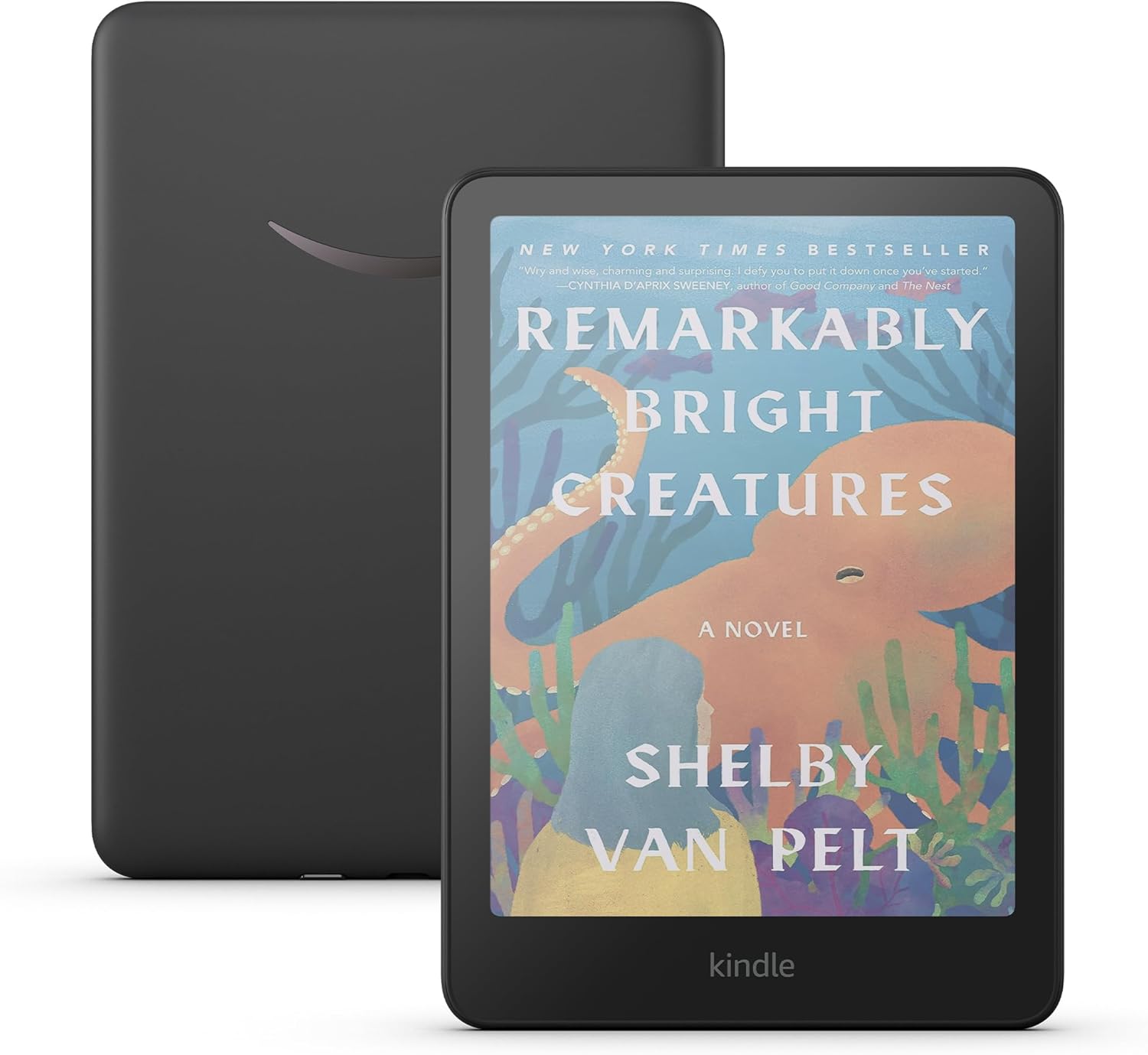
Image: The Kindle Colorsoft displaying the cover of "Remarkably Bright Creatures" in full color, showcasing the vibrant display.
3. ডিসপ্লে সেটিংস সামঞ্জস্য করা
The Kindle Colorsoft features an adjustable warm light. To adjust brightness and warmth, tap the top of the screen while reading or access the quick settings from the home screen. Drag the sliders to customize your viewing experience for different lighting conditions.

Image: The Kindle Colorsoft displaying a colorful comic book page, demonstrating the high-contrast Colorsoft display's ability to render detailed images.
4. Highlighting and Notes
Press and hold a word to select it. Drag the selection handles to highlight a passage. You can then choose to highlight in various colors (yellow, orange, blue, pink) or add a note. All highlights and notes are saved and accessible from your Kindle library.
৫.৮। জলরোধীকরণ
Your Kindle Colorsoft is waterproof with an IPX8 rating, meaning it can withstand immersion in 2 meters of fresh water for up to 60 minutes. This makes it suitable for reading by the pool or in the bath. Ensure the USB-C port is dry before charging.
রক্ষণাবেক্ষণ
৪.১. আপনার ডিভাইস পরিষ্কার করা
To clean your Kindle Colorsoft, use a soft, lint-free cloth. For stubborn smudges, slightly dampen the cloth with water. Avoid using abrasive cleaners or solvents, as these can damage the screen or casing.
১৪. ব্যাটারি কেয়ার
To maximize battery life, avoid exposing your device to extreme temperatures. A single charge can last up to eight weeks under typical usage conditions (half hour of reading per day with wireless off and light setting at 13). Frequent use of Wi-Fi or Audible audiobook streaming will reduce battery life.
Image: A person comfortably reading on the Kindle Colorsoft, illustrating the device's long battery life suitable for extended reading sessions.
3. সফ্টওয়্যার আপডেট
Your Kindle Colorsoft will periodically receive software security updates. Ensure your device is connected to Wi-Fi to receive these updates, which improve performance and add new features. Updates are typically downloaded and installed automatically.
সমস্যা সমাধান
৭.১. ডিভাইসটি সাড়া দিচ্ছে না
If your Kindle Colorsoft becomes unresponsive, try a forced restart. Press and hold the power button for 40 seconds until the device restarts. Release the button once the Kindle logo appears.
৭.২. ওয়াই-ফাই এর সাথে সংযোগ করা যাচ্ছে না
- Ensure your Wi-Fi router is on and working correctly.
- আপনি সঠিক Wi-Fi পাসওয়ার্ড প্রবেশ করাচ্ছেন কিনা তা যাচাই করুন।
- Try restarting your Kindle and your Wi-Fi router.
- Move closer to your Wi-Fi router to improve signal strength.
3. Books Not Downloading
- আপনার Wi-Fi সংযোগ পরীক্ষা করুন।
- Ensure your Amazon account is properly registered and linked to the device.
- Verify that the book is available in your region and compatible with your device.
- Check available storage space on your device.
4. Display Issues (e.g., Yellowing)
Some users may notice slight variations in display uniformity, such as a subtle yellow tint at the bottom or sides of the screen. This is often due to the color filter layer and is generally considered normal for this display technology. If you experience significant or distracting display anomalies, contact Amazon Customer Service for assistance.
স্পেসিফিকেশন
| বৈশিষ্ট্য | বিস্তারিত |
|---|---|
| প্রদর্শন | Amazon’s 7” Colorsoft display technology with built-in light, 300 ppi B&W, 150 ppi color, optimized font technology, 16-level gray scale. |
| আকার | 5 x 7 x 0.3 "(127.6 x 176.7 x 7.8 মিমি) |
| ওজন | 7.6oz (215g) |
| ডিভাইসে থাকা স্টোরেজ | ১৬ জিবি; হাজার হাজার বই ধারণক্ষমতা। |
| ক্লাউড স্টোরেজ | সমস্ত অ্যামাজন কন্টেন্টের জন্য বিনামূল্যে ক্লাউড স্টোরেজ। |
| ব্যাটারি লাইফ | Up to eight (8) weeks on a single charge (based on 30 mins/day reading, wireless off, light setting 13). |
| চার্জ করার সময় | ৯ ওয়াটের USB পাওয়ার অ্যাডাপ্টারের সাহায্যে ২.৫ ঘন্টারও কম সময়। |
| Wi-Fi সংযোগ | 2.4 GHz এবং 5.0 GHz নেটওয়ার্ক সমর্থন করে (WEP, WPA, WPA2, WPA3, OWE)। |
| কন্টেন্ট ফর্ম্যাট সমর্থিত | কিন্ডল ফর্ম্যাট ৮ (AZW8), কিন্ডল (AZW), TXT, PDF, অরক্ষিত MOBI, PRC নেটিভলি; PDF, DOCX, DOC, HTML, EPUB, TXT, RTF, JPEG, GIF, PNG, BMP রূপান্তরের মাধ্যমে; শ্রবণযোগ্য অডিও ফর্ম্যাট (AAX)। |
| ওয়াটারপ্রুফিং | IPX8 rated (withstands immersion in 2 meters of fresh water for 60 minutes). |
| বক্সে অন্তর্ভুক্ত | Kindle Colorsoft, USB-C charging cable, Quick Start Guide. |
| প্রজন্ম | Kindle Colorsoft (1st Generation) – 2025 release. |
ওয়্যারেন্টি এবং সমর্থন
1. সীমিত ওয়ারেন্টি
Your Kindle Colorsoft comes with a 1-year limited warranty and service. Optional extended warranties (1-year, 2-year, or 3-year) are available for U.S. customers and sold separately. Use of the Kindle is subject to the terms found on the Amazon webসাইট
2. গ্রাহক সহায়তা
আরও সহায়তার জন্য, Amazon গ্রাহক সহায়তায় যান। website or contact Amazon customer service directly. You can also find more information in the Kindle User Guide available online.
For information specific to your device, visit আপনার সামগ্রী এবং ডিভাইসগুলি পরিচালনা করুন৷.


