1. ভূমিকা
এই ম্যানুয়ালটিতে আপনার ক্রিয়েটিভ লাইভ সেট আপ এবং পরিচালনার জন্য বিস্তারিত নির্দেশাবলী রয়েছে! 4K UHD কনফারেন্সের সাথে দেখা করুন Webক্যাম (মডেল VF0950)। সর্বোত্তম কর্মক্ষমতা এবং সঠিক পরিচালনা নিশ্চিত করতে ডিভাইসটি ব্যবহার করার আগে অনুগ্রহ করে এই ম্যানুয়ালটি পুঙ্খানুপুঙ্খভাবে পড়ুন।

চিত্র ১: ক্রিয়েটিভ লাইভ! 4K UHD কনফারেন্সের সাথে দেখা করুন Webক্যাম
৩.১. বাক্সে কী আছে
প্যাকেজে সমস্ত আইটেম উপস্থিত আছে কিনা তা যাচাই করুন:
- ক্রিয়েটিভ লাইভ! 4K UHD কনফারেন্সের সাথে দেখা করুন Webক্যাম
- দ্রুত শুরু নির্দেশিকা
3. সেটআপ
3.1 সংযোগ করা Webক্যাম
- সৃজনশীল লাইভ করুন! 4K এর সাথে দেখা করুন webআপনার মনিটরের উপরে অথবা সমতল পৃষ্ঠে নিরাপদে ক্যাম রাখুন। সামঞ্জস্যযোগ্য ক্লিপটি স্থিতিশীল অবস্থান নির্ধারণের অনুমতি দেয়।
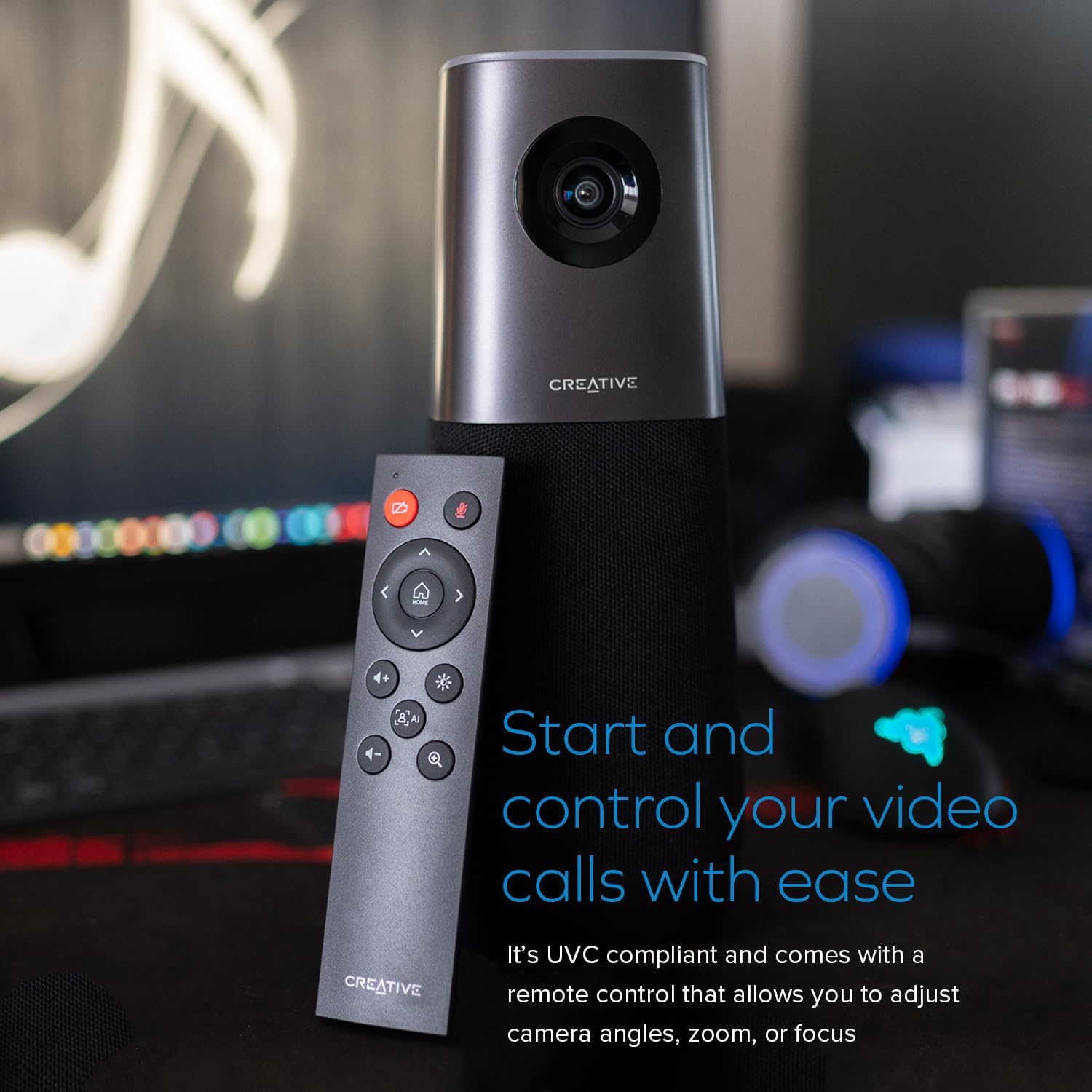
- সংযোগ করুন webপ্রদত্ত USB কেবল ব্যবহার করে আপনার কম্পিউটারে ক্যাম। webক্যাম UVC অনুগত এবং মৌলিক কার্যকারিতার জন্য অতিরিক্ত ড্রাইভার ইনস্টলেশনের প্রয়োজন হয় না।
- দ webক্যাম পিসি এবং ম্যাক অপারেটিং সিস্টেমের সাথে সামঞ্জস্যপূর্ণ।
- আপনার পছন্দের ভিডিও কনফারেন্সিং অ্যাপ্লিকেশনটি খুলুন (যেমন, জুম, স্কাইপ, Webযেমন, টিমস) এবং ক্রিয়েটিভ লাইভ নির্বাচন করুন! আপনার ভিডিও এবং অডিও ইনপুট ডিভাইস হিসেবে 4K-এর সাথে পরিচিত হন।
ভিডিও ১: সংযোগ স্থাপনের প্রদর্শন করে webক্যাম, রিং লাইট সামঞ্জস্য করা, এবং ফ্লিপ, মিরর এবং জুমের মতো মৌলিক রিমোট কন্ট্রোল ফাংশন।
4. পরিচালনা করা Webক্যাম
৪.১ ৪কে ইউএইচডি ভিডিও কোয়ালিটি
ক্রিয়েটিভ লাইভ! মিট 4K 4K UHD রেজোলিউশন 2160p @ 30 ফ্রেম প্রতি সেকেন্ডে প্রদান করে, যা আপনার কনফারেন্স এবং স্ট্রিমগুলির জন্য অত্যন্ত বিস্তারিত এবং মসৃণ ভিজ্যুয়াল প্রদান করে।

চিত্র ২: 4K UHD স্বচ্ছতার চিত্র তুলে ধরে webক্যামের ভিডিও আউটপুট।
৪.২ ই-পিটিজেড এবং ডিজিটাল জুম
আপনার সামঞ্জস্য করতে 7X ডিজিটাল জুম সহ ইলেকট্রনিক প্যান-টিল্ট-জুম (E-PTZ) বৈশিষ্ট্যটি ব্যবহার করুন view। এটি আপনাকে অংশগ্রহণকারীদের সর্বোত্তমভাবে ফ্রেম করতে সাহায্য করে, একটি গ্রুপ উপস্থাপনা থেকে শুরু করে একটি ক্লোজ-আপ মাথা থেকে কাঁধ পর্যন্ত view, ডিভাইসটি শারীরিকভাবে না সরালে।

চিত্র ৩: ওয়াইড-এঙ্গেল প্রদর্শন করে view এবং বিভিন্ন ফ্রেমিং প্রয়োজনে ডিজিটাল জুম ক্ষমতা।
4.3 প্রশস্ত Viewকোণ
দ webক্যামের বৈশিষ্ট্যগুলি একটি প্রশস্ত view১১৫° কোণে, একাধিক অংশগ্রহণকারীদের জন্য উপযুক্ত ব্যাপক কভারেজ নিশ্চিত করে অথবা একটি বিস্তৃত দৃশ্যমান এলাকা ক্যাপচার করে।
চিত্র ৪: এর বিস্তৃত ক্ষেত্র দেখায় view ১১৫° ওয়াইড-এঙ্গেল লেন্স দ্বারা সরবরাহ করা হয়েছে।
৪.৪ অন্তর্নির্মিত মাইক্রোফোন এবং স্পিকার
চারটি অতি-সংবেদনশীল সর্ব-নির্দেশক মাইক্রোফোন দিয়ে সজ্জিত, webক্যাম আপনার কণ্ঠস্বর স্পষ্ট এবং নির্ভুলভাবে ধারণ করে। ইন্টিগ্রেটেড স্পিকারটি প্রাকৃতিক এবং বাস্তবসম্মত অডিও প্লেব্যাক প্রদান করে।

চিত্র ৫: ইন্টিগ্রেটেড অডিওর জন্য বিল্ট-ইন মাইক্রোফোন অ্যারে এবং স্পিকার হাইলাইট করে।
৪.৫ এআই প্রযুক্তি এবং স্মার্টকমস কিট
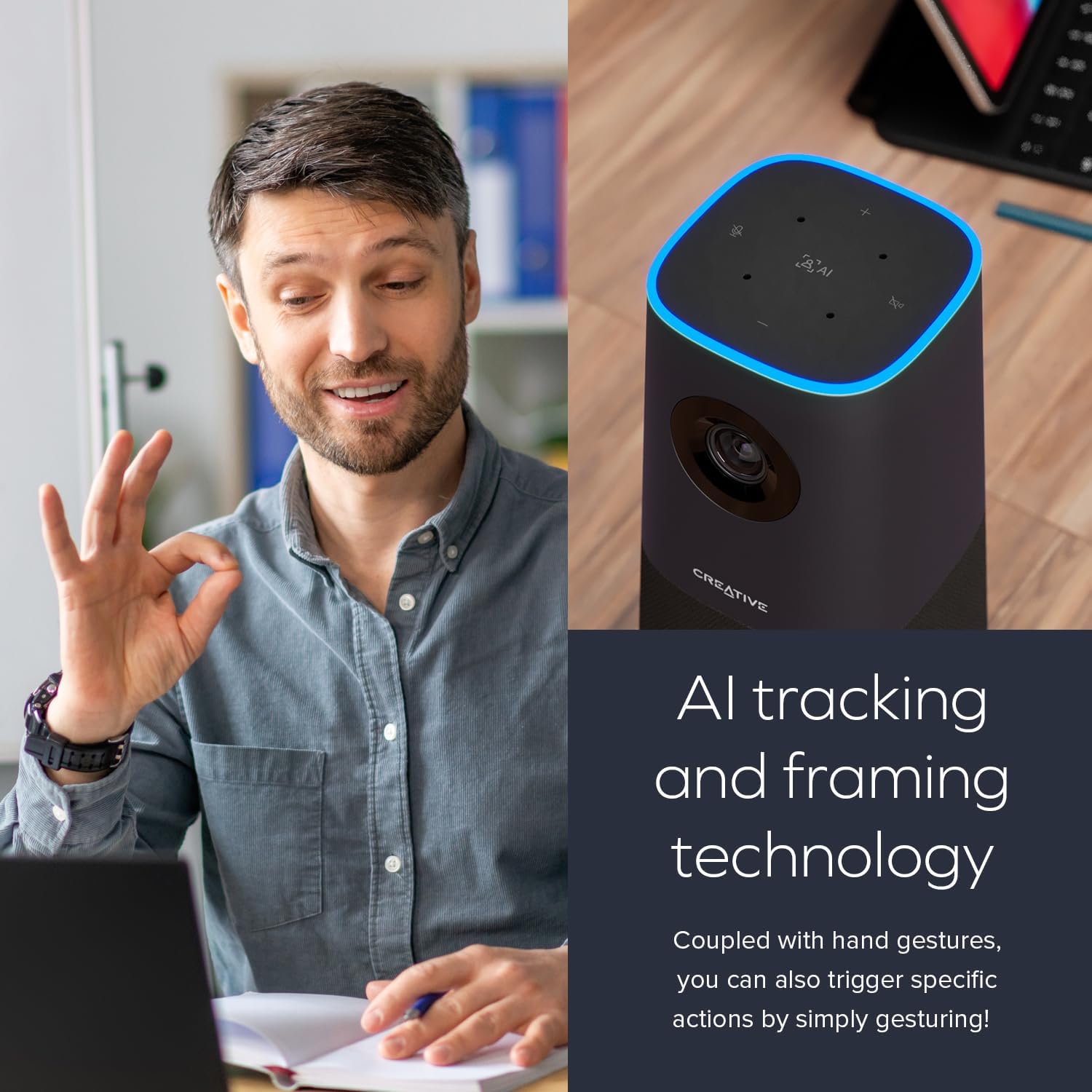
দ webবিষয়বস্তুকে কেন্দ্র করে রাখার জন্য ক্যামে এআই ট্র্যাকিং এবং ফ্রেমিং প্রযুক্তি অন্তর্ভুক্ত করা হয়েছে। উইন্ডোজ ব্যবহারকারীদের জন্য, ডাউনলোডযোগ্য ক্রিয়েটিভ অ্যাপটিতে স্মার্টকমস কিট অন্তর্ভুক্ত রয়েছে, যা স্পষ্ট যোগাযোগের জন্য ব্যাকগ্রাউন্ডের শব্দ কমাতে NoiseClean-out এর মতো বৈশিষ্ট্যগুলি অফার করে।
চিত্র ৬: এর AI ট্র্যাকিং এবং ফ্রেমিং ক্ষমতা চিত্রিত করে webক্যাম।

চিত্র ৭: স্মার্টকমস বৈশিষ্ট্য পরিচালনার জন্য ক্রিয়েটিভ অ্যাপ ইন্টারফেস দেখায়।
ভিডিও ২: 4K রেজোলিউশন, 120-ডিগ্রি FOV এবং 4K এর অটো-ফোকাস বৈশিষ্ট্যগুলি হাইলাইট করে webক্যাম।
5. রক্ষণাবেক্ষণ
5.1 পরিষ্কার করা
সর্বোত্তম ছবির মান বজায় রাখার জন্য, আলতো করে পরিষ্কার করুন webক্যামের লেন্সকে নরম, লিন্ট-মুক্ত কাপড় দিয়ে ঢেকে দিন। লেন্সে আঁচড় দিতে পারে বা ডিভাইসের ক্ষতি করতে পারে এমন কঠোর রাসায়নিক বা ঘষিয়া তুলিয়া ফেলিতে সক্ষম পদার্থ ব্যবহার করা এড়িয়ে চলুন।
5.2 স্টোরেজ
যখন ব্যবহার না হয়, সংরক্ষণ করুন webসরাসরি সূর্যালোক এবং চরম তাপমাত্রা থেকে দূরে একটি শীতল, শুষ্ক জায়গায় ক্যাম রাখুন।
6. সমস্যা সমাধান
৬.১ কোনও ভিডিও/অডিও আউটপুট নেই
- নিশ্চিত করুন যে USB কেবলটি উভয়ের সাথে নিরাপদে সংযুক্ত আছে webক্যাম এবং আপনার কম্পিউটার।
- যাচাই করুন যে webআপনার অপারেটিং সিস্টেম সেটিংসে এবং আপনার ভিডিও কনফারেন্সিং অ্যাপ্লিকেশনের মধ্যে ক্যামকে প্রাথমিক ভিডিও এবং অডিও ডিভাইস হিসেবে নির্বাচিত করা হয়েছে।
- সংযোগ করার চেষ্টা করুন webআপনার কম্পিউটারের একটি ভিন্ন USB পোর্টে ক্যাম সংযোগ করুন।
- আপনার কম্পিউটার এবং ভিডিও কনফারেন্সিং অ্যাপ্লিকেশনটি পুনরায় চালু করুন।
৫.৩ খারাপ ছবির মান
- লেন্সটি পরিষ্কার এবং ধুলো বা দাগমুক্ত রয়েছে তা নিশ্চিত করুন।
- আপনার ভিডিও কনফারেন্সিং অ্যাপ্লিকেশন সেটিংস পরীক্ষা করে নিশ্চিত করুন যে 4K রেজোলিউশন নির্বাচন করা হয়েছে, যদি সমর্থিত হয়।
- আপনার আশেপাশে পর্যাপ্ত আলোর ব্যবস্থা নিশ্চিত করুন।
৬.৩ এআই ট্র্যাকিং সমস্যা
- নিশ্চিত করুন যে আপনি সর্বোত্তম পরিসর এবং দৃশ্যমানতার মধ্যে আছেন webক্যামের এআই ট্র্যাকিং।
- ক্যামেরার সামনে কোন বাধা আছে কিনা তা পরীক্ষা করুন।
- সর্বোত্তম AI কর্মক্ষমতা নিশ্চিত করতে Windows এর জন্য Creative অ্যাপটিকে সর্বশেষ সংস্করণে আপডেট করুন।
7. স্পেসিফিকেশন
| বৈশিষ্ট্য | বিস্তারিত |
|---|---|
| পণ্যের মাত্রা | 3.85 x 3.85 x 10 ইঞ্চি |
| আইটেম ওজন | 3.32 পাউন্ড |
| মডেল নম্বর | ভিএফ0950 |
| প্রস্তুতকারক | ক্রিয়েটিভ ল্যাবস |
| ভিডিও রেজোলিউশন | ৪কে ইউএইচডি (২১৬০পি @ ৩০ এফপিএস) |
| ডিজিটাল জুম | 7X |
| Viewকোণ | 115° |
| মাইক্রোফোন | ৪ x সর্বমুখী |
| সামঞ্জস্য | পিসি, ম্যাক (ইউভিসি অনুগত) |
8. ওয়্যারেন্টি এবং সমর্থন
ওয়ারেন্টি তথ্য এবং প্রযুক্তিগত সহায়তার জন্য, অনুগ্রহ করে অফিসিয়াল ক্রিয়েটিভ ল্যাবস দেখুন। webসাইটে যান অথবা তাদের গ্রাহক পরিষেবার সাথে যোগাযোগ করুন। বিস্তারিত তথ্য সাধারণত আপনার পণ্যের সাথে অন্তর্ভুক্ত দ্রুত শুরু নির্দেশিকাতে পাওয়া যাবে।


