DIERYA DK98SE গেমিং কীবোর্ড ব্যবহারকারী ম্যানুয়াল
Model: DK98SE
1. ভূমিকা
This manual provides detailed instructions for the setup, operation, maintenance, and troubleshooting of your DIERYA DK98SE 98-key mechanical gaming keyboard. Please read this manual thoroughly before using the product to ensure optimal performance and longevity.

Figure 1: DIERYA DK98SE Gaming Keyboard (White Red Switch model)
2. প্যাকেজ বিষয়বস্তু
নীচে তালিকাভুক্ত সমস্ত আইটেম আপনার পণ্য প্যাকেজে অন্তর্ভুক্ত আছে কিনা তা যাচাই করুন:
- Mechanical keyboard x 1
- টাইপ-সি কেবল x 1
- Keycap pliers x 1
- ব্যবহারকারীর ম্যানুয়াল x 1

Figure 2: Included items in the DK98SE package
3. পণ্য শেষview
The DIERYA DK98SE is a compact 98-key mechanical keyboard designed for both gaming and typing, featuring durable switches and ergonomic considerations.
3.1. Compact 98-Key Layout
The DK98SE features a compact yet practical 98-key layout, which includes a numeric keypad and a separate arrow key area. This design optimizes desktop space while retaining essential functionality.
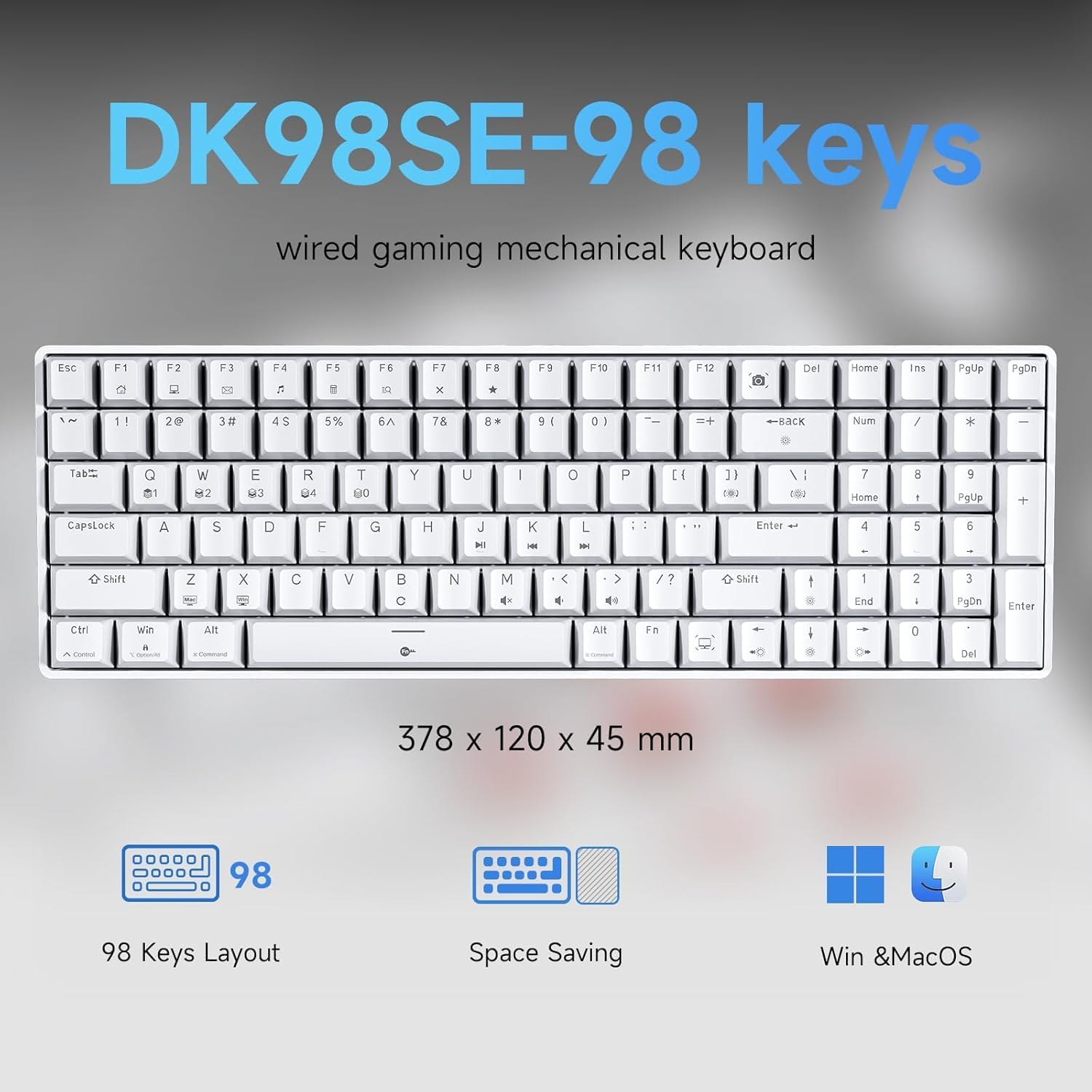
Figure 3: DK98SE 98-key layout and dimensions (378 x 120 x 45 mm)
3.2. Genuine Mechanical Switches
Equipped with independently developed mechanical switches, the DK98SE offers a consistent and durable typing experience. The Red Switches provide a linear quiet sound with fast action and minimal resistance, ideal for gaming performance. These switches are rated for a lifespan of 60 million keystrokes.
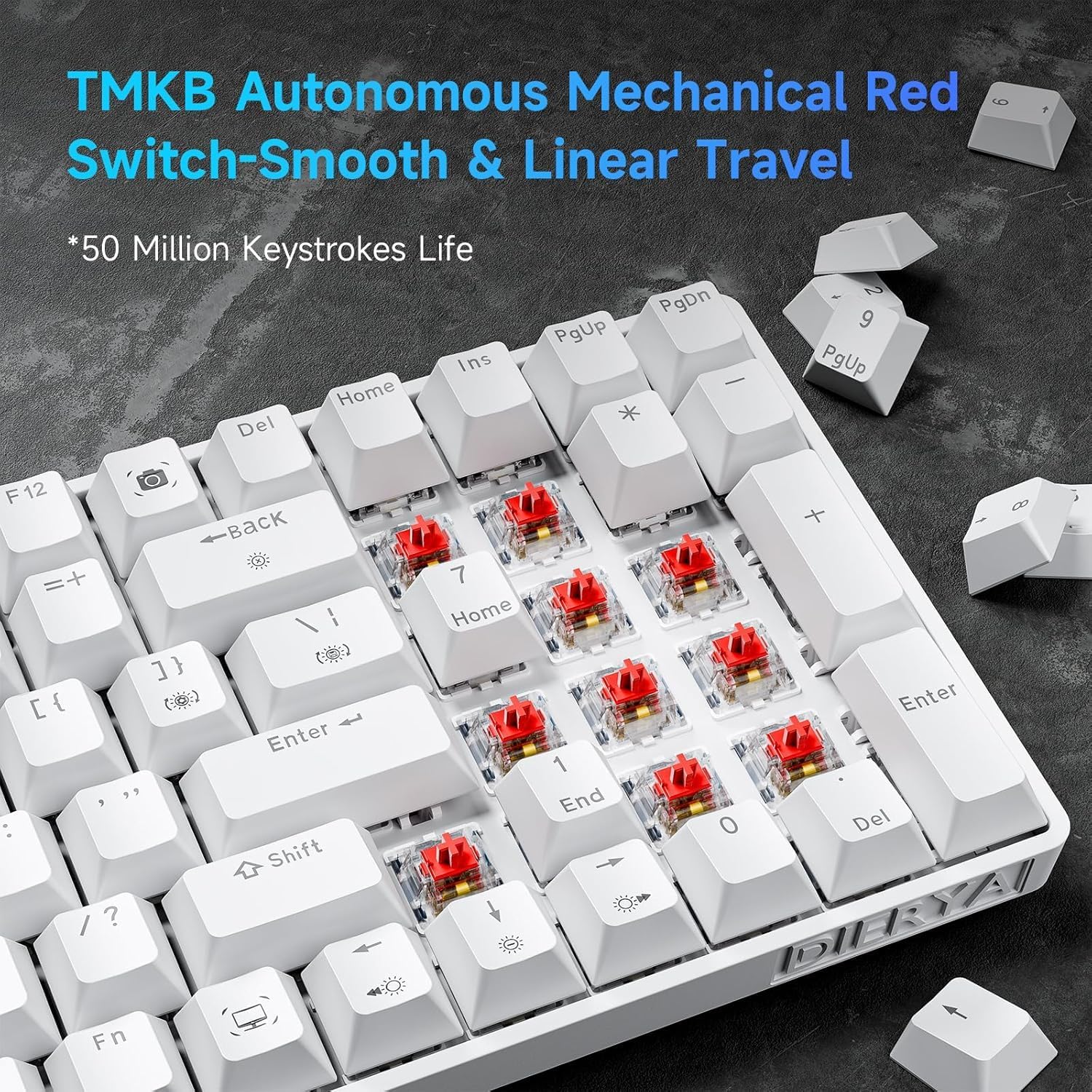
Figure 4: TMBK Autonomous Mechanical Red Switches

Figure 5: Mechanical Red Switches detail with actuation force and travel
3.3. এরগনোমিক ডিজাইন
The keyboard features an ergonomic design with anti-slip pads and two-level adjustable tilt supports, allowing users to find a comfortable typing angle. The scientific stepped keycap design further enhances comfort and minimizes hand fatigue during extended use.

Figure 6: Ergonomic design and adjustable rear feet
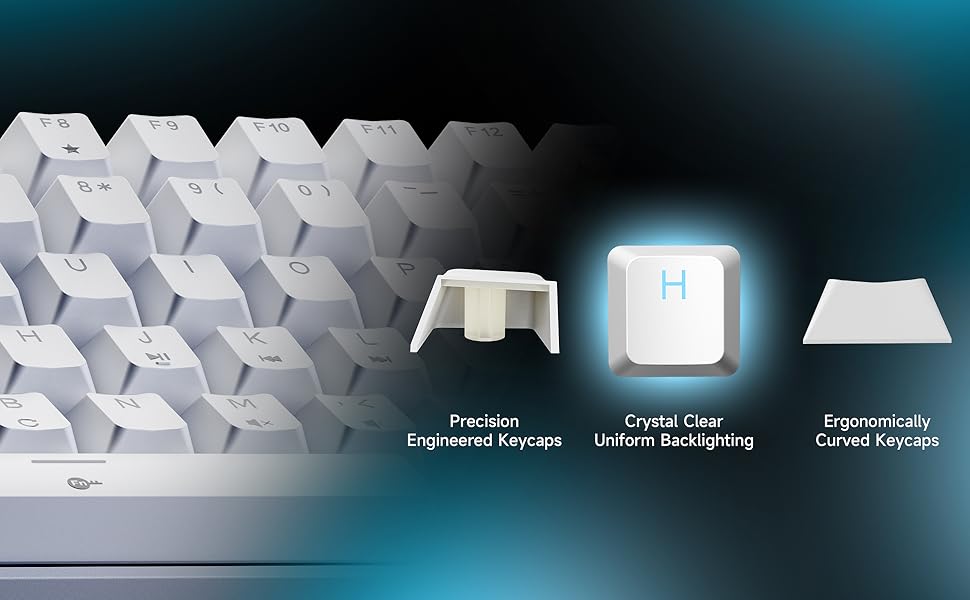
Figure 7: Keycap design for comfort and uniform backlighting
3.4. Full Anti-Ghosting
The DK98SE supports full anti-ghosting, ensuring that all key presses are registered accurately, even during rapid and simultaneous inputs. This feature is crucial for a smooth gaming and typing experience, complemented by a 1000Hz polling rate for zero delay.

Figure 8: Full Key Anti-Ghosting capability
4. সেটআপ
The DIERYA DK98SE keyboard is a plug-and-play device, requiring minimal setup.
- USB-C কেবলটি সংযুক্ত করুন: Insert the USB-C end of the provided cable into the port on the keyboard.
- কম্পিউটারের সাথে সংযোগ করুন: Insert the USB-A end of the cable into an available USB port on your computer (Desktop/Laptop).
- ড্রাইভার ইনস্টলেশন: The keyboard is plug-and-play. Your operating system (Windows 11/10/8/7/XP, Mac OS, Vista, Linux) will automatically detect and install the necessary drivers. No additional software installation is required for basic functionality.
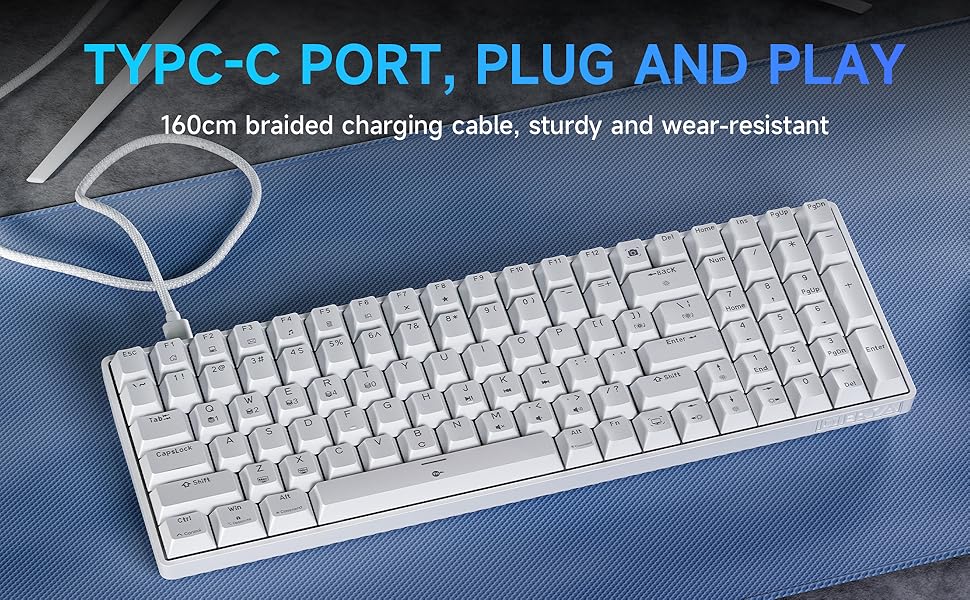
Figure 9: USB-C Port for plug and play connectivity
5. অপারেটিং নির্দেশাবলী
5.1. মৌলিক ব্যবহার
Once connected, the keyboard is ready for immediate use for typing and general computer navigation. The 98-key layout provides a full set of alphanumeric keys, a numeric keypad, and dedicated arrow keys.
5.2. ব্যাকলাইট কন্ট্রোল
The DK98SE features a single color ice blue backlight with 15 different backlight modes. Use the following key combinations to control the backlight:
- FN + ব্যাকস্পেস: ব্যাকলাইট চালু বা বন্ধ করুন।
- FN + | (Pipe/Backslash key): Switch between the 15 different backlight modes.
- FN + ↑ (উপরের তীর): ব্যাকলাইটের উজ্জ্বলতা বৃদ্ধি করুন।
- FN + ↓ (নিম্নমুখী তীর): ব্যাকলাইটের উজ্জ্বলতা কমান।
- FN + ← (বাম তীর): ব্যাকলাইটের গতি কমিয়ে দিন।
- FN + → (ডান তীর): ব্যাকলাইটের গতি বাড়ান।
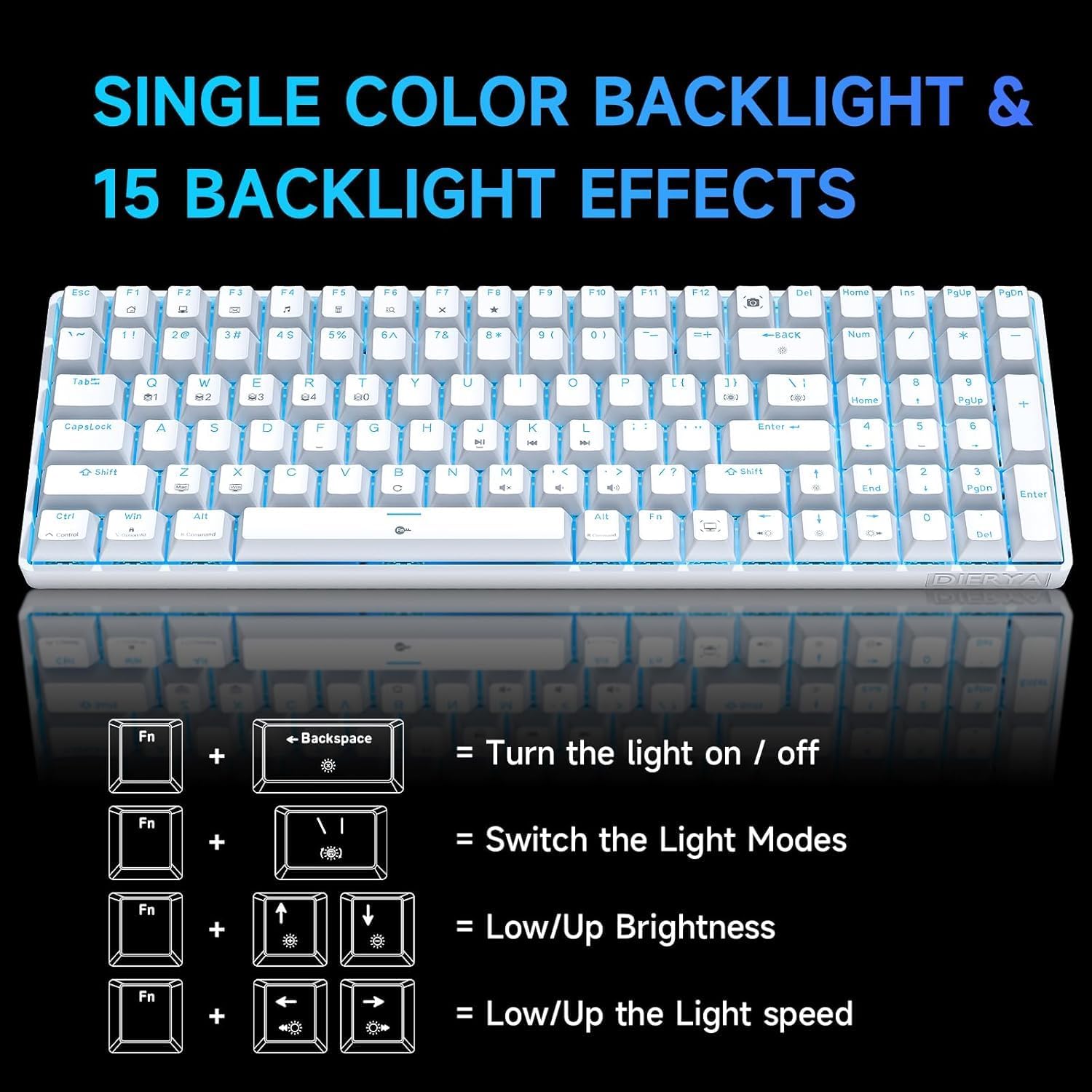
Figure 10: Backlight control key combinations
5.3. Special Function Keys
The keyboard includes dedicated function keys for enhanced productivity:
- এফএন + এফ১-এফ১২: Access multimedia controls and other system functions. Refer to the keycap legends for specific functions.
- ডেডিকেটেড ম্যাক্রো কী: The keyboard features specific keys that act as macros. For example, the Print Screen key is replaced by a Snipping Tool macro, and the Right Control key is replaced by a Show Desktop macro. Users should be aware of these changes from standard keyboard layouts.
6. রক্ষণাবেক্ষণ
সঠিক রক্ষণাবেক্ষণ আপনার কীবোর্ডের দীর্ঘায়ু এবং সর্বোত্তম কর্মক্ষমতা নিশ্চিত করে।
- পরিষ্কার করা: Use a soft, dry cloth to wipe down the keyboard surface. For deeper cleaning, use a can of compressed air to remove dust and debris from between the keycaps. For stubborn dirt, a slightly damp হালকা সাবানযুক্ত কাপড় ব্যবহার করা যেতে পারে, যাতে কীবোর্ডে কোনও তরল প্রবেশ না করে।
- কীক্যাপ অপসারণ: Use the provided keycap puller to carefully remove keycaps for cleaning or switch access. Avoid excessive force to prevent damage.
- সঞ্চয়স্থান: যখন ব্যবহার করা হচ্ছে না, তখন কীবোর্ডটি সরাসরি সূর্যালোক এবং চরম তাপমাত্রা থেকে দূরে একটি পরিষ্কার, শুষ্ক পরিবেশে সংরক্ষণ করুন।
- তারের যত্ন: Avoid bending or kinking the USB-C cable excessively to prevent internal wire damage.
7. সমস্যা সমাধান
If you encounter issues with your DIERYA DK98SE keyboard, refer to the following common troubleshooting steps:
| সমস্যা | সম্ভাব্য কারণ | সমাধান |
|---|---|---|
| Keyboard not responding / No input | Loose USB connection, faulty cable, driver issue, or USB port problem. |
|
| ব্যাকলাইট কাজ করছে না বা আটকে আছে | Backlight turned off, mode selected, or software glitch. |
|
| Keys not registering consistently | Dust/debris under keycap, switch malfunction, or anti-ghosting issue. |
|
| Keyboard recognized but not typing on Mac/Linux | Limited compatibility for certain OS features. |
The keyboard is compatible with Mac OS, Vista, and Linux for typing and office use only. Advanced features or specific key mappings may not function as they do on Windows. |
If the problem persists after trying these solutions, please contact DIERYA customer support for further assistance.
8. স্পেসিফিকেশন
| বৈশিষ্ট্য | বিস্তারিত |
|---|---|
| মডেল নম্বর | DK98SE |
| লেআউট | 98-key mechanical keyboard |
| সুইচ | Linear Red Switches (60 million keystrokes lifespan) |
| সংযোগ | USB-C (wired) |
| ব্যাকলাইট | Single Color Ice Blue (15 modes) |
| ভুত বিরোধী | সম্পূর্ণ অ্যান্টি-গোস্টিং |
| ভোটের হার | 1000Hz |
| সামঞ্জস্য | Windows 11/10/8/7/XP; Mac OS, Vista, Linux (typing/office use only) |
| মাত্রা | ৬.৮ x ৬.৫ x ৫.৮ ইঞ্চি (প্রায় ১৭.৩ x ১৬.৫ x ১৪.৭ সেমি) |
| আইটেম ওজন | ১.৯ পাউন্ড (প্রায় ০.৮৬ কেজি) |
| উপাদান | প্লাস্টিক |
| প্রস্তুতকারক | দিয়েরিয়া |
| মূল দেশ | চীন |
9. ওয়্যারেন্টি এবং সমর্থন
DIERYA is committed to providing quality products and customer satisfaction.
- ওয়ারেন্টি: This product supports a one-year quality warranty from the date of purchase.
- প্রতিস্থাপন নীতি: A 30-day replacement policy is available.
- গ্রাহক সমর্থন: If you have any questions, concerns, or require assistance, please feel free to contact DIERYA customer support. We aim to provide a satisfactory response within 24 hours.

Figure 11: DIERYA Customer Support and Warranty Information
Thank you for choosing DIERYA.


