ভূমিকা
This manual provides detailed instructions for the TECKNET Wired RGB Keyboard, model TK-KB037. Please read this manual thoroughly before using the product to ensure proper operation and maintenance.

Figure 1: TECKNET Wired RGB Keyboard (Model TK-KB037)
1. সেটআপ
1.1 প্যাকেজ বিষয়বস্তু
- TECKNET Wired RGB Keyboard (Model TK-KB037)
- ব্যবহারকারী ম্যানুয়াল (এই দস্তাবেজ)
৩.১ কীবোর্ড সংযুক্ত করা
The TECKNET Wired RGB Keyboard features a simple plug-and-play design, requiring no additional drivers for most operating systems.
- Locate an available USB-A port on your computer (PC, Laptop, Desktop, Raspberry Pi 3/4).
- Insert the USB connector of the keyboard into the USB-A port.
- The keyboard will be automatically recognized by your operating system and ready for use.

Figure 2: Connecting the USB cable to a computer.
সামঞ্জস্যতা: Compatible with Windows 2000/XP/7/8/10, Vista, Raspberry Pi 3/4, and Mac OS. Note that multimedia keys may have limited functionality on Mac OS.

Figure 3: Operating system compatibility overview.
2. অপারেটিং নির্দেশাবলী
2.1 Quiet and Comfortable Typing
The keyboard features low-profile membrane keys designed for soft keystrokes and reduced typing noise, suitable for quiet environments.

চিত্র 4: লো-প্রোfile keycaps for quiet typing.
2.2 Ergonomic Design and Adjustable Tilt
The full-size 104-key layout includes adjustable tilt legs and anti-slip pads, allowing you to customize the typing angle for comfort during extended use.

Figure 5: Adjustable tilt legs for ergonomic comfort.
৪.২ আরজিবি ব্যাকলাইট নিয়ন্ত্রণ
The keyboard features 7 different lighting colors, 4 brightness levels (High/Medium/Low/Off), and 2 lighting modes (Static or Breathing).
- To change lighting color: Press FN + * (asterisk key).
- To adjust brightness: Press FN + + (plus key) to increase, or FN + - (minus key) to decrease.
- To switch between Static and Breathing modes: Press FN + হালকা বাল্ব আইকন চাবি

চিত্র 6: প্রাক্তনamples of 7-color RGB backlighting.

Figure 7: Three levels of adjustable backlight brightness.
2.4 মাল্টিমিডিয়া শর্টকাট
Utilize the 12 FN+F key combinations for quick access to various functions:
| কী সমন্বয় | ফাংশন |
|---|---|
| FN + F1 | মিউজিক প্লেয়ার |
| FN + F2 | ভলিউম ডাউন |
| FN + F3 | ভলিউম আপ |
| FN + F4 | নিঃশব্দ |
| FN + F5 | প্লেব্যাক বন্ধ করুন |
| FN + F6 | পূর্ববর্তী ট্র্যাক |
| FN + F7 | প্লে/পজ করুন |
| FN + F8 | পরবর্তী ট্র্যাক |
| FN + F9 | ইন্টারনেট ব্রাউজার |
| FN + F10 | Email Client |
| FN + F11 | কম্পিউটার লক করুন |
| FN + F12 | ক্যালকুলেটর |

Figure 8: FN key multimedia shortcuts.
3. রক্ষণাবেক্ষণ
3.1 Spill-Resistant Design
The keyboard is built with a spill-resistant conductive film to protect against accidental water splashes. In case of a spill, promptly wipe the liquid clean from the keyboard surface.
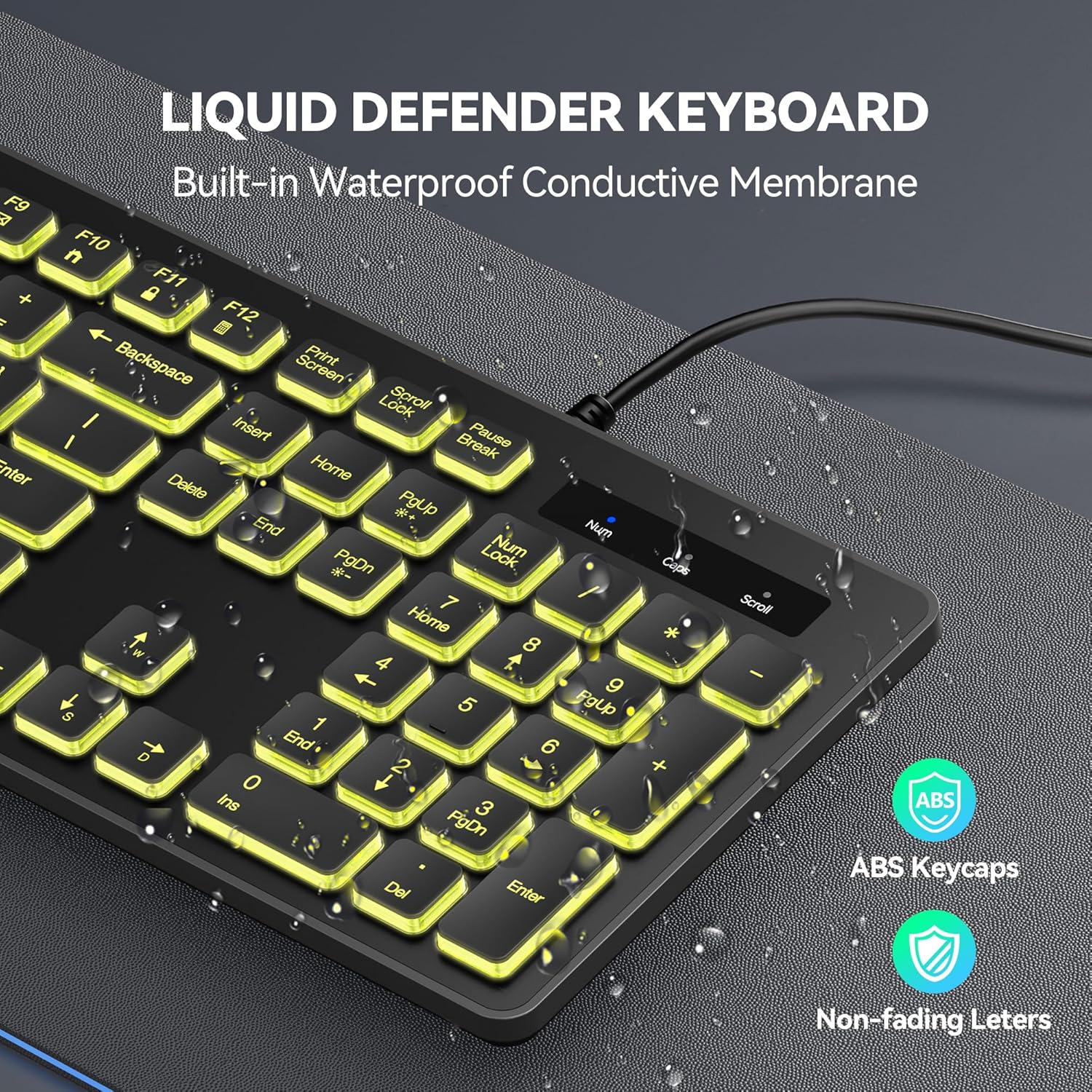
Figure 9: Spill-resistant keyboard design.
3.2 সাধারণ পরিচ্ছন্নতা
কীবোর্ড পরিষ্কার করতে, একটি নরম, d ব্যবহার করুনamp cloth. Avoid using harsh chemicals or abrasive cleaners, as these may damage the surface or key legends.
4. সমস্যা সমাধান
৭.১ কীবোর্ড সাড়া দিচ্ছে না
- Ensure the USB cable is securely connected to a working USB-A port on your computer.
- Try connecting the keyboard to a different USB-A port.
- আপনার কম্পিউটার পুনরায় চালু করুন.
- সমস্যাটি কীবোর্ডে নাকি কম্পিউটারে তা নির্ধারণ করতে অন্য কম্পিউটারে কীবোর্ড পরীক্ষা করুন।
৭.২ ব্যাকলাইট কাজ করছে না বা ভুল
- কীবোর্ডটি সঠিকভাবে সংযুক্ত আছে কিনা তা নিশ্চিত করুন।
- ব্যবহার করুন FN + + or FN + - উজ্জ্বলতা সামঞ্জস্য করতে।
- ব্যবহার করুন FN + * রঙের মধ্য দিয়ে ঘুরে বেড়াতে।
- ব্যবহার করুন FN + হালকা বাল্ব আইকন to change lighting modes.
4.3 Multimedia Keys Not Functioning on Mac OS
As noted in the compatibility section, some multimedia keys may have limited functionality when used with Mac OS. This is due to differences in operating system key mapping and is not a product defect.
5. স্পেসিফিকেশন
| বৈশিষ্ট্য | বিস্তারিত |
|---|---|
| মডেল নম্বর | TK-KB037 |
| ব্র্যান্ড | টেকনেট |
| সংযোগ প্রযুক্তি | USB-A (তারযুক্ত) |
| কীবোর্ড বর্ণনা | ঝিল্লি |
| কী লেআউট | Full-size, 104 keys |
| ব্যাকলাইটিং | 7-Color RGB, 4 Brightness Levels, 2 Modes (Static/Breathing) |
| বিশেষ বৈশিষ্ট্য | Backlit, Spill-Resistant, Adjustable Tilt Legs, Multimedia Shortcuts |
| সামঞ্জস্যপূর্ণ ডিভাইস | PC (Windows 2000/XP/7/8/10, Vista), Raspberry Pi 3/4, Mac OS |
| পণ্যের মাত্রা | ৬.৫"লি x ১.৫"ওয়াট x ৪.২৫"এইচ (১৬.৫ x ৩.৮ x ১০.৮ সেমি) |
| আইটেম ওজন | 0.634 আউন্স (প্রায় 18 গ্রাম) |
6. ওয়ারেন্টি
Each TECKNET product provides a lifetime warranty (registered only). If you are not satisfied with your product or service, please contact TECKNET customer support.
7. সমর্থন
For technical support, warranty claims, or further assistance, please visit the official TECKNET website or contact their customer service directly. Refer to the product packaging or the TECKNET webসর্বশেষ যোগাযোগের তথ্যের জন্য সাইট।
এছাড়াও আপনি দেখতে পারেন TECKNET Store on Amazon আরও পণ্য তথ্য এবং সহায়তা সংস্থানের জন্য।
পণ্য ওভারview ভিডিও
ভিডিও ১: একটি ওভারview of the TECKNET wired backlit keyboard, demonstrating its features such as plug-and-play setup, adjustable legs, quiet typing, RGB lighting modes, and spill resistance.


