1. ভূমিকা
Thank you for choosing the TCL 55T6C 4K UHD Smart QLED Google TV. This manual provides essential information for the safe and efficient use of your television. Please read it thoroughly before operating the device and retain it for future reference.
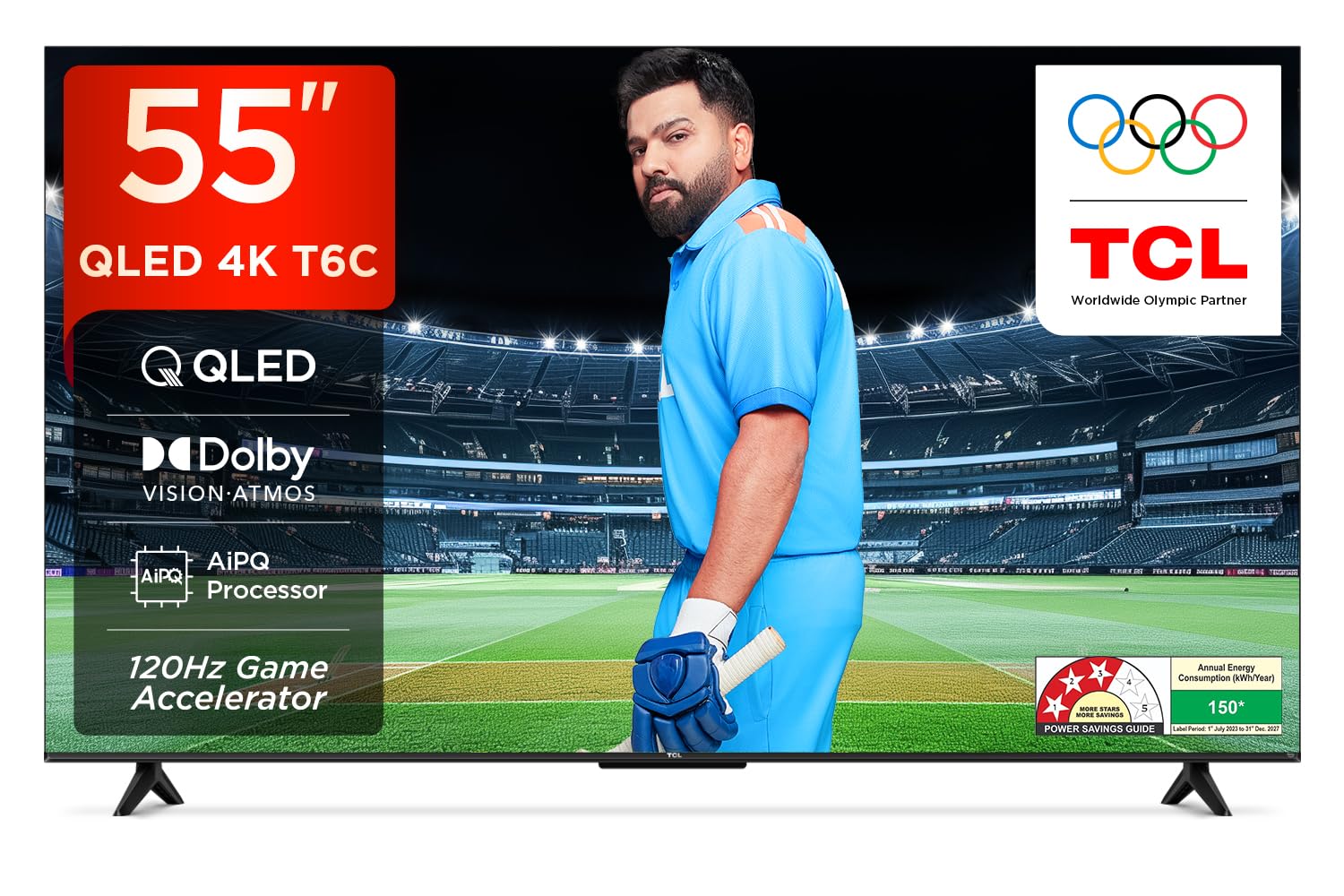
ছবি: সামনের দিকে view of the TCL 55T6C television, highlighting its sleek design and energy efficiency rating.
2. নিরাপত্তা তথ্য
Always observe the following basic safety precautions when using your television:
- বায়ুচলাচলের খোলা অংশ বন্ধ করবেন না। টিভির চারপাশে পর্যাপ্ত জায়গা নিশ্চিত করুন যাতে বাতাস চলাচলের ব্যবস্থা থাকে।
- অস্থির কার্ট, স্ট্যান্ড, ট্রাইপড, ব্র্যাকেট বা টেবিলের উপর টিভি রাখবেন না।
- পাওয়ার কর্ডটিকে হাঁটা বা চিমটি করা থেকে রক্ষা করুন।
- আগুন বা বৈদ্যুতিক শক এড়াতে টিভিকে বৃষ্টি বা আর্দ্রতার সংস্পর্শে আনবেন না।
- যোগ্য পরিষেবা কর্মীদের সমস্ত পরিষেবার উল্লেখ করুন।
৩.১. বাক্সে কী আছে
Carefully unpack your television and check that all items are present:
- 1N LED TV (TCL 55T6C)
- 1N অডিও কেবল
- 1N Stand (for tabletop mounting)
- 1N রিমোট কন্ট্রোল
- 2N AAA ব্যাটারি (রিমোট কন্ট্রোলের জন্য)
Note: A fixed or adjustable wall mount is not included and must be purchased separately if wall mounting is desired.

ছবি: পণ্যের প্যাকেজিংয়ে অন্তর্ভুক্ত জিনিসপত্রের চিত্র।
৪. ভৌত সেটআপ
4.1 স্ট্যান্ড সংযুক্ত করা
- ক্ষতি রোধ করতে টিভির স্ক্রিনটি নরম, সমতল পৃষ্ঠের উপর রাখুন।
- টিভির নীচের মাউন্টিং গর্তের সাথে স্ট্যান্ডটি সারিবদ্ধ করুন।
- প্রদত্ত স্ক্রু ব্যবহার করে স্ট্যান্ডটি সুরক্ষিত করুন।
৪.৩ ওয়াল মাউন্টিং (ঐচ্ছিক)
If you choose to wall mount your TV, please use a compatible VESA wall mount (not included) and follow the instructions provided with the wall mount. Ensure the wall can support the weight of the TV (approximately 9.2 kg with stand, 9 kg without stand).

ছবি: পিছন view of the television, indicating the VESA mounting pattern for wall installation.
4.3 সংযোগকারী ডিভাইস
আপনার TCL 55T6C টিভিতে বিভিন্ন সংযোগ বিকল্প রয়েছে:
- HDMI পোর্ট (৩): Connect Blu-ray players, gaming consoles, or set-top boxes. One port supports eARC for enhanced audio return.
- ইউএসবি পোর্ট (১): মিডিয়া প্লেব্যাকের জন্য USB স্টোরেজ ডিভাইসগুলি সংযুক্ত করুন।
- অ্যান্টেনা/কেবল ইন: একটি অ্যান্টেনা বা কেবল টিভি সিগন্যাল সংযুক্ত করুন।
- AV IN অ্যাডাপ্টার: কম্পোজিট ভিডিও এবং স্টেরিও অডিও ব্যবহারকারী পুরোনো ডিভাইসের জন্য।
- LAN এর: তারযুক্ত ইন্টারনেট সংযোগের জন্য।
- ডিজিটাল অডিও আউট (অপটিক্যাল): বাহ্যিক অডিও সিস্টেমের সাথে সংযোগের জন্য।

ছবি: বিস্তারিত view of the television's side panel, showing all available input and output ports with numerical labels.
5. প্রাথমিক সেটআপ
- পাওয়ার চালু: Connect the power cord to the TV and a power outlet. Press the power button on the remote control.
- ভাষা নির্বাচন: আপনার পছন্দের ভাষা নির্বাচন করতে অন-স্ক্রিন প্রম্পটগুলি অনুসরণ করুন।
- নেটওয়ার্ক সংযোগ: Connect your TV to the internet via Wi-Fi or Ethernet.
- Google অ্যাকাউন্ট সেটআপ: Google TV ফিচার, অ্যাপ এবং ব্যক্তিগতকৃত সুপারিশ অ্যাক্সেস করতে আপনার Google অ্যাকাউন্ট দিয়ে সাইন-ইন করুন।
- চ্যানেল স্ক্যান: If using an antenna or cable, perform an automatic channel scan.

Image: Screenshot of the Google TV home screen, displaying popular streaming applications and content suggestions.
6. আপনার টিভি অপারেটিং
6.1 রিমোট কন্ট্রোল
The smart remote control allows you to navigate the TV's features. It includes dedicated hotkeys for popular streaming services and a Google Assistant button for voice commands.
Image: Close-up of the remote control, highlighting the Google Assistant microphone button and quick access buttons for streaming services.
৫.৩ স্মার্ট টিভি বৈশিষ্ট্য (গুগল টিভি)
- গুগল সহকারী: কন্টেন্ট অনুসন্ধান করতে, স্মার্ট হোম ডিভাইস নিয়ন্ত্রণ করতে এবং তথ্য পেতে ভয়েস কমান্ড ব্যবহার করুন।
- স্ট্রিমিং অ্যাপস: Access pre-installed apps like Prime Video, Netflix, Hotstar, Zee5, and download more from the Google Play Store.
- পর্দা মিরর: Cast content from your smartphone or tablet to the TV.
- নজর তালিকা: Create a unified watchlist across various streaming services.

Image: The Google TV interface demonstrating the Watchlist feature and its integration with mobile devices.
৫.৩ ছবি এবং শব্দ সেটিংস
আপনার অপ্টিমাইজ করার জন্য ছবি এবং শব্দ সেটিংস সামঞ্জস্য করুন viewঅভিজ্ঞতা:
- ছবির মোড: Select from various preset modes (e.g., Standard, Vivid, Movie, Game) or customize settings like brightness, contrast, and color.
- শব্দ মোড: Choose audio presets (e.g., Standard, Music, Movie) or adjust equalizer settings.
- ডলবি অ্যাটমোস: নিমজ্জিত, ত্রিমাত্রিক অডিওর অভিজ্ঞতা নিন।
- ডিটিএস ভার্চুয়াল: এক্স: Enjoy virtualized 3D sound without additional speakers.
Image: Visual representation of Dolby Atmos technology delivering immersive sound from the television.
6.4 Gaming Features (Game Master)
The Game Master feature enhances your gaming experience:
- ১২০Hz গেম অ্যাক্সিলারেটর: Reduces latency and provides a higher refresh rate for smoother gameplay.
- কম ইনপুট ল্যাগ: Optimized for responsive gaming.

Image: A gaming scene displayed on the television, illustrating the benefits of the Game Master feature for an optimized gaming experience.
7. রক্ষণাবেক্ষণ
৬.১ টিভি পরিষ্কার করা
- পরিষ্কার করার আগে সর্বদা টিভির প্লাগ খুলে রাখুন।
- পর্দা এবং ক্যাবিনেট মুছতে একটি নরম, শুকনো কাপড় ব্যবহার করুন।
- একগুঁয়ে দাগের জন্য, টিভির জন্য বিশেষভাবে তৈরি স্ক্রিন ক্লিনার ব্যবহার করুন, যা সরাসরি স্ক্রিনে নয়, কাপড়ে লাগানো হবে।
- ঘষিয়া তুলিয়া ফেলিতে সক্ষম ক্লিনার, মোম, বা দ্রাবক ব্যবহার করবেন না।
7.2 সফ্টওয়্যার আপডেট
Your TV may receive automatic software updates. Ensure your TV is connected to the internet to receive these updates, which can improve performance and add new features.
8. সমস্যা সমাধান
আপনার টিভিতে যদি কোনও সমস্যার সম্মুখীন হন, তাহলে নিম্নলিখিত সাধারণ সমাধানগুলি দেখুন:
| সমস্যা | সম্ভাব্য সমাধান |
|---|---|
| ক্ষমতা নেই | Check if the power cord is securely plugged into the TV and the power outlet. Ensure the outlet is active. |
| ছবি নেই, কিন্তু শব্দ আছে। | ইনপুট সোর্স পরীক্ষা করুন। নিশ্চিত করুন যে বাহ্যিক ডিভাইসগুলি সঠিকভাবে সংযুক্ত এবং চালু আছে। |
| শব্দ নেই, কিন্তু ছবি আছে। | Check volume levels. Ensure mute is not activated. Check audio output settings if using external speakers. |
| রিমোট কন্ট্রোল কাজ করছে না | ব্যাটারিগুলো বদলে ফেলুন। নিশ্চিত করুন যে রিমোট এবং টিভির আইআর সেন্সরের মধ্যে কোনও বাধা নেই। |
| Wi-Fi সংযোগ সমস্যা | Restart your router and modem. Re-enter the Wi-Fi password. Ensure the TV is within range of the router. |
আরও জটিল সমস্যার জন্য, অনুগ্রহ করে TCL গ্রাহক সহায়তার সাথে যোগাযোগ করুন।
9. স্পেসিফিকেশন
| বৈশিষ্ট্য | বিস্তারিত |
|---|---|
| মডেল | 55T6C |
| ডিসপ্লে সাইজ | 139 সেমি (55 ইঞ্চি) |
| রেজোলিউশন | 4K ইউএইচডি (3840 x 2160) |
| প্রদর্শন প্রযুক্তি | QLED, HDR 10+, HVA Panel, Dynamic Color Enhancement |
| রিফ্রেশ হার | 60 Hz (120Hz Game Accelerator) |
| প্রসেসর | ৬৪-বিট কোয়াড কোর, AiPQ প্রসেসর |
| অপারেটিং সিস্টেম | গুগল টিভি |
| RAM/ROM | 2 জিবি / 16 জিবি |
| অডিও আউটপুট | 24 Watts, Dolby Atmos, DTS Virtual:X |
| সংযোগ | 3 HDMI (1 eARC), 1 USB, Wi-Fi 5, Ethernet, Bluetooth |
| মাত্রা (স্ট্যান্ড সহ) | 25.5 x 122.6 x 75 সেমি |
| ওজন (স্ট্যান্ড সহ) | 9.2 কেজি |
| শক্তি খরচ | 135 ওয়াট |
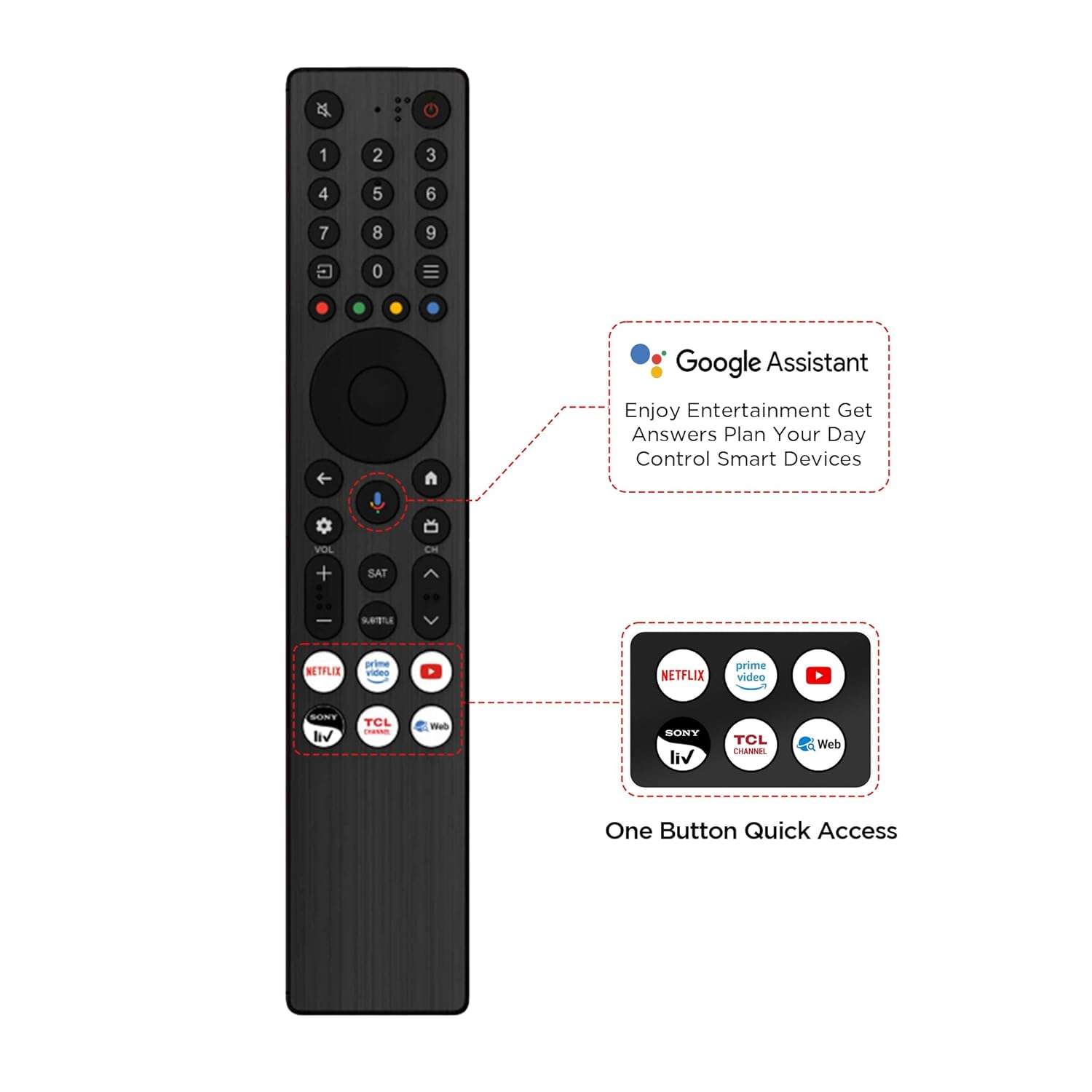
Image: Diagram illustrating the physical dimensions of the TCL 55T6C television, both with and without its stand.
10. ওয়্যারেন্টি এবং সমর্থন
10.1 ওয়ারেন্টি তথ্য
আপনার TCL 55T6C টেলিভিশনের সাথে আসে একটি ১ বছরের প্রস্তুতকারকের ওয়ারেন্টি from the date of purchase. The remote control has a separate 6 মাসের ওয়ারেন্টি. আপনার Amazon ই-ইনভয়েস ব্যবহার করে ওয়ারেন্টি দাবিগুলি প্রক্রিয়া করা যেতে পারে।
10.2 গ্রাহক সহায়তা
For technical assistance, service requests, or further inquiries, please visit the official TCL support website or contact their customer service helpline. Refer to the product packaging or TCL's official webসর্বশেষ যোগাযোগের তথ্যের জন্য সাইট।


